I’ve run OPNsense as a VM on my Proxmox server, I ran pfSense on dedicated hardware for a few years, and I’ve flashed OpenWrt onto a few routers over the years. In late 2024 I moved my own network to a UniFi Cloud Gateway, which I’ll get to, but it means I’ve lived with both of these long enough to know where each one fits. They’re both open source, both capable, and both free, but they solve different problems, and the right choice depends almost entirely on the hardware you’re working with.
This is the updated comparison, current as of OPNsense 26.7 and OpenWrt 25.12. If you’ve read an older version of this page, the biggest changes are that OpenWrt swapped its package manager, there’s a side-by-side table, and there’s a hardware section at the end with what I’d actually buy for each one. If you’re weighing OPNsense against pfSense instead, that’s a different question and I have a separate pfSense vs. OPNsense comparison for it.
Some of the links below are affiliate links, which means I earn a percentage of each sale at no cost to you. Thank you for your support.
The Short Answer
If you only read one section, this is it. The question isn’t really “OPNsense or OpenWrt,” it’s “what am I running it on.”
- You’re building or buying a dedicated firewall box: OPNsense. A Beelink EQ14 with its two 2.5GbE ports is the mini PC I used for exactly this, and a Protectli Vault V1410 is the fanless four-port appliance if you’d rather not think about it.
- You already own a router, or you want WiFi in the same box: OpenWrt. OPNsense is not a WiFi router, and that’s the clearest dividing line in this whole comparison. If you’re buying new, the GL.iNet Flint 2 ships with OpenWrt-based firmware and has two 2.5GbE ports.
- You’d rather not maintain either of them: that’s a fair answer too, and it’s the one I landed on. A UniFi Express 7 is around $200 and does VLANs, a VPN server, and WiFi from one dashboard with a fraction of the upkeep.
Here’s how they compare across the areas that actually matter.
OPNsense: A Full Firewall OS for Dedicated Hardware
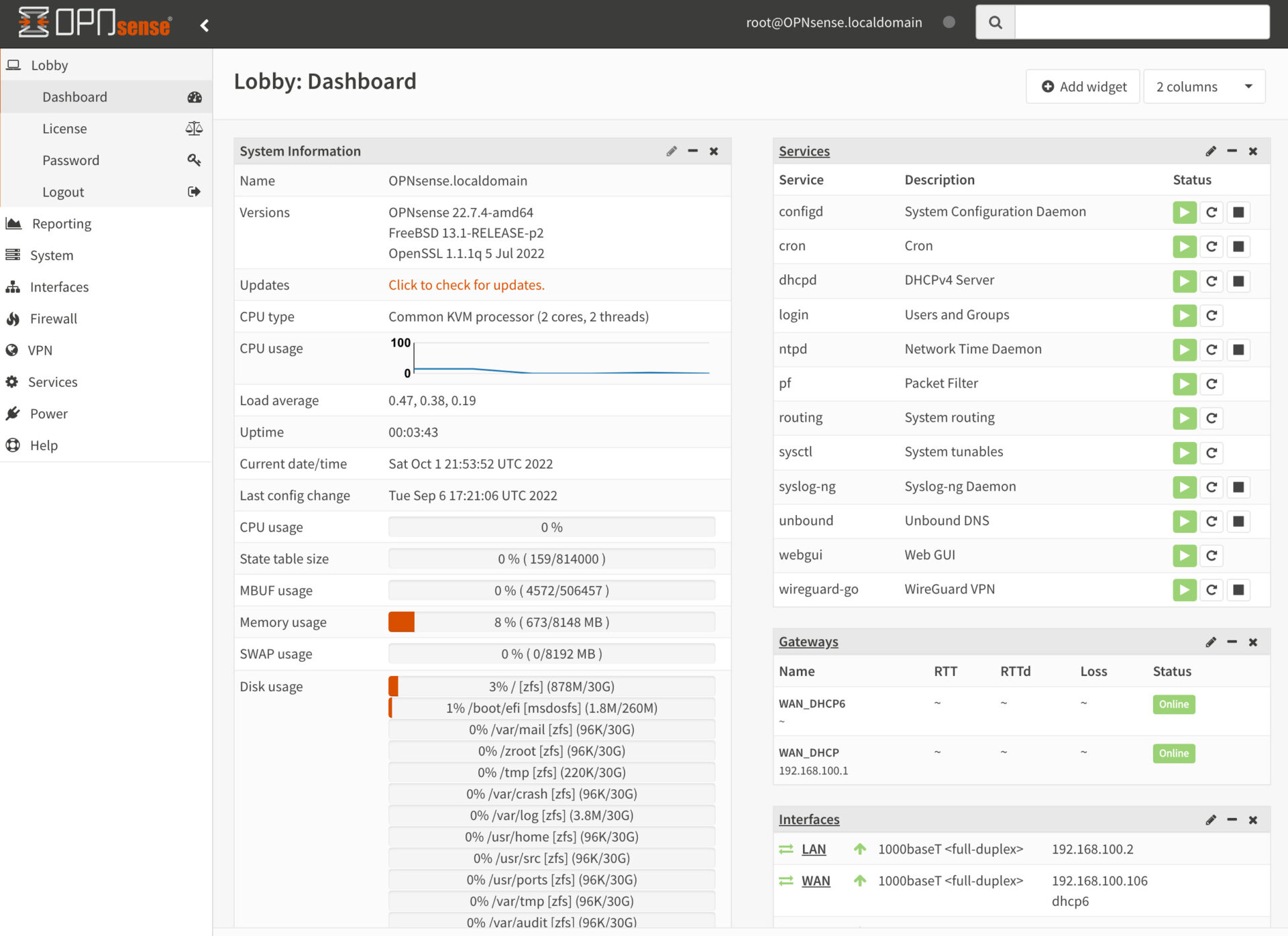
OPNsense is a FreeBSD-based firewall and router platform maintained by Deciso. It started as a fork of pfSense back in 2015, so if you’ve used pfSense the concepts carry over, but it has its own interface and a much more predictable update cycle. Major releases land every January and July, with security updates about every two weeks in between. The current release is 26.7, which runs on FreeBSD 15.1, and earlier this year 26.1 rebuilt the firewall rules interface, moved intrusion detection to Suricata 8, and made Dnsmasq the default DNS and DHCP combination for new installs.
You can install OPNsense on your own hardware, run it in a virtual machine, or buy a Deciso appliance with it preinstalled. I ran mine as a VM inside Proxmox VE, which gave me snapshot support and easy backups through Proxmox Backup Server. That setup worked well, though it does mean your firewall depends on the hypervisor staying up, and I’d think hard about that before making it permanent.
OPNsense handles VLANs, VPNs, firewall rules, intrusion detection, DNS, DHCP, and more out of the box. I had four VLANs configured on that network (management, IoT, guest, and a VM network), and setting them up in OPNsense was straightforward because the interface walks you through it logically. You’ll also see it spelled OpenSense in forum posts, which is the same thing.
OpenWrt: Custom Firmware for Existing Routers
OpenWrt is a Linux-based operating system designed to be flashed onto consumer routers and embedded devices. The main appeal is that it replaces the stock firmware on hardware you already own, giving you a fully writable filesystem, a package manager, and real control over routing, VLANs, and WiFi on a single device. The current release is 25.12, which moved to a 6.12 kernel and, in the biggest change in years, replaced the old opkg package manager with apk. It supports over 2,200 devices, and the project now sells its own reference router, the OpenWrt One, for around $89.
If you have a router sitting around that’s running slow or stuck on locked-down firmware, OpenWrt can turn it into something significantly more useful. You get proper firewall rules, VLAN support, VPN capabilities, and a package ecosystem. My guide to the best OpenWrt routers has a list of compatible hardware if you’re starting from scratch.
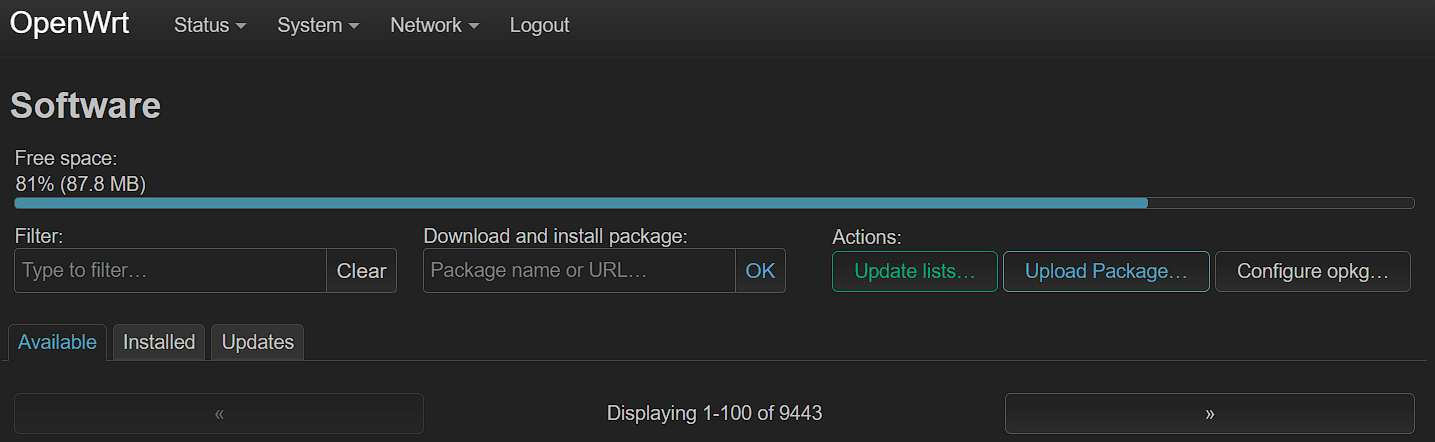
The trade-off is that you’re limited by whatever CPU, RAM, and flash storage the router has. A consumer router with 128MB of RAM and a dual-core processor is never going to match a dedicated x86 box running OPNsense, and that gap shows up the moment you turn on a VPN or intrusion detection. Newer OpenWrt-native hardware with 1GB of RAM and 2.5GbE ports narrows it a lot, which is why the hardware you pick matters more than it used to.
OPNsense vs. OpenWrt: Side by Side
The core firewall features are present on both. Where they differ is what they run on, what they include by default, and what you have to bolt on afterwards.
| OPNsense | OpenWrt | |
|---|---|---|
| What it is | Firewall OS for dedicated hardware | Replacement firmware for routers |
| Base | FreeBSD 15.1 | Linux 6.12 |
| Current version (Sept 2026) | 26.7 | 25.12.5 |
| Runs on | x86 box, VM, or Deciso appliance | Consumer routers, ARM boards, x86 |
| Built-in WiFi | No, pair with access points | Yes, this is its home turf |
| Release cadence | January and July majors, biweekly patches | Roughly yearly majors, frequent point releases |
| Web interface | Left-side menu, deep | LuCI top menu, minimal |
| VLANs | Full, all in the GUI | Supported, more steps and device-dependent |
| VPN | OpenVPN, WireGuard, and IPsec built in | All installed as packages |
| IDS/IPS | Suricata 8 built in, Zenarmor plugin | Possible, rarely practical on router hardware |
| Ad and tracker blocking | Unbound blocklists, AdGuard Home plugin | adblock or AdGuard Home packages |
| Packages | Curated plugin list | Thousands via apk |
| Paid option | Business Edition, Deciso hardware | None |
| Best for | Dedicated firewall with room to grow | Reviving a router, all-in-one with WiFi |
How the Interfaces Compare
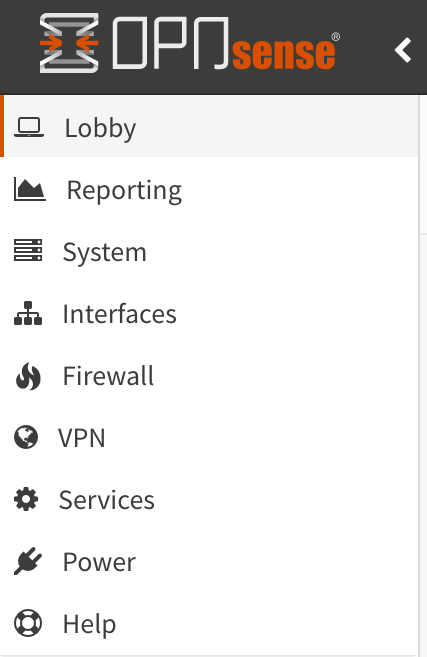
OPNsense has a left-side menu with categories that expand into sub-menus. It’s logically organized and easy to find things even when you’re configuring something for the first time. When I first set up my VLANs and firewall rules in OPNsense, I rarely had to search for where a setting lived.
OpenWrt uses a top menu bar (LuCI is the default web interface). It’s clean and minimal, but that minimalism means fewer options are visible at once. For basic tasks like setting a static IP or creating a firewall rule, it’s fine. For more complex setups, you’ll spend more time clicking around, and sooner or later you’ll end up editing config files over SSH.
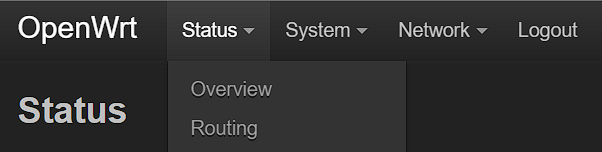
Both interfaces are functional. OPNsense just has more depth to it because there’s more functionality behind it.
Day-to-Day Usability
For basic tasks (firewall rules, DHCP reservations, DNS settings, port forwarding), both platforms handle things well. I’ve configured port forwarding on both, and neither gave me trouble for simple one-to-one NAT rules. If you’re interested in the OPNsense side, I have a separate guide on how to port forward in OPNsense, and the same goes for port forwarding in OpenWrt.
Where OPNsense pulls ahead is anything more advanced, and VLANs are the best example. In OPNsense, you create the VLAN interface, assign it, set up DHCP, and add firewall rules, all from the GUI with clear labels. In OpenWrt, VLAN setup involves more steps, depends on how your specific router’s switch chip is wired, and is a little more confusing the first time. It’s not impossible, but it takes more effort and more reading. I have a guide for setting up a VLAN in OPNsense if you want to see what that looks like.
One thing that trips people up in OPNsense is that it denies everything that isn’t explicitly allowed, and rules are evaluated top to bottom on the interface where traffic originates. That’s the right default, but it means each new VLAN needs its own allow rules before anything works. OpenWrt’s zone-based firewall is more forgiving out of the box, which is nice for a home network and less nice when you want strict segmentation.
OPNsense is generally more powerful out of the box. OpenWrt can do many of the same things, but you’ll be installing packages and editing config files to get there.
Plugins and Packages
Both platforms let you extend functionality through installable packages, and the philosophy behind each list tells you a lot about the project.
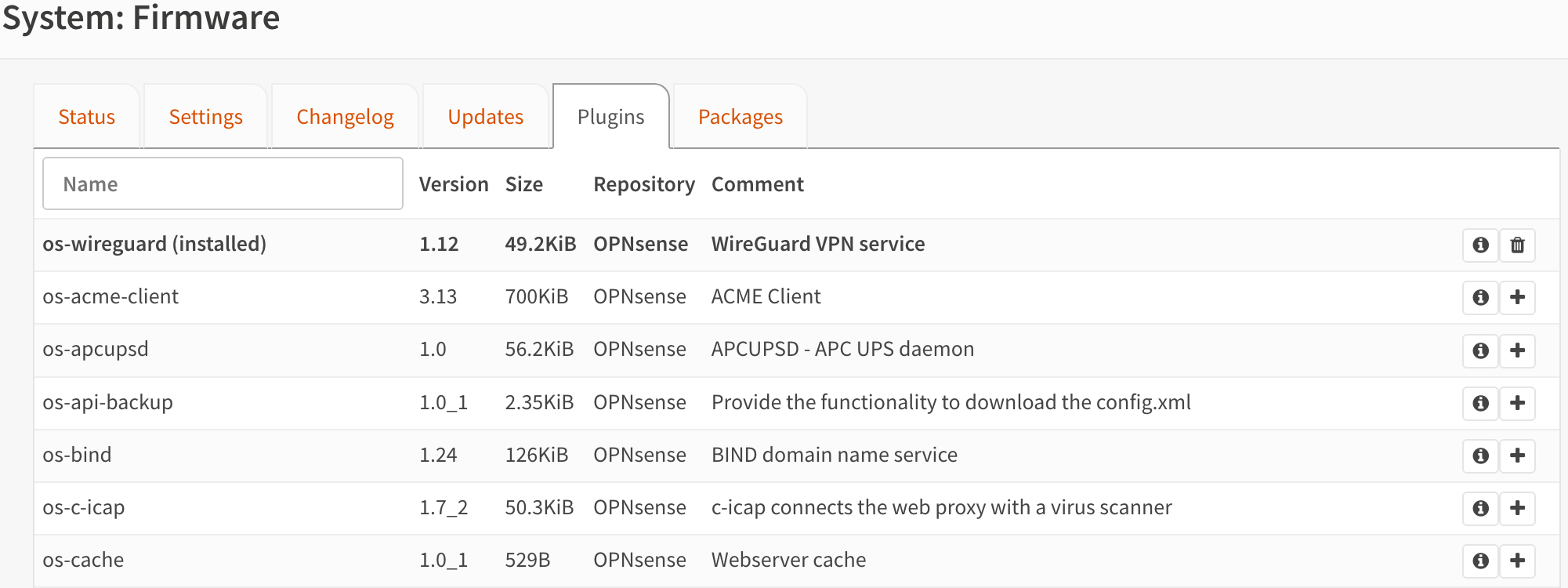
OPNsense has a curated plugin system. You’ll find options for things like Zenarmor (network security), WireGuard, Tailscale, CrowdSec, AdGuard Home, and various monitoring tools. The list isn’t huge, but most of what you’d want is there, and everything on it is tested against the current release.
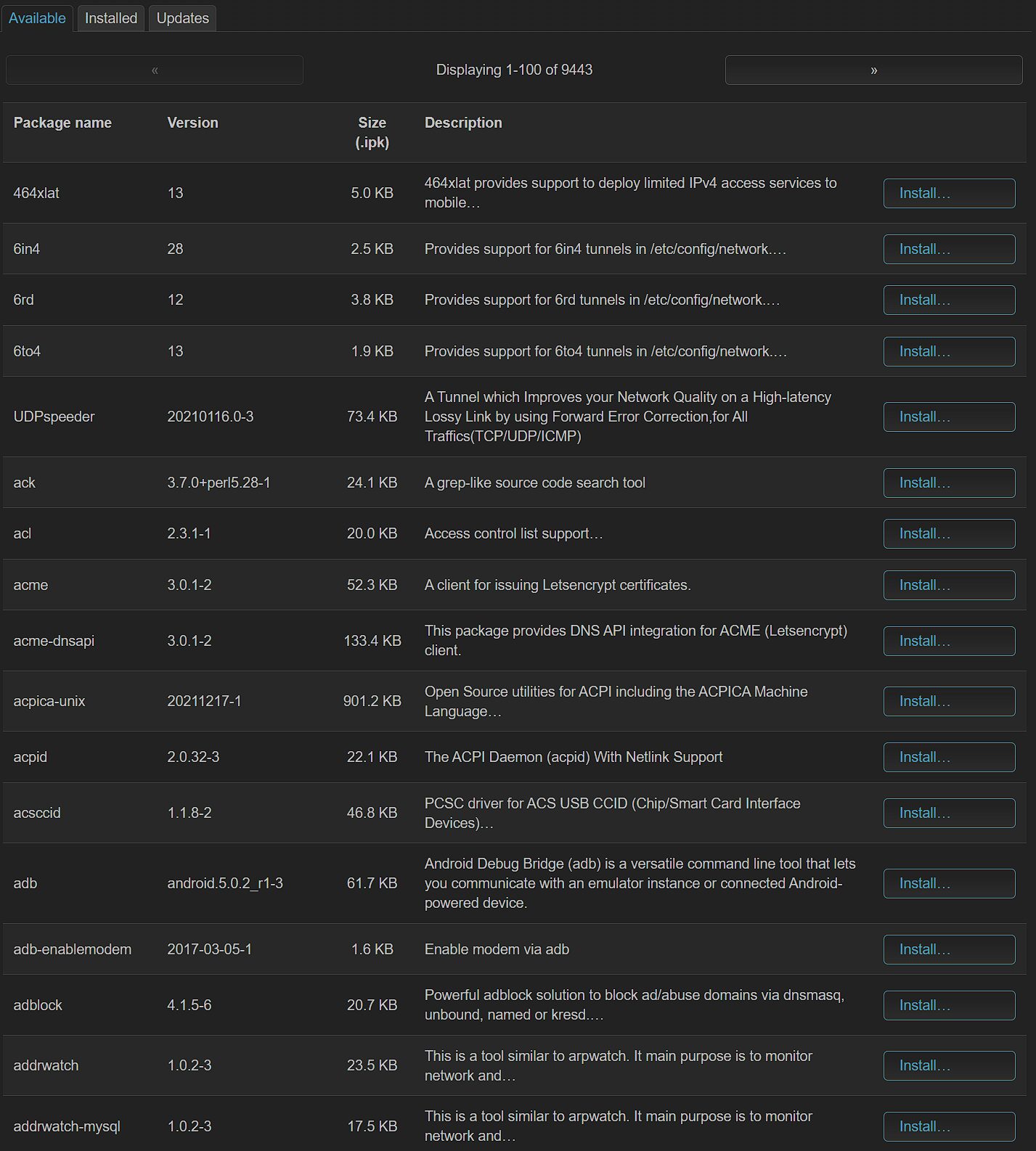
OpenWrt has a much larger repository. Thousands of packages are available, and as of 25.12 they’re installed through apk rather than opkg, so older tutorials that tell you to run opkg commands are out of date. The downside is that the sheer number makes it harder to figure out which packages you actually need, some conflict with each other, and you’re working within the storage and RAM limits of your router hardware the whole time.
I prefer OPNsense’s approach here. Fewer choices, but they’re better tested and less likely to cause problems on a device that has to stay up.
VPN Support
OPNsense includes OpenVPN, WireGuard, and IPsec support by default, so you don’t need to install anything extra. I used WireGuard on my setup, and it was quick to configure. I have a full guide on setting up WireGuard in OPNsense if you want the details, and you can also add Tailscale to OPNsense as a plugin for mesh VPN access.
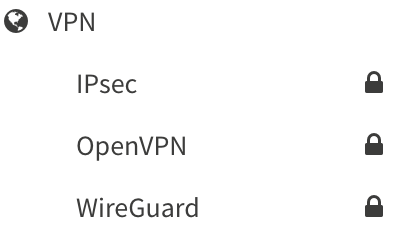
OpenWrt requires you to install VPN packages separately. WireGuard, OpenVPN, and others are all available, but none are included by default, and you can set up Tailscale on OpenWrt as well. The package approach keeps the base install small, which makes sense on resource-constrained hardware, but it does mean more setup steps. The bigger issue is throughput, because WireGuard on a 2019 consumer router will bottleneck long before an N150 mini PC does.
What to Run Each One On
This is the part that decides it for most people, because both will run happily on modest hardware and the real question is what you have or what you’re willing to buy. Prices below are what I’m seeing at the time of writing and they move around, so check the listing.
For OPNsense
- If you already own a small PC: add a dual-port Intel i226 card for around $40 and you have a firewall for the cost of the NIC. This is the route I’d take before buying anything, and it’s the cheapest way to try OPNsense.
- If you want a mini PC built for it: the Beelink EQ14 is what I used for my router-build video, and OPNsense installs on it the same way. It’s an N150 with 16GB of DDR5, a 500GB NVMe drive, and two 2.5GbE ports built in, which is the part that makes it work as a router with no extra hardware, and it idled around 10W in my testing. It’s been hovering around $300, and if you’re buying specifically for this, it’s worth looking at four-port boxes at a similar price for the extra flexibility.
- If you want a purpose-built appliance: the Protectli Vault V1410 is fanless, has four Intel i226-V 2.5GbE ports, and runs OPNsense without any fuss. Protectli tests against the FreeBSD firewalls specifically, so compatibility surprises are unlikely.
- If you want a supported appliance: Deciso, the company behind OPNsense, sells hardware with it preinstalled. It’s easier to buy in Europe than in the US, and buying it funds the project.
I go into more depth in my guide to the best OPNsense hardware, and the mini PC picks in my pfSense hardware guide all run OPNsense just as well. Virtualizing is the other option, and it’s the one I’d suggest if you’re undecided, since you can spin it up alongside your other VMs and see whether it fits. I have a guide for installing OPNsense in Proxmox.
For OpenWrt
- If you’re flashing what you own: check the OpenWrt table of hardware first, because support varies wildly between revisions of the same model, and a router with less than 256MB of RAM will run out of room the moment you add a VPN package.
- If you’re buying a router for it: the GL.iNet Flint 2 is the one I’d point most people at. It’s around $170, it ships with GL.iNet’s OpenWrt-based firmware so you’re running it from the first boot, it has two 2.5GbE ports plus four gigabit ports, WiFi 6, and enough CPU to run WireGuard at speeds a consumer router can’t touch. It also supports stock OpenWrt if you’d rather run the upstream release.
- If you want the project’s own hardware: the OpenWrt One is the router the OpenWrt project designed with Banana Pi. It’s around $89 with the case, has a 2.5GbE WAN port, a gigabit LAN port, WiFi 6, and an NVMe slot, and part of the price goes back to the project. It’s sold through Banana Pi’s AliExpress store rather than the usual retailers, so it takes a little more effort to buy.
If You’d Rather Not Run Either of Them
This is where I ended up, so I’ll be honest about it. I ran pfSense on dedicated hardware with UniFi switches and access points for years and it worked very well, but in late 2024 I moved to a UniFi Cloud Gateway because I wanted less to maintain. You lose the granular IDS/IPS configuration and the package ecosystem, and you gain one dashboard for the firewall, switches, and access points, a mobile app, and a setup that’s done in an afternoon. A UniFi Express 7 is around $200 and covers most homes, and a Cloud Gateway Fiber is the step up if you have a multi-gig connection. My guide to the best UniFi routers goes through the lineup.
Which One I’d Pick (and When)
If you’re buying or building dedicated hardware for a firewall, go with OPNsense. The feature set, the GUI, the plugin ecosystem, and the release schedule are all better than anything a router can give you. I ran OPNsense as a VM on Proxmox alongside my other VMs and containers, handling an entire network with multiple VLANs and WireGuard, without any issues. On a mini PC with an Intel N100 or N150 it’s more firewall than most homes will ever use.
If you already have a compatible router, or you want one low-power box that does routing, firewalling, and WiFi together, OpenWrt is the answer, and it’s the only one of the two that is. Flashing it onto a supported device takes minutes, and you’ll immediately have more control than the stock firmware gives you. Just understand that you’re working within the limits of that router’s hardware, and if you’re buying new, buy something with 2.5GbE and at least 1GB of RAM so those limits stay out of your way.
For most people building a home lab or setting up a proper network from scratch, I’d recommend OPNsense on a dedicated box, paired with separate access points. And if the maintenance is what puts you off, a UniFi gateway is a legitimate answer rather than a cop-out, because a firewall you actually configure beats a more powerful one you never get around to. Whichever you pick, keep in mind that security changes constantly and nothing here is guaranteed, so keep it updated and back up the config before you touch anything.