
My Complete Home Lab Setup
Last updated: May 2026 to reflect my current UniFi, Proxmox, NAS, and surveillance setup.
Just about everything created on this site and my YouTube channel comes from the experience I’ve gained professionally and in my home lab, so to say that I’m a home lab enthusiast might be an understatement! This all has changed more times than I can count, but it’s nearing its final form…for now.
Current Hardware in My Home Lab
This is the current hardware in use for my home lab, but at the bottom of the page, you can see what’s changed and when. I have various videos that I’ll reference throughout this that help show how things are set up and why they’re set up the way they are.
Firewall
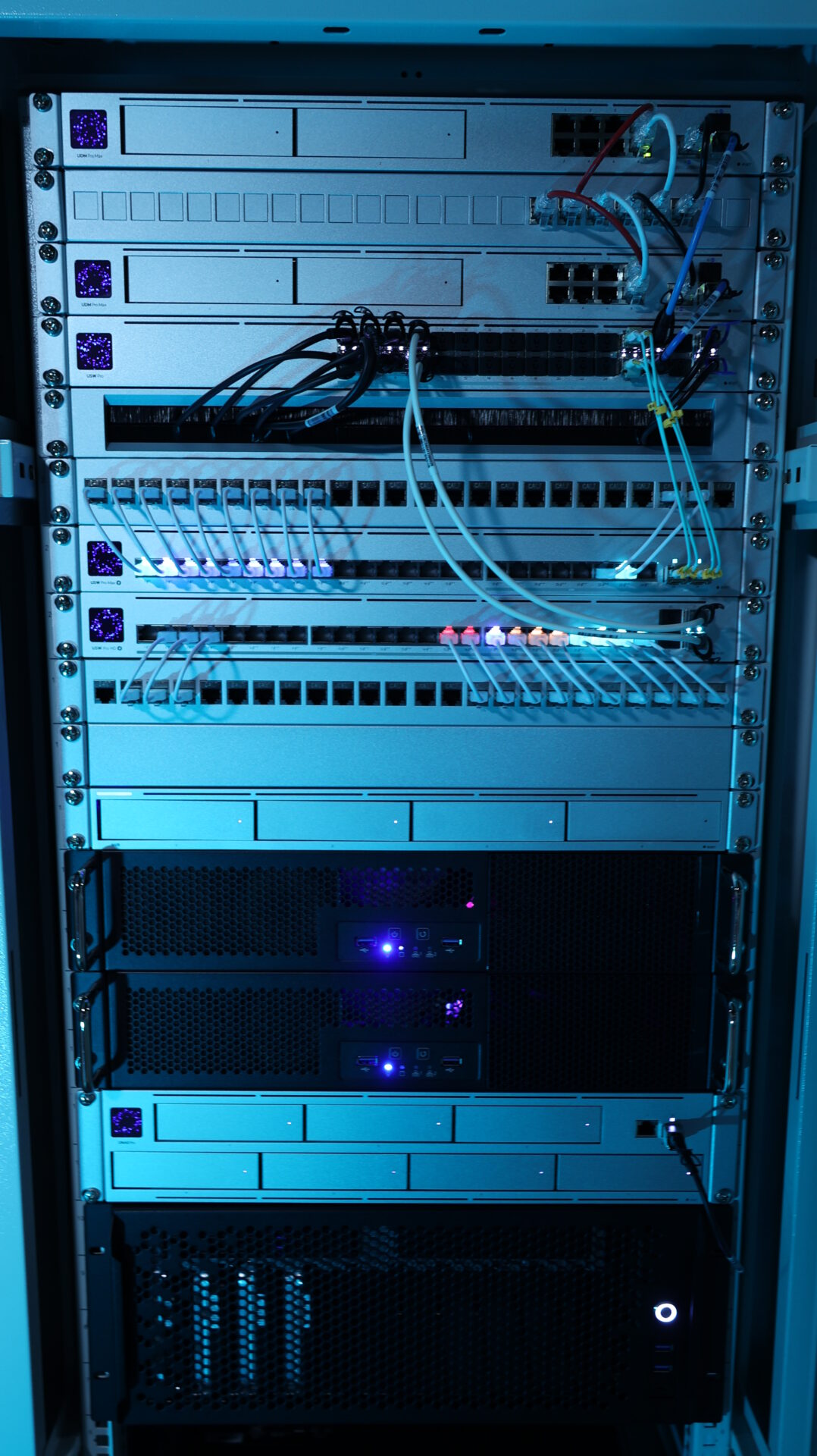
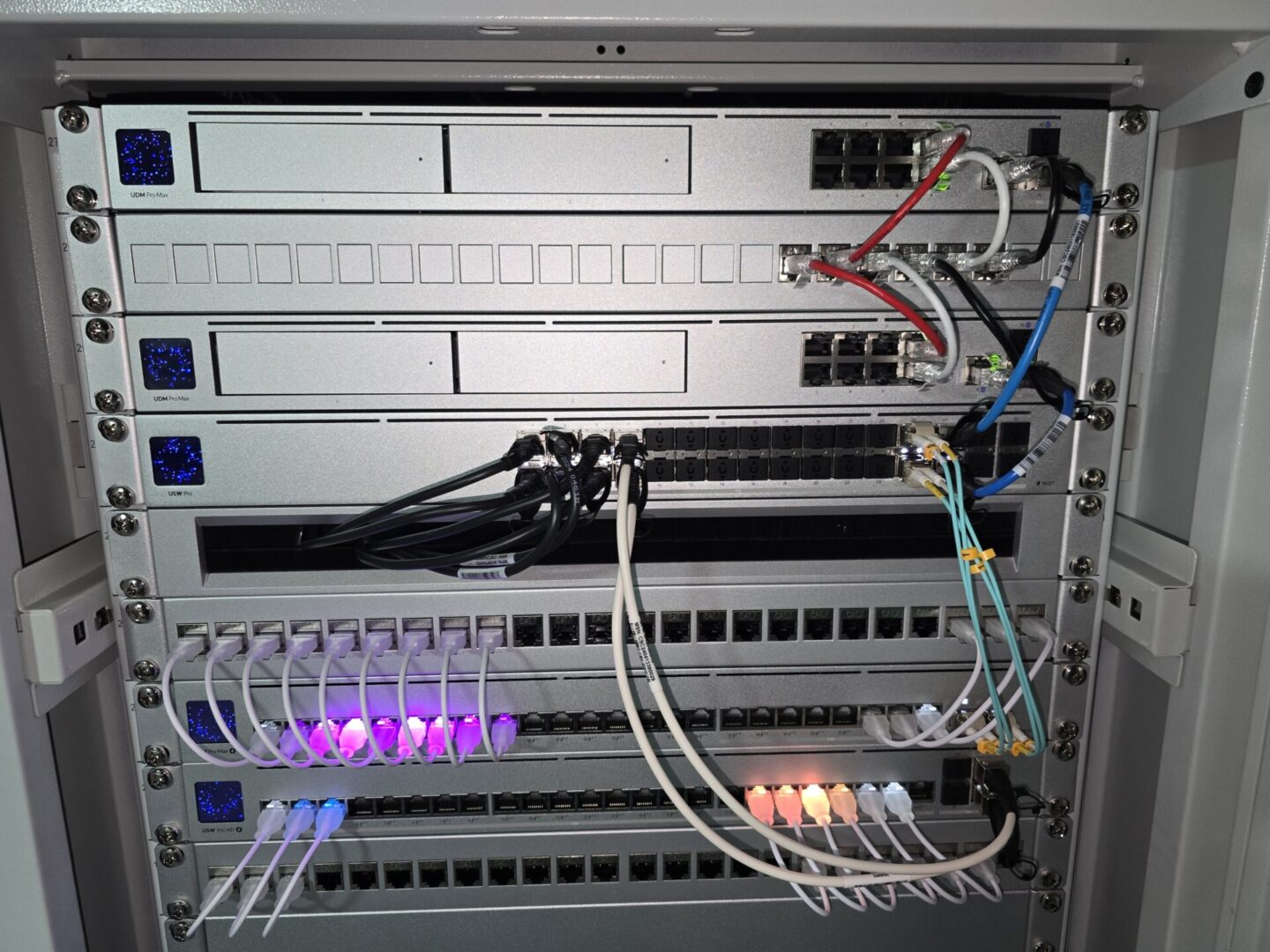
I am currently using two UniFi UDM Pro Max devices configured in Shadow Mode for my home lab. This provides high availability on my firewall, and while I don’t have redundant Switches (so there’s still individual points of failure), I keep Shadow Mode enabled due to my VLANs. When my firewall goes offline, all layer 3 routing breaks, so having redundant firewalls ensures that if I have to reboot the primary device for any reason, the secondary kicks in without disruption, and inter-VLAN routing can continue to operate.
Paired with the two UDM Pro Max devices are two ISP connections. One 1Gb Fiber Connection and a backup Broadband connection configured as primary/failover.
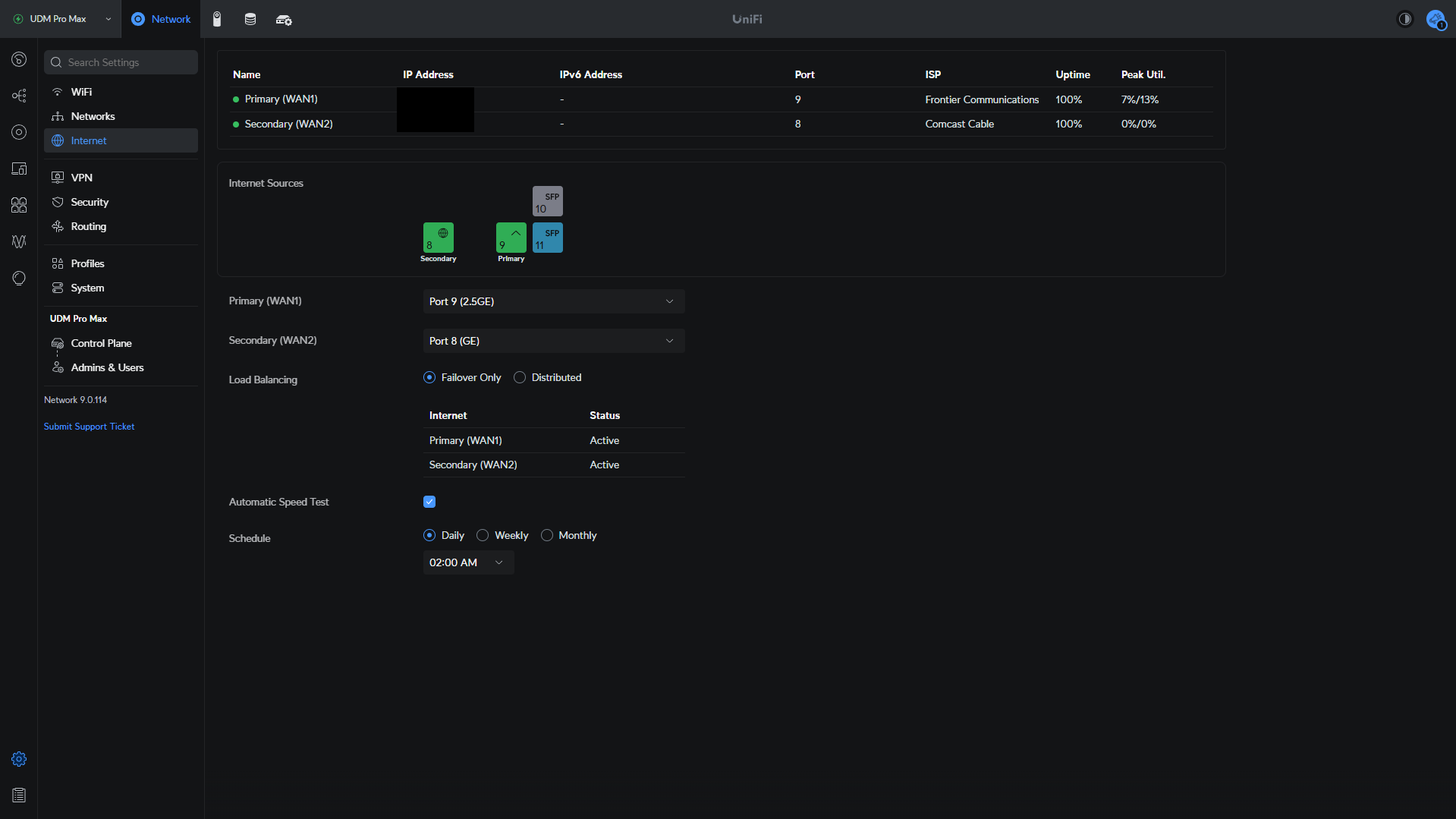
The two ISP connections are configured using a Switch with VLANs, which is a pretty cool way of splitting an ISP connection. Check out my video below if you’re interested in configuring this or seeing how it’s configured.
Switches
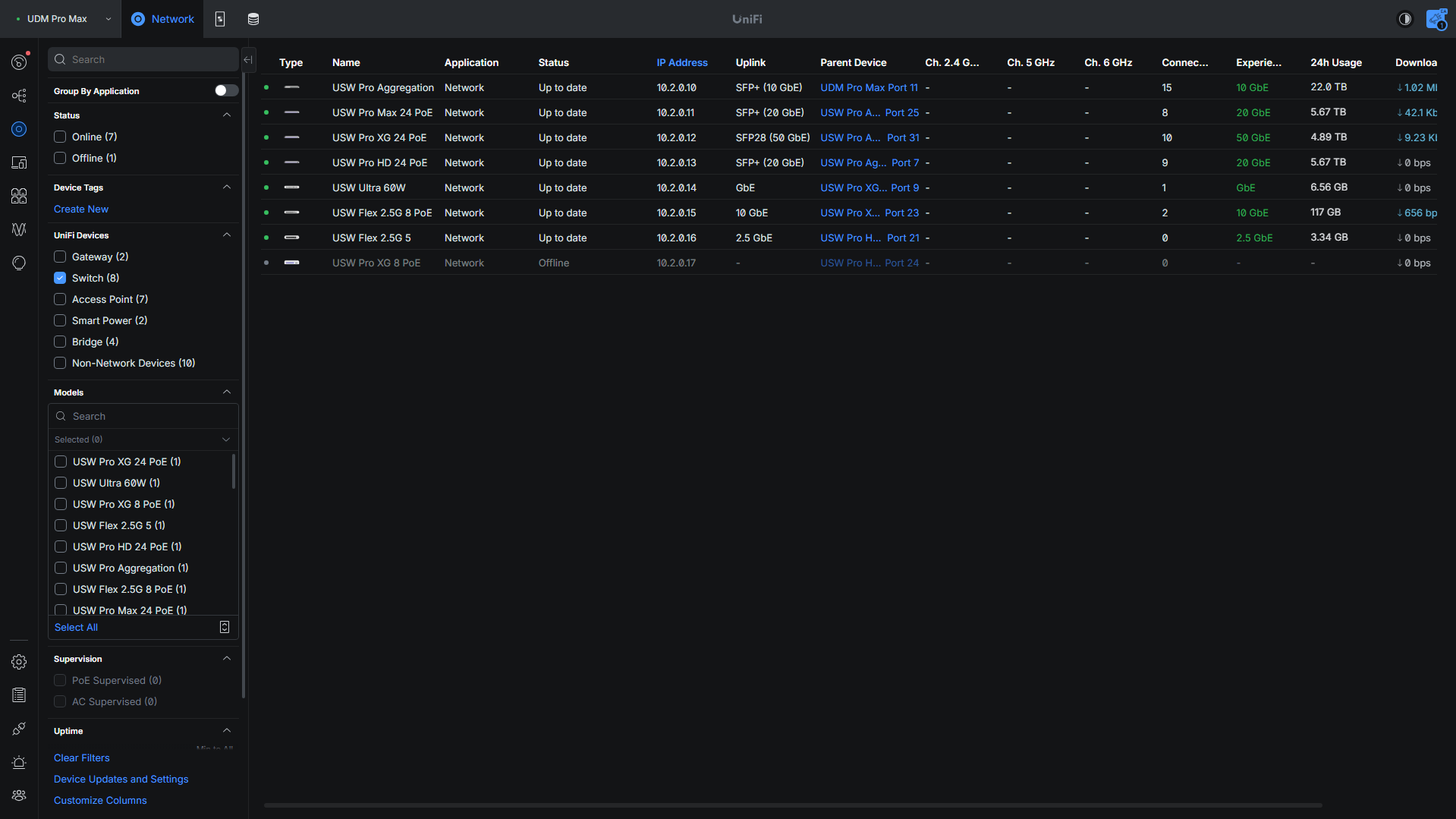
My Switch configuration has been changed a lot over the past few years, but I think it’s finally at a point where it will stay this way. Everything is connected to a USW Pro Aggregation Switch, and then there are three main Switches for my devices:
- Pro XG 24 PoE: Used for all Internal Devices (APs, Servers, etc)
- Pro Max 24 PoE: Mainly used for Outdoor Security Cameras
- Pro HD 24 PoE: Split between Security Cameras and Internal Devices
I have a few other smaller Switches that are used for utility purposes as well (USW Flex 2.5G and USW Ultra).
Access Points
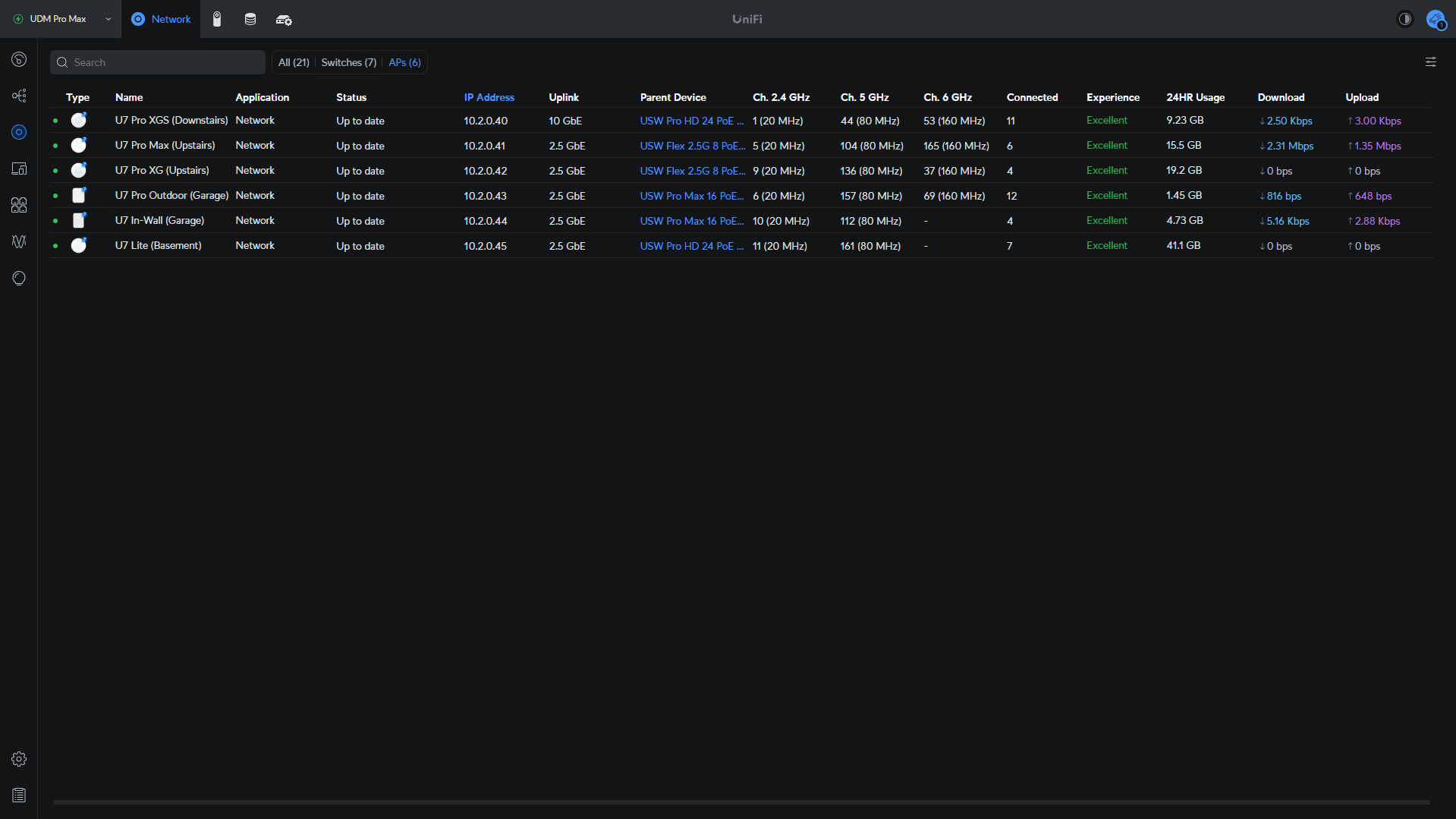
At this point, I have full coverage with Access Points in my home lab. More than I need, quite honestly, but the entire goal is to ensure Wi-Fi performance is great, and a lot of the time, optimizing Wi-Fi comes down to adding more APs, so that’s what I’ve done.
- U7 Pro XGS: 10Gb Uplink
- U7 Pro XG: 2.5Gb Uplink (goal is to switch this to 10Gb soon)
- U7 Pro Max: 2.5Gb Uplink
- U7 Pro Outdoor: 2.5Gb Uplink
- U7 In-Wall: 2.5Gb Uplink
- U7 Lite: 2.5Gb Uplink
The Access Points are all tuned to work well together from a transmit power perspective, so that client devices have an easy time roaming between Access Points.
Virtualization Servers (Proxmox)
I currently use two DIY home servers that I built for virtualization in my home lab, which provide more than enough power for my current needs. In summary, these are the specs for each Proxmox node:
- 8-core, 16-thread Processor (Ryzen 9700x)
- 96GB of DDR5 RAM (which I can upgrade to 192GB if needed)
- 10Gb Networking (Intel X540-DA2)
There’s a lot more to these servers, but you can check out my entire build guide here.
These devices are configured in a Proxmox Cluster for High Availability, with a Raspberry Pi acting as a qDevice to ensure quorum is maintained.
NAS Devices
I’m kind of obsessed with NAS devices and should probably consolidate these, but I just can’t bring myself to it. In total, I have over 210TB of total storage with another 90+TB off-site for my home lab. My off-site NAS expanded in late 2025, but this storage is all split between three main NAS devices:
- Synology DS925+
- UNAS Pro 8
- DIY NAS with TrueNAS Scale
- UGREEN DXP6800 Pro (running TrueNAS)
The devices are used for a few main, but important needs.
- Synology NAS: Synology Drive and Active Backup for Business, but have been retired in late 2025 in favor of Nextcloud and UrBackup.
- UNAS Pro 8: Main surveillance storage, and all backups
- DIY NAS: Main storage for everything.
The DIY NAS is an absolute powerhouse, with an 8-core, 16-thread processor, 128GB of ECC RAM, 2 x 25Gb NICs, and twelve 3.5″ drive bays and six 2.5″ drive bays, all hot swappable. Right now, this device has about ~130TB in it. This was a ton of fun to build, and you can find the whole build guide in the video below.
NAS Backup Strategy (On-site & Off-site)
In late 2025, I completely changed my NAS backup strategy.
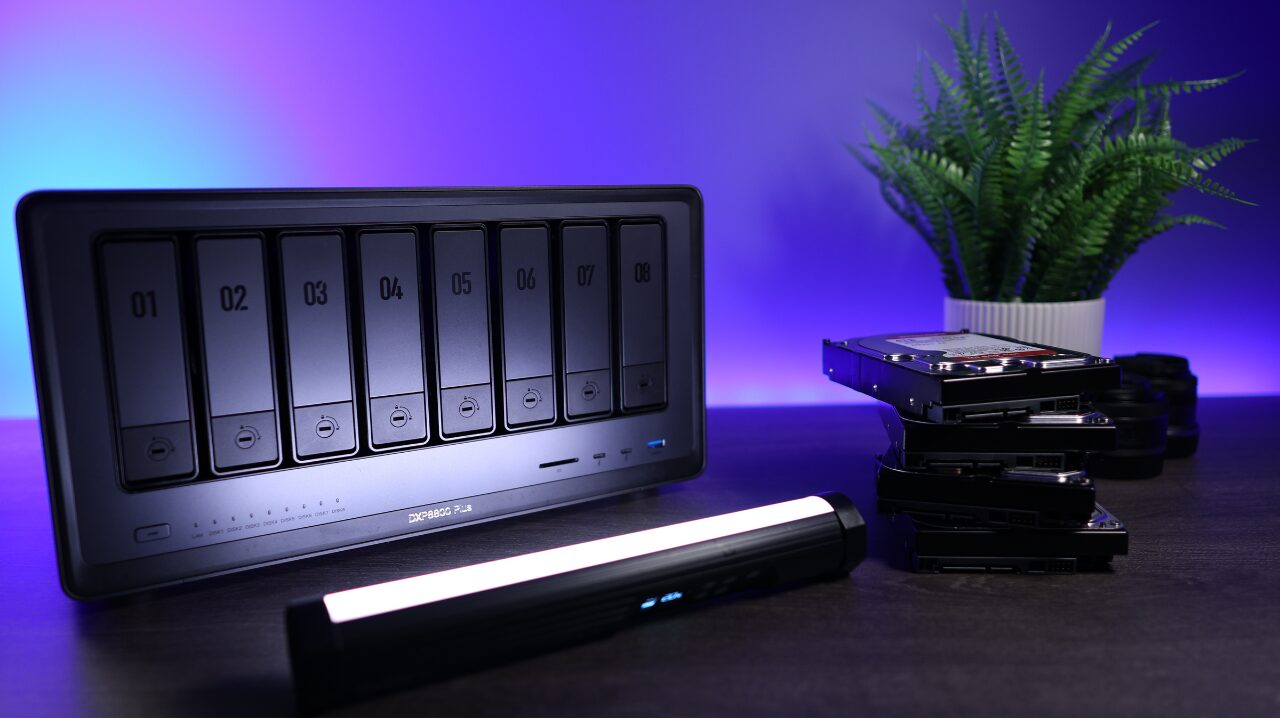
Since I was using TrueNAS on my main NAS, I configured my UGREEN DXP8800 Plus to run TrueNAS as well, and I’m using ZFS pull replication to replicate snapshots. This allows me to keep the datasets encrypted by default off-site, with the encryption keys living on the primary NAS. It also allows me to run these replication tasks hourly, so the data off-site is only one hour behind at all times.
Since ZFS replication is done at the block level, these replication tasks run very fast, and overall, work very well. This video goes over the complete off-site NAS replication process.
In Mid 2026, I added a UGREEN DXP6800 Pro with 6 x 8TB drives in RAIDz1 on-site.
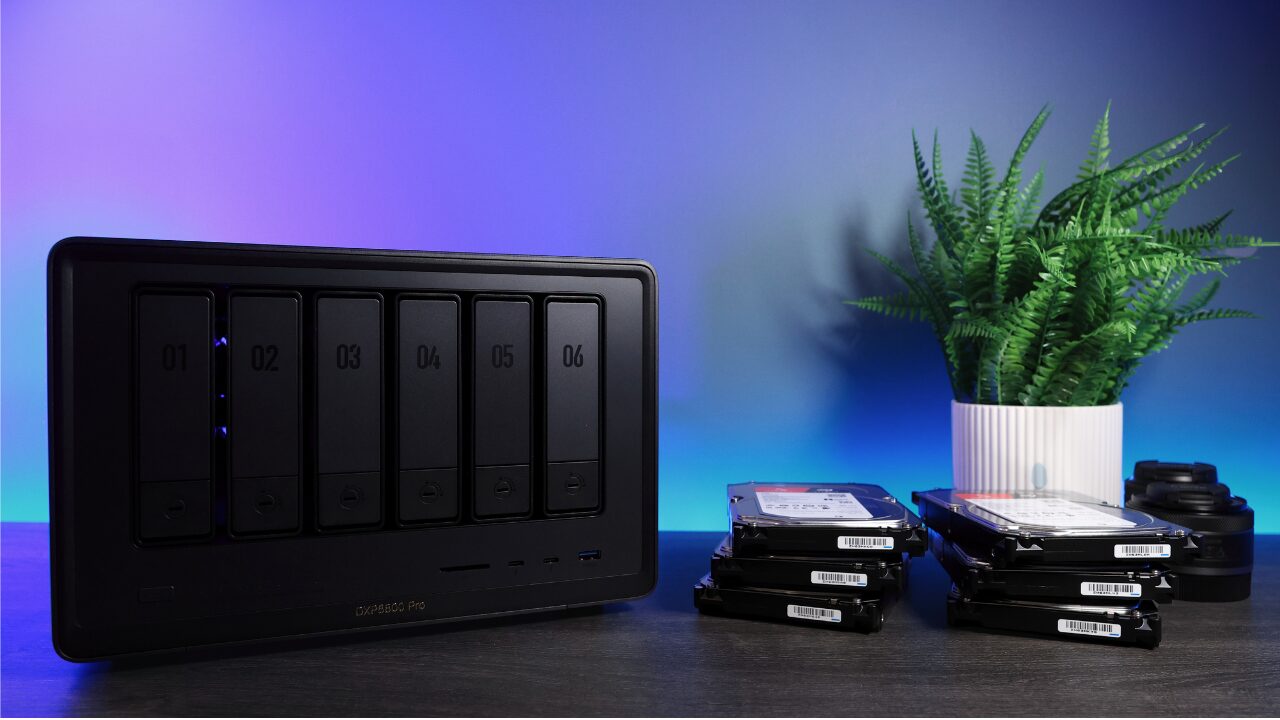
This does the exact same thing as the off-site NAS (pull replication), but is scheduled to run once a night. It’s powered on around midnight via an automated wake-on-LAN packet, runs the pull replication, then powers off around 2 AM. This video covers the installation process of TrueNAS on a UGREEN NAS if you’re interested in completing it.
Surveillance
I am big into video surveillance and currently have an extremely overkill setup for my home lab. I record 24×7 to two different devices: Blue Iris and a UNVR running UniFi Protect. Overall, I like both systems and will probably consolidate at some point in the future, but I kind of like the idea that both are recording 24×7 for redundancy purposes, so it might stay this way.
Blue Iris handles all of my motion notifications, and the cameras’ day/night profiles are synced this way. The UNVR is used for 24×7 recording, but I also have an individual camera with an AI Port being used for motion events as well. Overall, I am really liking UniFi Protect, so there’s a chance this will be my primary NVR in the future…
Change Log for My Home Lab
While the hardware above is what’s currently being used in my home lab, a lot of stuff has changed as the years have gone on. I try to keep up with the latest and greatest tech as I think it’s important for me to stay up to date for future videos and articles, but I’ll list out some of the bigger changes below.
| Date Changed | Hardware | Service Dates | Replaced By |
| April 2026 | UGREEN DXP6800 Pro | May 2026 – Present | |
| November 2025 | UGREEN DXP8800 Plus | November 2025 – Present | |
| October 2025 | Synology DS1019+ | April 2019 – October 2025 | Synology DS925+ |
| September 2025 | UNAS Pro | October 2024 – September 2025 | UNAS Pro 8 |
| April 2025 | Pro Max 16 PoE | December 2024 – April 2025 | Pro XG 24 PoE |
| March 2025 | U7 Pro | December 2024 – March 2025 | U7 Pro XGS / XG |
| December 2024 | U6 Pro / 2 x U6 LR | November 2021 – December 2024 | U7 Pro / 2 x U7 Pro Max |
| December 2024 | Netgate 6100 w/ pfSense | November 2021 – December 2024 | 2 x UDM Pro Max |
| December 2024 | USW Pro 24 PoE | November 2021 – December 2024 | Pro Max 24 PoE |
| December 2024 | DIY Home Server (Intel Proxmox Server) | November 2022 – December 2024 | 1 x Ryzen Home Server (video above) |
| December 2024 | DIY Home Server (Ryzen Proxmox Server) | May 2022 – December 2024 | 1 x Ryzen Home Server (video above) |