I run Proxmox on a full 2U home server that I built for my Home Lab, and there’s one problem with it that I can’t fix: power consumption.
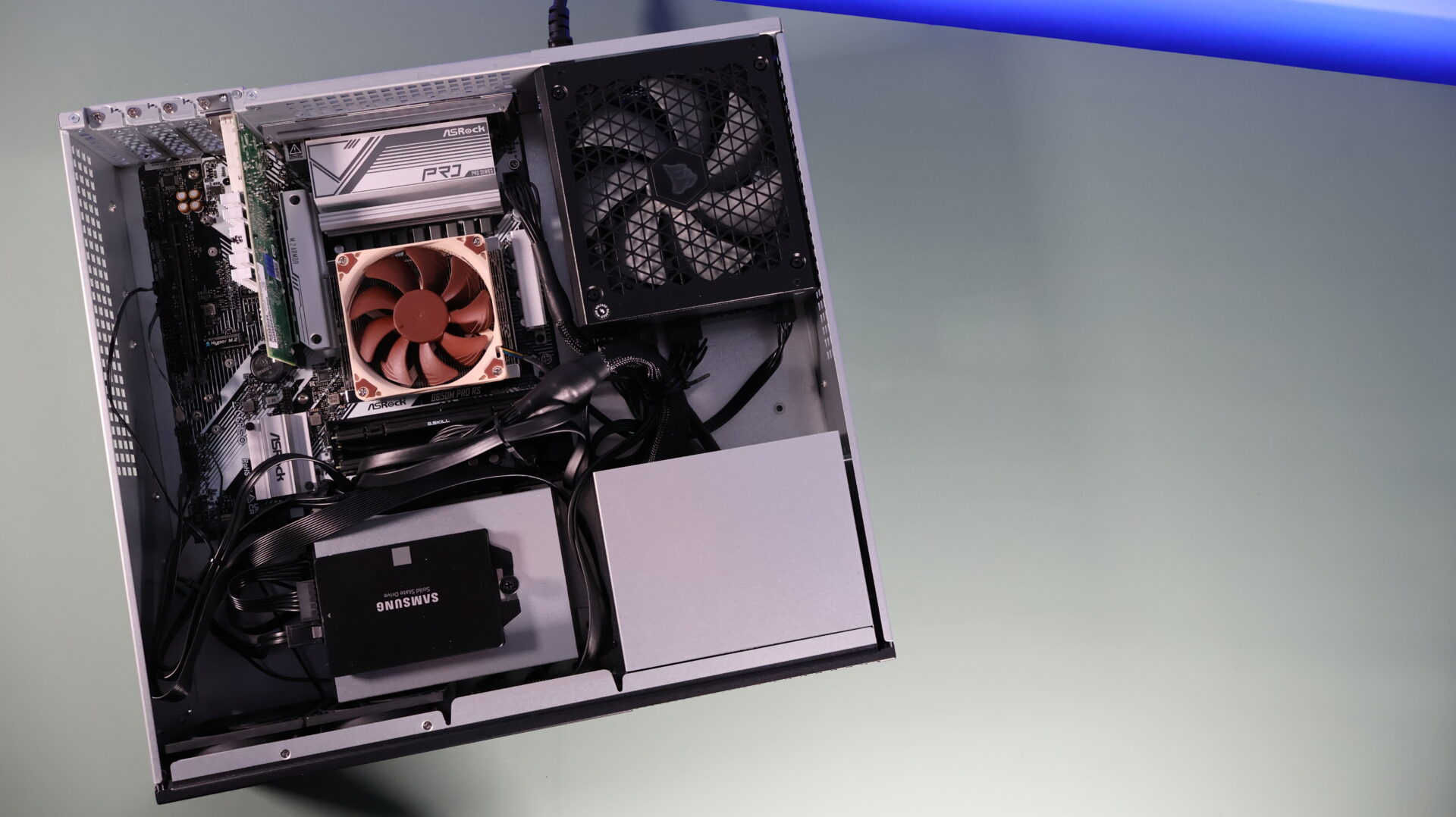
Even with a 65W TDP Ryzen 9700X in my home server, my day-to-day power consumption sits in the 100W+ range. I love that server, but the power draw adds up, and since I run two of them in a cluster, it’s even worse.
That’s what sent me down the mini PC path: devices that are low-powered but still run every VM and Linux container I need. I’ve used and tested every pick below with Proxmox, and I re-checked prices and availability for this 2026 update. All three picks are still the ones I’d buy today, and I’ve added a section on clusters since that’s where mini PCs beat a big server outright.
Disclosure: Some links below are Amazon affiliate links, which means that I earn a percentage of each sale at no cost to you. Thank you for your support.
The Quick Answer
If you just want the picks, here they are. The rest of the article explains why, with the trade-offs I ran into while testing them.
- Best budget: Beelink EQ14, around 10W running three VMs in my testing
- Best mid-range: GMKtec NucBox K6, 8 cores and a 64GB RAM ceiling
- Best for power users: MINISFORUM MS-A2, 16 cores with dual 10Gb SFP+
- Best for a cluster: three GMKtec G3 Plus units, which is close to what I run
What Actually Matters in a Mini PC for Proxmox
Depending on what you buy, mini PCs can be fairly limited in expansion. Some have soldered memory, some have a single NVMe slot, and almost none give you room to improve cooling. The spec sheet items that matter for Proxmox are different from what matters in a desktop, so here’s what I look at first:
- RAM ceiling: Proxmox itself is light, but VMs eat memory fast. Avoid soldered RAM, and treat 32GB as the practical minimum ceiling for a box you’ll keep a few years.
- Two network ports: a second NIC lets you separate management traffic from VM traffic, dedicate a port to a cluster, or run VLANs with dedicated NICs. I’d take two 1GbE ports over one 2.5GbE port.
- Two storage slots: one SSD for the Proxmox install and one for VM disks is a much nicer setup than everything on a single drive.
- Idle power: this is the whole reason to buy a mini PC over a used desktop. The difference between 10W and 40W at idle is real money over a few years of 24/7 operation.
- The iGPU: Intel’s integrated graphics can be passed through to a VM for hardware transcoding, which is exactly what you want if you plan on running Jellyfin on Proxmox.
Two quick notes before the picks. First, this category used to be called a NUC, and if you’re searching for the best NUC for Proxmox, the boxes below are the same idea (ASUS builds the official NUC line now, and you’re mostly paying extra for the name). Second, if everything you plan to run is a container, it’s worth asking whether you need Proxmox at all. I compared Proxmox and Docker if you’re not sure.
Best Budget Mini PC for Proxmox: Beelink EQ14
The best budget mini PC for Proxmox is also one of the lowest-powered devices you can buy, and it’s the Beelink EQ14. It generally sells for under $200, and as of this update it’s still current and easy to find.
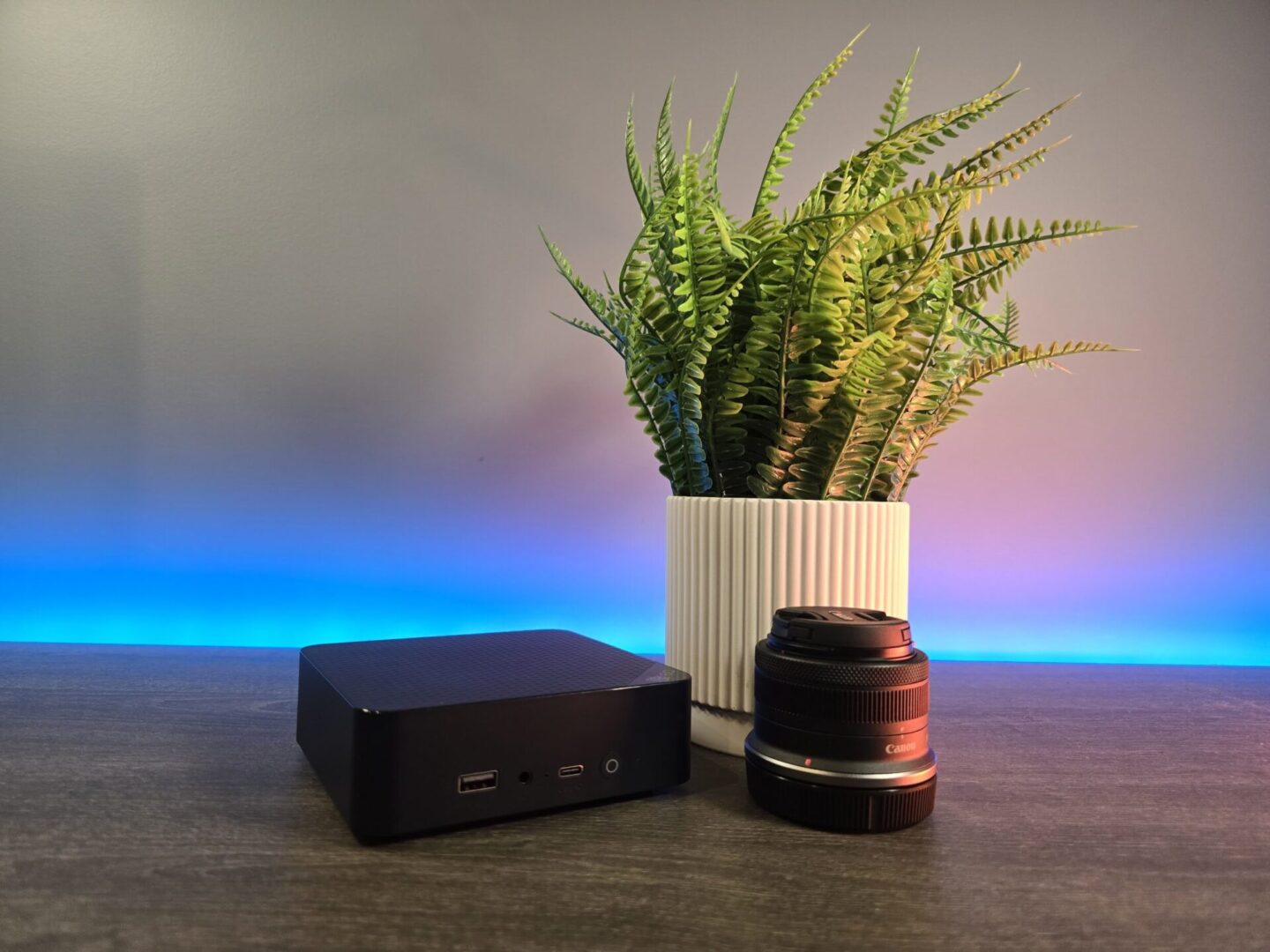
This device is a favorite of mine because it has an Intel N150 processor, which means the power consumption is insanely low. After booting it up and starting three virtual machines, it was pulling around 10W, which is roughly 90% lower than my home server running the same VMs. It also has a built-in power supply, so there’s no external brick, and the overall build quality is better than the price suggests.
The trade-offs are real, though. It tops out at 32GB of DDR4 memory, the two SSD slots run at PCIe Gen3 x4 and Gen3 x1, and the two NICs are 1GbE rather than 2.5GbE. That last one bothers people the most on paper, but in practice I’d rather have two 1GbE ports than one faster port, because two NICs give you options: dedicated NICs for different VLANs in Proxmox, or a port reserved for cluster traffic.
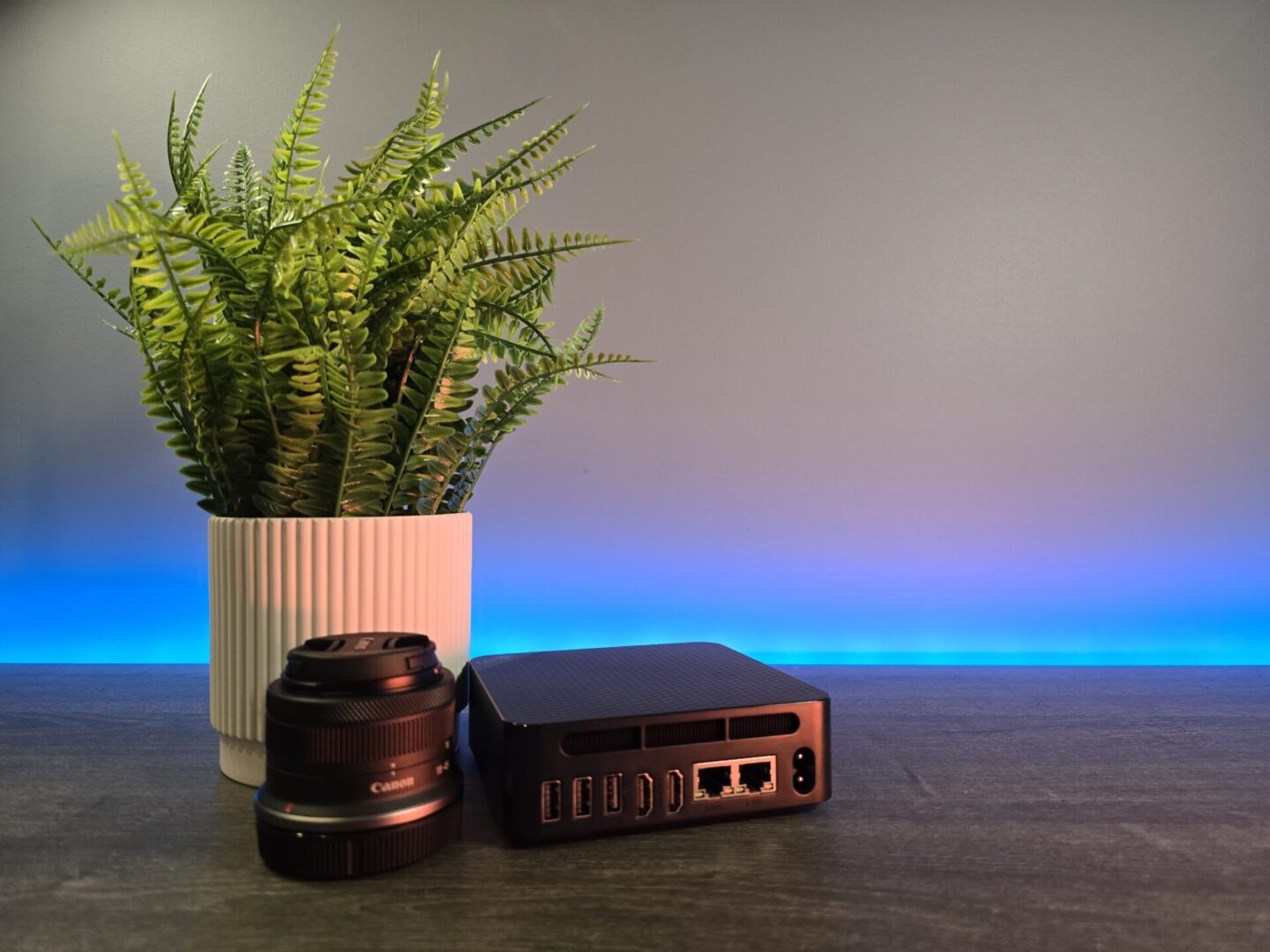
If you really want 2.5GbE at this price, the GMKtec G3 Plus is the one I’d pick. It’s another N150 box, and I used three of the earlier non-Plus G3 model to build a Proxmox cluster, which I’ll get to below.
Overall, it’s hard to go wrong with the EQ14. The N150 will hit its limits if you throw heavy VMs at it, but for Pi-hole, Home Assistant, a small Docker VM, and the usual home lab starters, it barely notices.
Click here to buy the Beelink EQ14 on Amazon
What About a Used Tiny PC?
Before you buy any new mini PC, it’s fair to ask about the used route: a Lenovo ThinkCentre Tiny or Dell OptiPlex Micro off eBay for $80 to $120. The value is real. A ThinkCentre M920q with an i5-8500T idles at 8 to 12W, the CPU is socketed, and it takes up to 64GB of RAM, which is double the ceiling of the EQ14.
The trade-offs are why it didn’t make my list. You get a single 1GbE NIC unless you track down the optional PCIe riser, the cores are several generations old at this point, there’s no warranty, and condition is a lottery. Run it 24/7 for a few years and the efficiency gap closes most of the price difference too. If your budget is strict and you don’t mind used gear, it’s a fine way to start with Proxmox. I’d still rather have the EQ14’s power draw, two NICs, and a return policy.
Best Mid-Range Mini PC for Proxmox: GMKtec NucBox K6
In late 2023, I started testing the GMKtec K3 Pro with Proxmox, and it was awesome. The issue was the soldered RAM: you had 24GB to work with, and that was it.
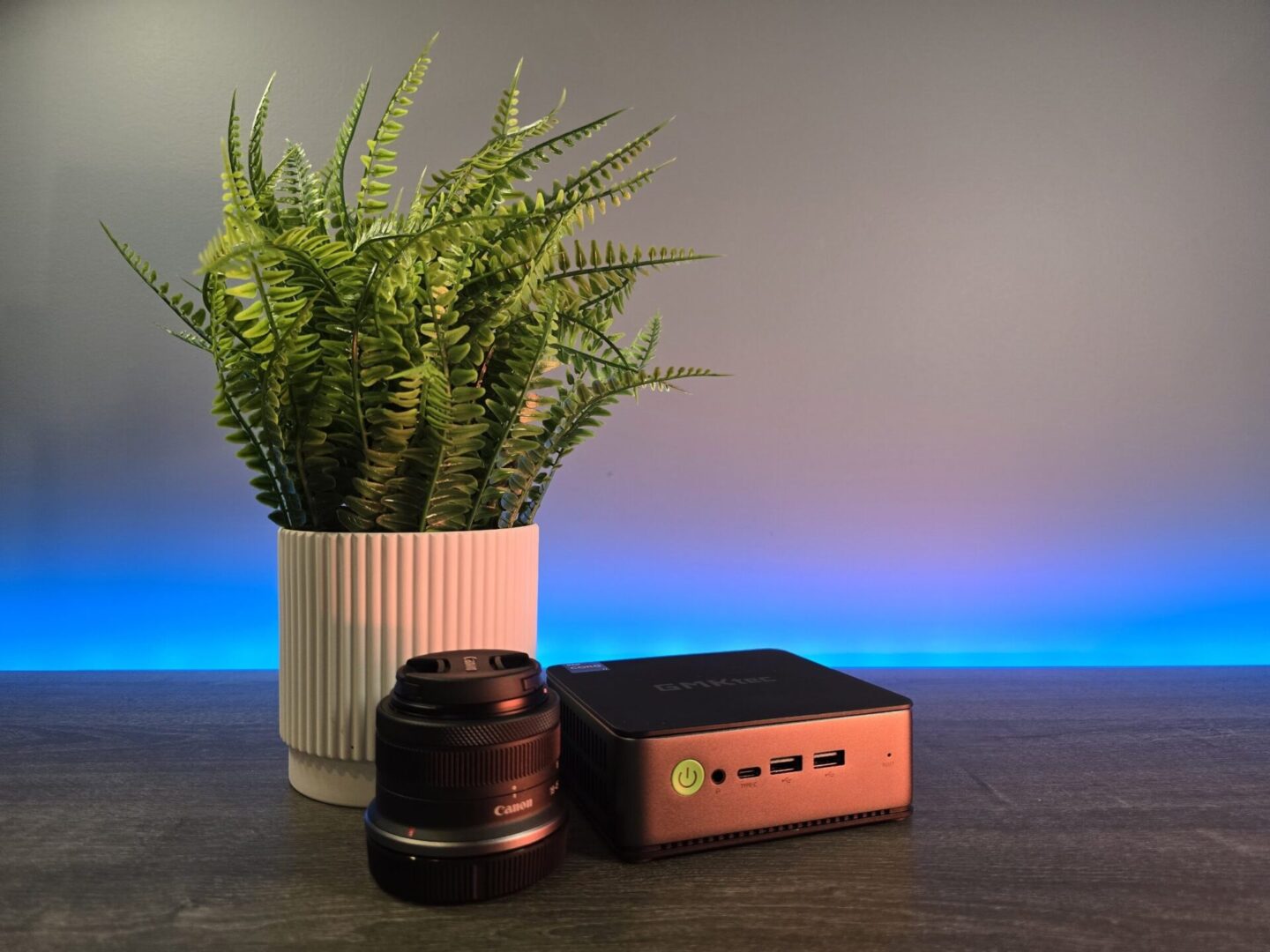
The NucBox K6 fixes that, and it’s the mid-range Proxmox mini PC I’d buy. It runs a Ryzen 7 7840HS with 8 cores and 16 threads, which is the part of the spec sheet that actually matters for VMs, and it takes up to 64GB of DDR5 memory in two SODIMM slots.
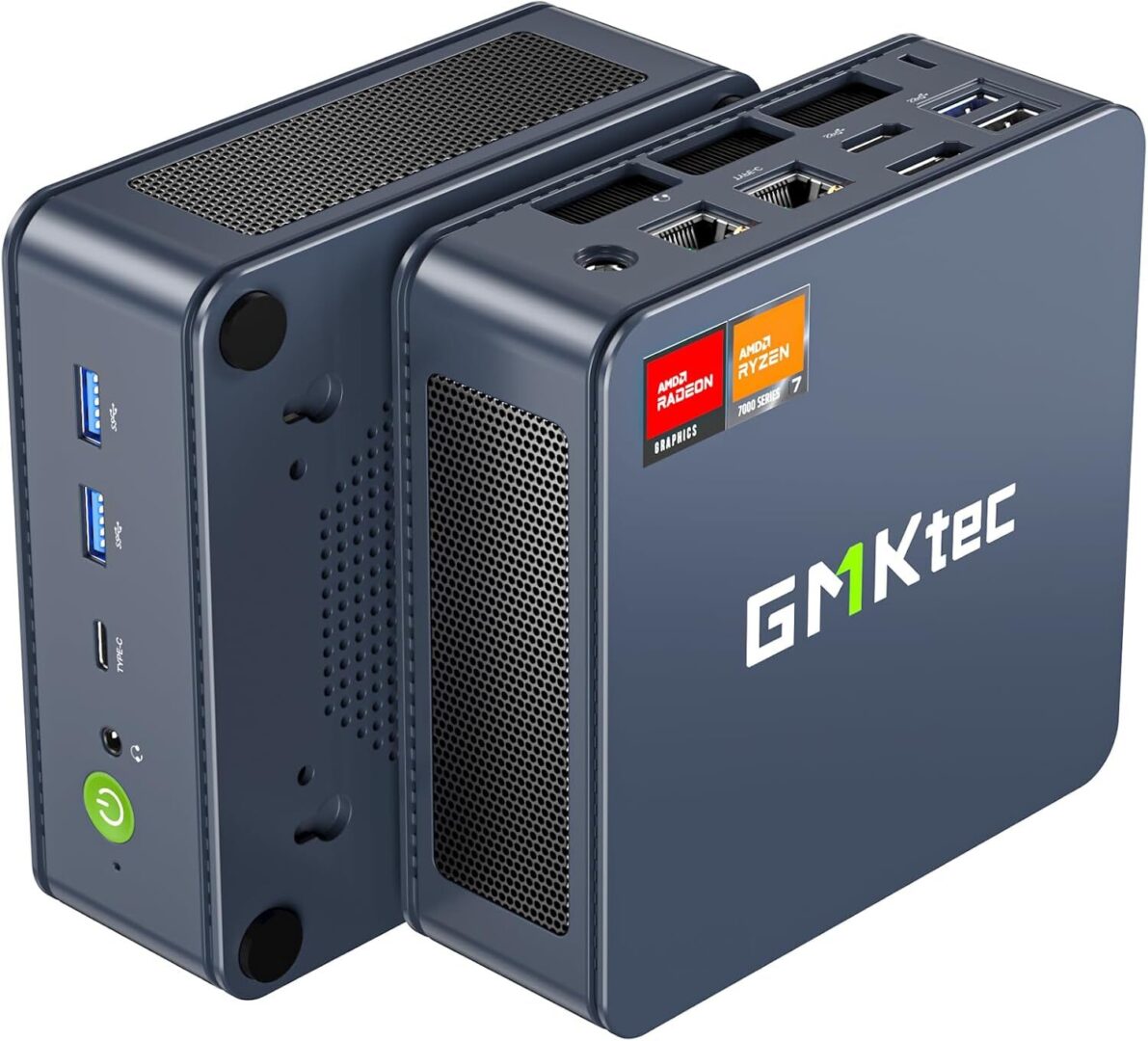
Expansion is where it earns the pick: two M.2 NVMe slots running at PCIe 4.0 and two 2.5GbE NICs. The power consumption isn’t in EQ14 territory (AMD still can’t match Intel’s N-series at idle), and in my testing it idled around 25-40W, but that’s the price of 8 real cores.
One buying note for 2026: GMKtec also sells the newer K8 Plus, which is the same idea with a Ryzen 7 8845HS, another 8-core Zen 4 chip with the same integrated graphics. The two perform close enough that I’d buy whichever one is cheaper the day you’re looking. The K6 has been the one I’ve used, and it’s still widely available.
Click here to purchase the GMKtec NucBox K6 on Amazon
Best Mini PC for Proxmox Power Users: MINISFORUM MS-A2
You’ll find little rebuttal in this category, as the MINISFORUM MS-A2 is widely considered one of, if not the best mini PC for Proxmox.
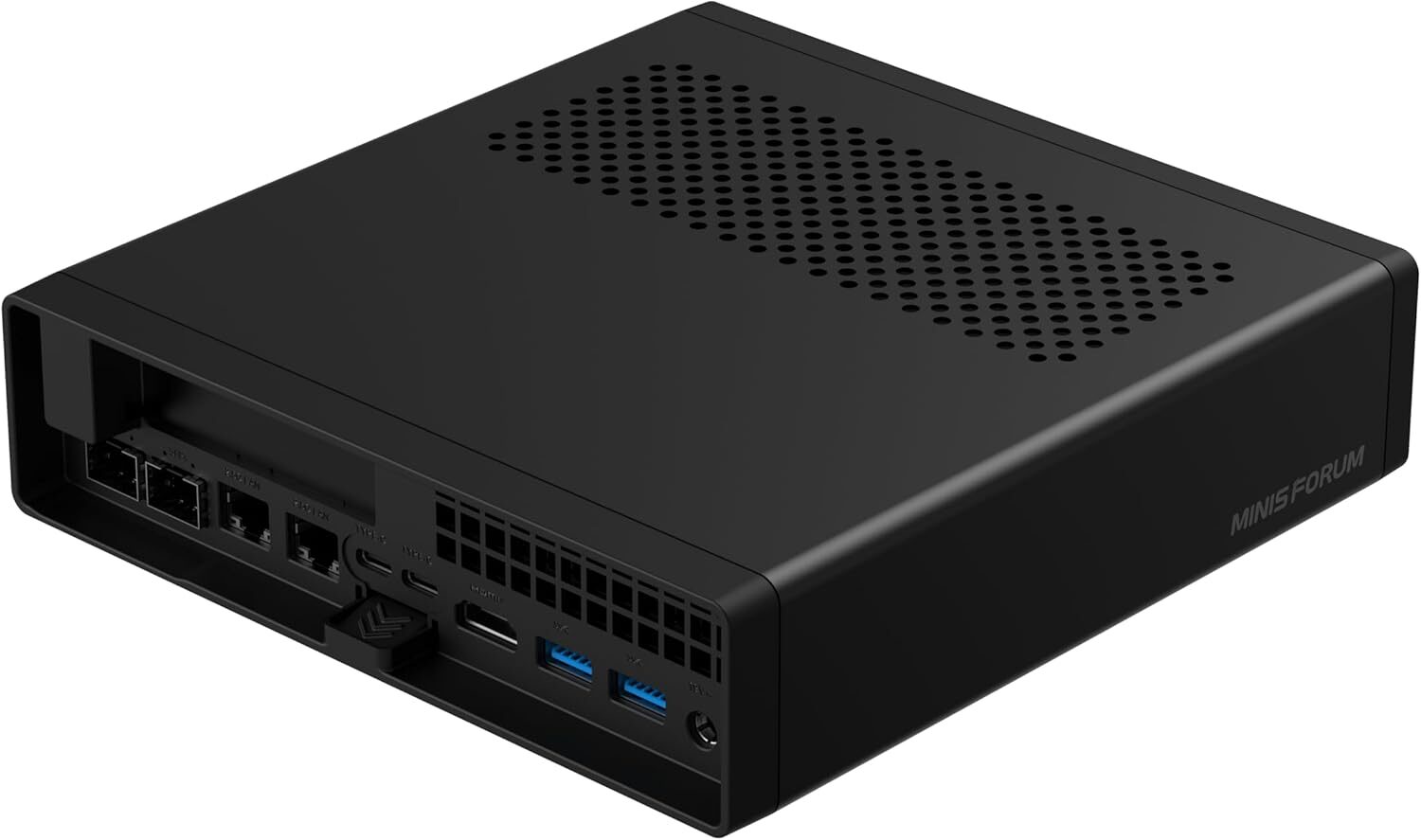
The current version ships with a Ryzen 9 9955HX, which is 16 cores and 32 threads of Zen 5. For Proxmox, that’s absurd in the best way. My home server runs 8 cores and 16 threads on a desktop-grade CPU, and this mobile chip beats it in raw performance while supporting up to 96GB of DDR5 memory.
Networking is where nothing else in this size competes: two 10Gb SFP+ ports plus two 2.5GbE ports. You can configure link aggregation (if you have a switch that supports it), or assign ports to individual VMs or VLANs. I was able to get excellent performance in Proxmox by using separate bridges for VLANs across those ports.
Expansion is just as strong: a PCIe x16 slot that can be split into two x4 slots, three M.2 NVMe slots, and a U.2 slot that most home users won’t touch but is nice to have. If you want one box to run your entire lab, this is that box.
Two honest caveats. It’s expensive: the barebone version runs around $799, and a configured unit with RAM and storage lands closer to $1,200, so you’re paying several EQ14s worth of money for it. And the integrated Radeon 610M graphics are weak, so if a media server VM with hardware transcoding is part of your plan, the cheap Intel boxes above actually do that job better out of the box.
Click here to purchase the MINISFORUM MS-A2 on Amazon
Strix Halo and Local AI: The One I Haven’t Run Proxmox On
There’s one more category that can’t be left out of a 2026 guide: mini PCs built on AMD’s Ryzen AI Max+ 395, which you’ll see called Strix Halo. I’ve tested Strix Halo hardware, but I haven’t run Proxmox on it yet, so unlike everything above, this section comes from hands-on time with the machine rather than hands-on time with Proxmox. Boxes like the GMKtec EVO-X2 and Beelink GTR9 Pro pair 16 Zen 5 cores with up to 128GB of unified memory that the integrated GPU can use directly.

Here’s why that matters for a home lab: it’s currently the only mini PC that can run Proxmox and a serious local AI model on the same node. With 128GB of unified memory, these boxes load 70B-class models that don’t fit on any consumer graphics card, and there are still 16 cores left over for your regular VMs. If self-hosted AI is part of your plan, nothing else on this list competes with that.
The caveats are why this is a mention and not a pick. These run $1,600 to $2,000 depending on configuration, and the memory is soldered, so the configuration you buy is the one you keep. And since I haven’t put Proxmox on the one I tested, I can’t tell you how it behaves as a host day to day. If you just want VMs and containers, the MS-A2 does that job for hundreds less. Once I run Proxmox on Strix Halo, I’ll update this section with real numbers.
Best Mini PC for a Proxmox Cluster
This is the section I added for 2026, because it’s the question I get asked the most, and it’s the setup I actually run. I built a high-availability Proxmox cluster out of three GMKtec G3 mini PCs, running Docker, Jellyfin, and Home Assistant across the nodes:
The reason clusters want three nodes is quorum. With three nodes, any two form a majority, so one node can die (or get rebooted for updates) and the cluster keeps running and can migrate VMs automatically. With two nodes, a single failure leaves the survivor unable to make decisions on its own, and you end up bolting on workarounds. Start at three.
For the hardware, three identical cheap nodes beat one powerful node, and it isn’t close if your goal is learning high availability, live migration, and failover. Today I’d buy three GMKtec G3 Plus units for the 2.5GbE port, or three EQ14s if you’d rather have dual NICs so cluster traffic gets its own port. All three nodes together pull around 30W, which is less than a third of what one of my big servers draws.
One caveat on shared storage: you’ll see people run Ceph on boxes like these, and it works, but 2.5GbE is the floor for Ceph and N150-class CPUs don’t leave much headroom for it. For a small home cluster, ZFS with replication is the simpler and more forgiving option. I walk through the full setup in my Proxmox cluster guide.
Click here to purchase the GMKtec G3 Plus on Amazon
EQ14 vs NucBox K6 vs MS-A2: Quick Comparison
| Spec | Beelink EQ14 | GMKtec NucBox K6 | MINISFORUM MS-A2 |
|---|---|---|---|
| Price (checked July 2026) | Under $200 | Around $475 (32GB/1TB) | Around $799 barebone |
| CPU | Intel N150 (4C/4T) | Ryzen 7 7840HS (8C/16T) | Ryzen 9 9955HX (16C/32T) |
| Max RAM | 32GB DDR4 | 64GB DDR5 | 96GB DDR5 |
| Networking | 2 x 1GbE | 2 x 2.5GbE | 2 x 10Gb SFP+, 2 x 2.5GbE |
| Storage | 2 x M.2 (Gen3) | 2 x M.2 (Gen4) | 3 x M.2, U.2, PCIe x16 |
| Power draw in my testing | ~10W with three VMs | ~25-40W at idle | Highest of the three |
| Best for | First server, lowest power | Most people | Consolidating everything |
Which One I’d Buy
For most people, it’s the NucBox K6. Eight cores and a 64GB ceiling is enough headroom that you won’t outgrow it quickly, and the price sits in the range where you don’t need to justify it to anyone. If it’s your first Proxmox box, or the power bill is the reason you’re here, get the EQ14 and don’t overthink it. If you want your entire lab in one box, the MS-A2 is worth its price.
And if the cluster idea is what got your attention, buy three cheap nodes instead of one good one. That’s the configuration that taught me more about Proxmox than anything else I’ve run, and it’s the one that keeps working when a node dies. If you eventually outgrow mini PCs entirely, my home server build guide covers the path I took, 100W power bill and all.
Last updated: July 2026. Prices and availability were checked at the time of this update, but hardware pricing moves quickly, so confirm the current price on the product page before buying.