I’ve been running Blue Iris for about four years, in a Proxmox VM writing footage straight to my NAS, and it has been a genuinely good setup, but I am still moving off it. Not because Blue Iris broke, but because the thing I was using it for stopped being the hard part, and the system I’d buy instead does the same job better with a great deal less of my time involved in keeping it alive.
So this is a list of what’s actually worth switching to, written by someone who used the thing you’re trying to replace. The honest answer depends almost entirely on one question: do you already own cameras, or are you starting from nothing? That single fact changes the recommendation completely, and most articles on this topic skip straight past it.
Disclosure: Some links below are affiliate links, which means that I earn a percentage of each sale at no cost to you. Thank you for your support.
Best Blue Iris Alternatives: My Quick Picks
- Starting fresh, no cameras yet: UniFi Protect on a UNVR G2. This is what I’d buy today and it isn’t close.
- Best free option: Frigate. Open source, runs on Linux in Docker, works with the cameras you already own, and has object detection built in.
- You already own a Synology: Surveillance Station. Two camera licenses are included and it’s already installed.
- You own a pile of ONVIF cameras and want AI: Frigate, or honestly stay on Blue Iris. Read the catch section before you spend anything on UniFi.
Why I’m Moving Off Blue Iris After Four Years
Motion alerts without object detection are useless, and anyone who’s run them knows exactly what I mean. Every leaf, every shadow, every car that drives past sets them off, and after about a day you stop reading the notifications entirely. Fixing that’s the whole game, and for years the way you fixed it on Blue Iris was to bolt an external AI service onto it.
I ran CodeProject.AI for exactly that and it worked well for a long time, but it’s not something I’d point anyone toward now. The founder and one of the other developers stepped away, the project runs on volunteer maintenance, and the CodeProject website and forums went offline entirely in March 2026, which isn’t a foundation I’d build a security system on top of today.
Here is the part where I have to be fair to Blue Iris, though, because version 6 changed the picture by bringing AI in-house. There is now local object detection built directly into the software with support for ONNX and YOLO models, so the external-service problem that pushed a lot of people away has largely been solved. If you’re happy on Blue Iris today, that is a real reason to stay rather than a reason to leave.
My reason for switching is different, and it comes down to no longer wanting to be the integrator. Blue Iris means a Windows machine, a VM to keep alive, an AI model to configure, storage to point somewhere sensible, and a handful of moving parts that are all my problem when one of them stops working. What I want now is a box that does all of that on its own, which is a different product category rather than a different piece of software.
UniFi Protect: What I’d Buy If I Were Starting Over
If you’re in the market for an NVR and you don’t already own cameras, I’d skip almost everything else and look at UniFi Protect running on the new UNVR G2 series. If I were starting from scratch with no cameras, there’s no chance I’d be building a Blue Iris machine again.
The reason is that Ubiquiti moved the AI onto the recorder itself, and I’ve been running an AI Key alongside my cameras for the better part of a year to see how well that actually works. It does what I was doing with CodeProject.AI, except better and with far fewer headaches. Person detection, licence plates, face recognition, and searching your footage in plain language all run locally on the box, with no subscription and nothing leaving your network.
Which UNVR to Buy
- UNVR G2 is $699. Four drive bays, and it handles roughly 60 HD, 50 2K, or 30 4K cameras. This is the one most homes should buy.
- UNVR G2 Pro is $999. Eight bays and roughly 100 HD, 70 2K, or 50 4K cameras. Buy it for the drive bays more than the camera count.
The value argument is better than it looks at first glance, because both G2 models ship with the AI capability and the HDMI viewport already integrated. Buying those separately runs $799 for a standalone AI Key and $199 for a ViewPort, and the $699 recorder includes both of them. That’s unusual pricing from Ubiquiti, and it’s the main reason I’d tell someone to buy a G2 rather than hunt for a used previous-generation UNVR.
You don’t strictly need a dedicated recorder either, because several UniFi gateways run Protect directly, which is worth knowing if you only want two or three cameras. The Dream Router 7 ships with a 64GB microSD card and will act as an NVR within some fairly modest camera limits, and the Cloud Gateway Fiber has an SSD expansion bay that gives you considerably more room. The UniFi Express 7 cannot do this at all, which catches people out. I went through the differences in detail in my UniFi gateway comparison.
Cameras are where the cost lands, because Ubiquiti’s cameras are meaningfully more expensive than the generic ONVIF units people tend to put on Blue Iris, and there’s no way around that. What you’re actually buying is an integrated system rather than a set of cameras, and the setup experience reflects it. I reviewed the G6 Instant separately if you want a sense of what the entry-level end looks like. You’ll also want to think about which hard drives go in the recorder, because continuous recording is one of the harder workloads you can give a drive.
One smaller thing I didn’t expect to care about: creating alarms and automations in Protect is genuinely easier than on most other platforms. Ubiquiti has also started pushing sensors and sirens into the same system, and having motion, environmental sensors, and alerting all configured in one interface removes a category of fiddling I’d simply accepted as normal.
The Catch: Protect and Cameras You Already Own
This is the section that should decide it for you, and it’s the reason I haven’t finished my own switch yet. I still run a number of non-Ubiquiti cameras, and that’s the whole holdup.
UniFi Protect does accept third-party ONVIF cameras, and support has improved. You get live view and recording, and Protect 7.1 expanded that further to include audio and motion detection. What you don’t get by default is the AI layer. Smart detection, the natural language search, person and vehicle classification: those are for Ubiquiti’s own cameras unless you add hardware.
The hardware in question is an AI Port, which currently runs somewhere around $360 and covers up to five cameras depending on their resolution, so it’s worth doing that arithmetic before you commit to anything. If you own eight ONVIF cameras, you’re looking at two AI Ports on top of the recorder just to get back the object detection that Blue Iris 6 now gives you for free, and at that point switching costs more than staying exactly where you are.
So the split is genuinely clean, and it’s worth being blunt about which side you fall on. If you’re buying cameras anyway, buy into Protect properly and enjoy not being the integrator any more. If you already own a working camera fleet, Protect is an expensive way to arrive somewhere you already are, and Frigate or Blue Iris 6 is the better answer.
Frigate: The Best Free Blue Iris Alternative
Frigate is the answer for most people who searched for a free or open source alternative, and it’s the one I’d install if I wanted to keep my existing cameras and spend nothing on software. It’s a complete local NVR with object detection built in, it runs in Docker on Linux, and it integrates with Home Assistant more tightly than anything else here.

Object detection happens locally and it’s the entire point of the project rather than a feature bolted on afterwards. Person, vehicle, and animal detection all run on your own hardware with nothing going to a cloud service. Current stable is 0.17.2, which landed at the end of June 2026, and 0.18 is bringing configuration management into the interface itself.
That last point matters, because configuration is Frigate’s real cost and the thing most likely to put you off. Setup is done in a YAML file rather than a settings page, and if you’ve only ever used a graphical NVR then it’s a genuine jump. It’s well documented and it isn’t beyond anyone willing to read, but it’s honest work rather than a wizard.

Budget for hardware as well, because Frigate wants something to run detection on. A Coral TPU was the standard recommendation for years, but a dedicated GPU is the more common advice now, particularly once you’re feeding it several 4K streams at the same time. I’ve written a full Frigate vs. Blue Iris comparison if you want them side by side, and a guide to integrating Frigate into Home Assistant.
Synology Surveillance Station: If You Already Own a NAS
If there’s already a Synology in your house, you own an NVR and might not have noticed. Surveillance Station installs from Package Center, includes two camera licenses, and records to the storage you’ve already built and already back up. For two cameras it’s the least effort of anything in this article by a wide margin.
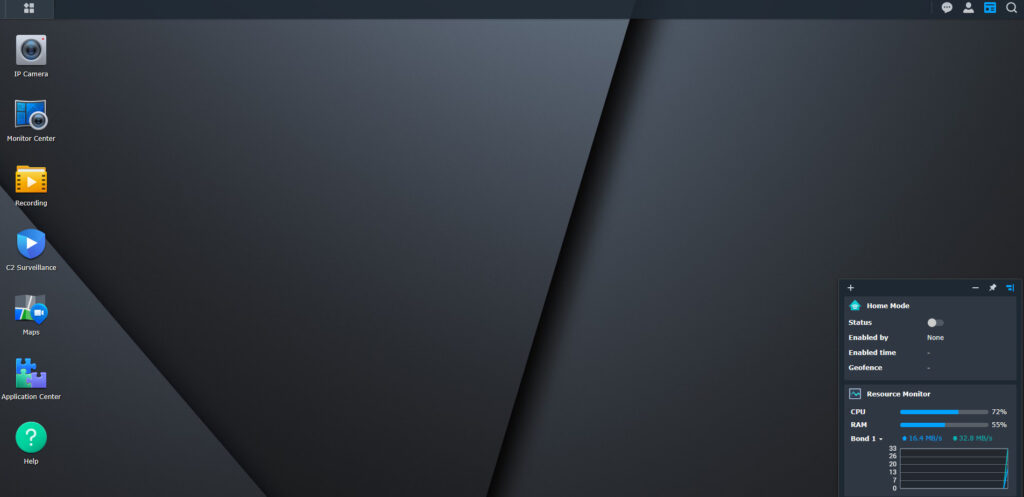
The licensing is what stops it being the default recommendation here. After the first two cameras, each additional camera consumes a license that you buy outright, and by the time you’ve licensed six or eight cameras you’ve spent real money on software before buying a single camera. It supports a wide range of ONVIF cameras rather than locking you to Synology’s own, which is a genuine advantage over Protect.
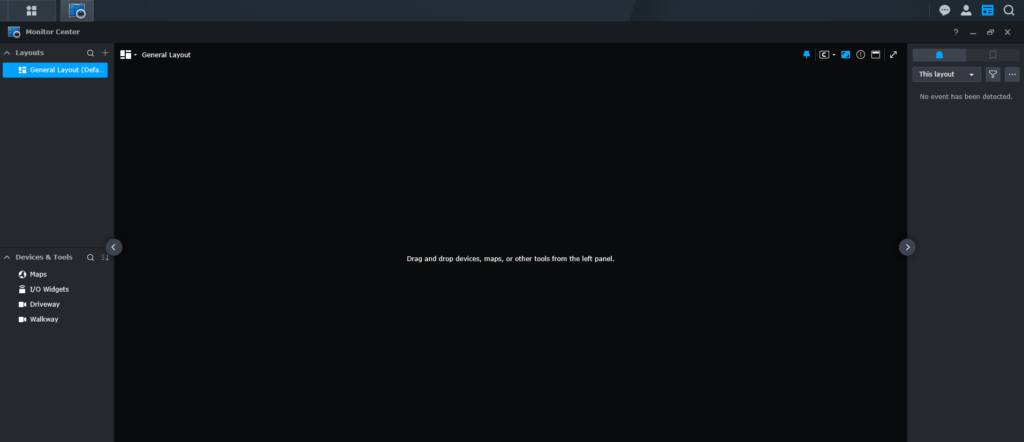
Deep learning features exist but they’re weaker than what Protect or Frigate will give you, and some of them want a specific NAS model to run at all. Treat Surveillance Station as the convenient option for a small number of cameras on hardware you already own. My full Surveillance Station setup and review covers it properly, and there’s a separate list of the best cameras for Surveillance Station.
Other Blue Iris Alternatives Worth Knowing
A few others come up often enough to be worth a sentence each, even though I wouldn’t put any of them ahead of the three above.
- Agent DVR is the successor to iSpy, runs on Windows, Linux, and macOS, and has a friendlier interface than Frigate. Its licensing model is subscription-flavoured, which is what puts me off recommending it first.
- ZoneMinder is the long-standing open source option. It’s genuinely capable and genuinely dated, and Frigate does the same job with better detection and less pain.
- Scrypted is worth watching if HomeKit Secure Video is what you’re actually chasing, since that’s the problem it solves better than anything else here.
- Staying on Blue Iris 6 is a legitimate choice. With AI now built in, the case for switching is much weaker than it was two years ago if you already own a working setup.
Which Blue Iris Alternative Should You Use?
Buying cameras from scratch means buy UniFi Protect on a UNVR G2 and stop thinking about it. You’ll pay more for the cameras and you’ll get back the time you’d have spent maintaining a server, configuring detection models, and troubleshooting a stack that only you understand. That trade has become clearly worth it, and it’s the direction I’m moving my own setup.
If you already own cameras, the answer is Frigate, and it isn’t a consolation prize by any stretch. It’s free, it’s camera agnostic, its detection is excellent, and it will happily run on hardware you already have, with the cost paid in configuration effort rather than money.
If you own a Synology and need two or three cameras, use Surveillance Station, because it’s already sitting there waiting for you. And if you’re on Blue Iris 6 with a setup that works, the most useful thing I can tell you is that you don’t have to move at all, because version 6 fixed the one problem that would have made me tell you otherwise.
One closing note, since this is security software and the network matters as much as the recorder does. Every option here is only as safe as the network it sits on, and cameras are a category worth isolating on their own VLAN with internet access blocked unless they genuinely need it. Security guidance changes constantly and nothing is ever guaranteed, so treat any setup as something to revisit rather than finish.