If you’re deciding on Unraid vs Synology, the main difference is that Unraid is a NAS operating system you install on your own hardware, while a Synology is a NAS you buy with the operating system (DSM) already on it. Simply put, if you just want a NAS that works, I’d pick a Synology. If you’d rather choose your own hardware and run a bunch of containers and VMs, I’d pick Unraid.
I’ve run Synology hardware for close to 10 years (though I’ve since moved everything over to TrueNAS), and I have also used Unraid, most recently on a trial key on a LincStation S1 that I reviewed in March 2025. I have not run Unraid as my main NAS, so my take on it comes from that review and the tutorials I’ve written.
Disclosure: Some links below are affiliate links, which means that I earn a percentage of each sale at no cost to you. Thank you for your support.
Unraid vs Synology at a Glance
| Unraid | Synology | |
|---|---|---|
| What it is | A NAS operating system for your own hardware | A NAS with DSM preinstalled |
| Version (October 2026) | Unraid 7.3 | DSM 7.4 |
| Storage | Parity-protected array or ZFS pools | RAID or SHR |
| Drive restrictions | No compatibility list | M.2 NVMe drives on 2025 desktop Plus models |
| License | Paid, with a 30-day trial | Included |
| Apps | Community Apps, Docker and VMs | First-party apps, Docker and VMs |
Hardware: Build Your Own Server or Buy a Synology NAS
Unraid wins on hardware flexibility, and a Synology wins if you don’t want to think about hardware. Unraid runs on nearly any 64-bit x86 system (booting from a USB flash drive or, as of Unraid 7.3, an internal drive), so the server can be as powerful or as power-efficient as you build it. However, compatibility and support are on you.
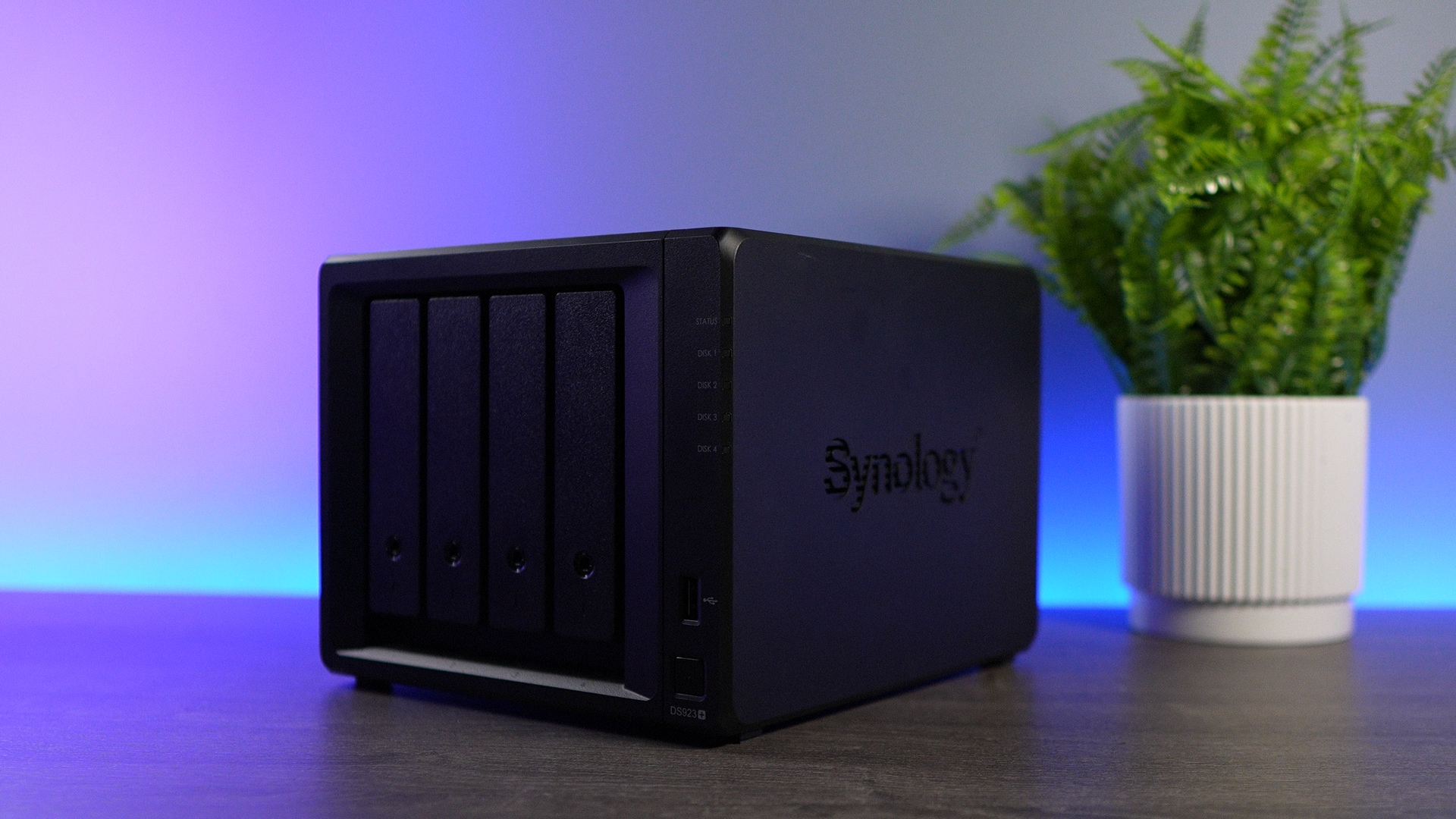
Synology’s hardware generally uses older components, so you’re paying a premium from a pure hardware perspective. A current four-bay Plus model, the Synology DS925+, has an AMD Ryzen V1500B, 4GB of ECC memory and two 2.5GbE ports, which is plenty for a NAS, but it’s not going to be a super powerful home server. My Synology NAS buying guide covers the rest of the lineup.
Synology’s Drive Compatibility Policy
Synology announced in April 2025 that its 2025 Plus models would only support its own and certified hard drives, then reversed most of that with DSM 7.3 in October 2025. As of October 2026, the 2025 desktop Plus models (such as the DS925+) work with third-party hard drives and 2.5-inch SATA SSDs, but an M.2 NVMe storage pool or cache still needs a drive from Synology’s compatibility list.
You can use third-party hard drives again, but I think it’s fairer to say you get most of the functionality, not all of it. Unraid has no drive compatibility list.
Operating System: Unraid vs Synology DSM
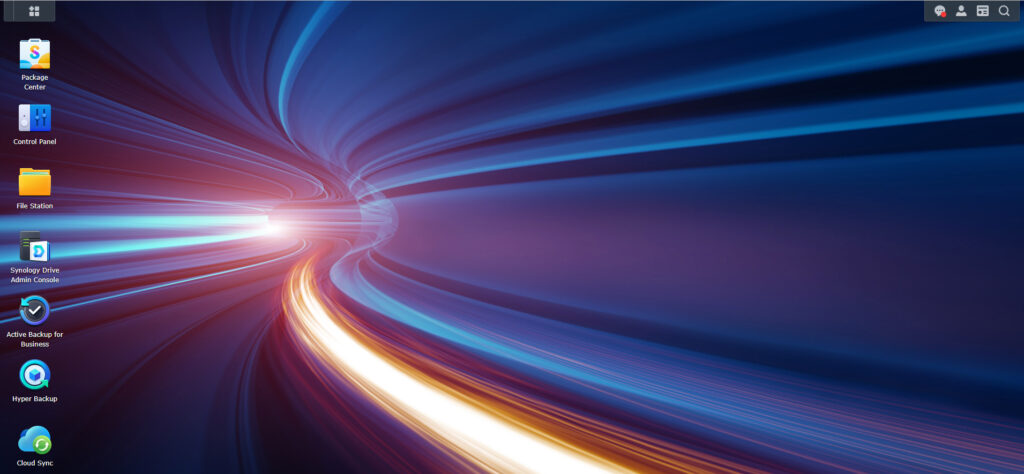
DSM is the easier of the two to use and maintain, and Unraid is the more flexible. DSM is one of the few NAS operating systems that you can truly set and forget, and you can try the DSM demo yourself first.
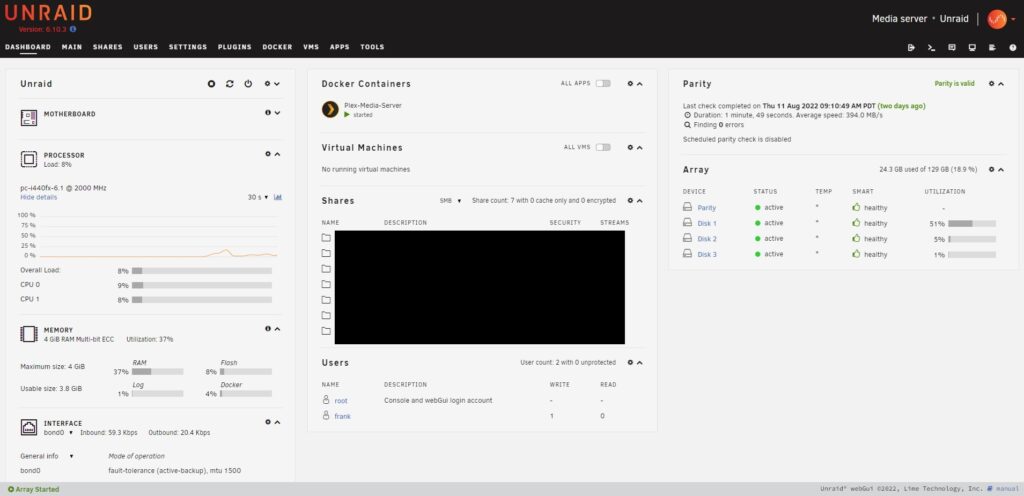
Unraid is user-friendly and stable for a DIY NAS operating system, though in my opinion, not as user-friendly as DSM.
How Unraid and DSM Store Your Data
An Unraid array is not RAID. Each data disk holds its own files and one or two parity disks protect the array, so you can mix just about any drive sizes and add one drive at a time. If the server dies, you can put any data disk in a system that can read its file system and see your files.
DSM uses RAID or Synology Hybrid RAID (SHR), which is insanely convenient if you have mixed-size drives, so Unraid isn’t the only one that handles them. Unraid has supported ZFS pools since 6.12 in 2023, but the classic array is still what most people will use.
Performance
Performance is where an Unraid array costs you. Without a cache pool, it performs at about the speed of one individual drive, which is slower than RAID or a ZFS pool. A cache pool helps a lot with writes, but it is a trade-off.
Apps and Containers
Unraid installs applications from the Apps tab (Community Apps), where you get a ton of Docker templates that need minimal setup.

Synology’s first-party apps are a reason to buy one. Synology Drive and Synology Photos are great applications that I used for many years, and so are Hyper Backup and Active Backup for Business. Everything installs from Package Center, including Container Manager for Docker, though the hardware will limit how many containers or VMs you can run.

The downside is what happens if you leave. When I moved to TrueNAS, I spent about a year getting off of Synology’s first-party applications, and that process was a lot harder than it sounds. Once you’re in Synology’s ecosystem, it’s not the easiest to get out of.
Unraid Pricing vs the Cost of a Synology NAS
Unraid is a paid license on top of hardware you buy separately, while DSM and its updates are included with a Synology NAS. Since 2024, Unraid has sold three tiers: Starter (up to six storage devices), Unleashed (unlimited devices) and Lifetime (unlimited devices with lifetime updates). Basic, Plus and Pro keys are now legacy keys.
All three are a one-time purchase, but Starter and Unleashed only include one year of updates, with an optional annual fee after that. If you don’t pay it, you keep the version you’re on, but you’ll eventually stop getting security patches. To me, this is the biggest problem, as many people keep a NAS for five-plus years, so you might be looking at one, two, or maybe even three renewals.
You can try Unraid free for 30 days, which is what I was using on the LincStation S1, and then purchase a license. The license is the small part of what an Unraid server costs, so whether it’s cheaper than a Synology depends on the hardware you buy.
Can You Install Unraid on Synology NAS Hardware?
No, not in any way that Unraid or Synology supports. On Synology’s current ARM models (the DS124, DS223, DS223j and DS423), it can’t work, as Unraid requires a 64-bit x86 processor. The current Plus models are x86, but Synology doesn’t provide a supported way to boot another operating system. Unraid doesn’t list Synology among the hardware built for it, and Synology’s warranty excludes a NAS that’s used in a way its documentation doesn’t describe.
The way I look at it, DSM comes on a Synology NAS, and you can’t, and honestly shouldn’t, replace it. You can run an Unraid server alongside a Synology NAS, as both share files over SMB. If running Unraid on Synology NAS hardware was the plan, look at a prebuilt that comes with Unraid instead, like the LincStation S1 (I reviewed a prototype), the 45HomeLab X4 or the 15-bay 45HomeLab X15.
UGREEN says its NAS devices, including the DXP4800 Plus, can have third-party systems like Unraid or TrueNAS installed, though it warns that unsupported systems can cause problems. I had TrueNAS set up on a UGREEN NAS in about five minutes, and my list of the best Synology NAS alternatives has more.
Synology vs Unraid: Which One Should You Pick?
I’d pick a Synology if you want the most polished, least hassle NAS experience. I’d pick Unraid if you want a DIY NAS operating system without some of the learning hurdles, you’re open to doing things the Unraid way, and you’re fine with the license costs.
A Synology is an appliance. It does what it does very well, and the backup tools are great. You’ll pay more for what you’re getting, and the more of Synology’s apps you use, the harder it’ll be to leave. When I reviewed the LincStation S1 in March 2025, I said I’d probably prefer a DS923+ (since succeeded by the Synology DS925+) over it, except where you want to transcode or use VMs.
If your number one priority is data integrity and you want a NAS built around ZFS, I’d recommend TrueNAS, which is what I use today. See how Unraid compares to TrueNAS and Synology against TrueNAS, or the best Unraid alternative if neither fits.
Licensing, drive policies and security change, so nothing here is guaranteed, and I’d check where both stand before you buy.