Jellyfin and Plex do the same core job: they turn a computer or NAS full of media into your own private streaming service. In 2026, the real difference between them isn’t features, it’s the model behind them. Plex has spent the last year and a half raising prices and moving core functionality behind subscriptions, while Jellyfin remains completely free and open source.
Both work the same way: you install the server application on the device that stores your media, and client apps on your TV, phone, or computer connect to it to stream. That part is identical. The decision comes down to what each one costs, how they handle transcoding, and how much polish you want.
Jellyfin or Plex: The Quick Answer
If you just want the answer: I’d pick Jellyfin for most new media servers in 2026, and I say that after running both. Everything in Jellyfin is free, including hardware transcoding, and the interface shows your content and nothing else. Plex still has more polished apps and a much easier remote streaming setup, and if less technical family members use your server, that polish might be worth paying for. The rest of this article is the reasoning.
Device Compatibility: Jellyfin vs Plex
When comparing Jellyfin and Plex device compatibility, both are installed as a server, meaning that you pick a device that will store your media and install the server version of Jellyfin or Plex on it. The server applications are individual devices that client devices connect to.
Jellyfin’s Device Compatibility
There are many devices that have installation packages for Jellyfin Server, however, the list is much smaller than it is for Plex. With that said, this list has grown a lot over the past few years and is a lot more even than it used to be.
In my experience, I have found that Jellyfin runs best on Docker, which is the most important platform for any application to have support for. Docker is widely used on various platforms. Simply having a Docker package will give you support on tons of different devices and operating systems, so technically, Jellyfin’s support is broad.
One of my favorite devices to run Jellyfin on is a Synology NAS, as people who own a NAS will generally keep their media on that device. However, you can run Jellyfin on any device that supports Docker (even something like a Raspberry Pi).
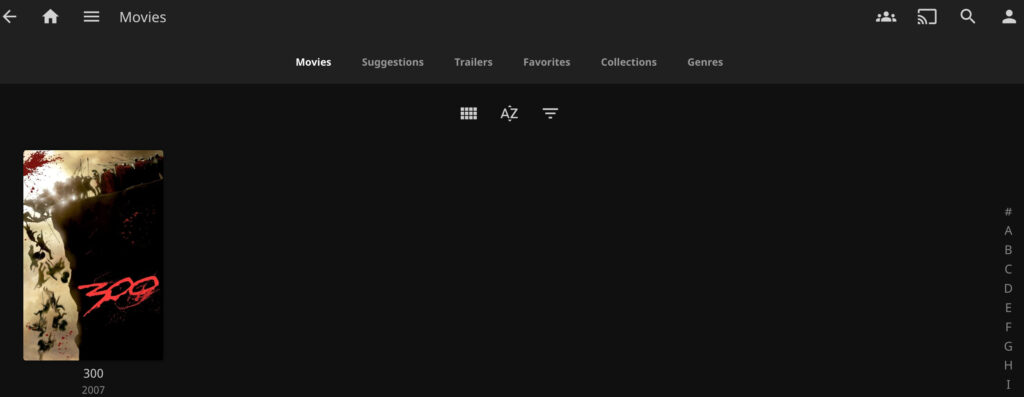
Finally, there are a ton of client devices you can use with Jellyfin. For the most part, any device you’re using will have support for some type of Jellyfin client application.
Plex’s Device Compatibility
From a pure compatibility standpoint, Plex supports significantly more platforms than Jellyfin does with server installation packages. For example, there are Plex installation packages for Synology DSM, TerraMaster TOS, and multiple other NAS operating systems. Jellyfin packages aren’t always available for those OSes, but as mentioned above, Docker is the most important platform for support, which Plex has a Container for as well.
Overall, Plex wins in this category, but not as much as it once did. At one point, Jellyfin was only available on Docker, but in 2026, the gap keeps closing.
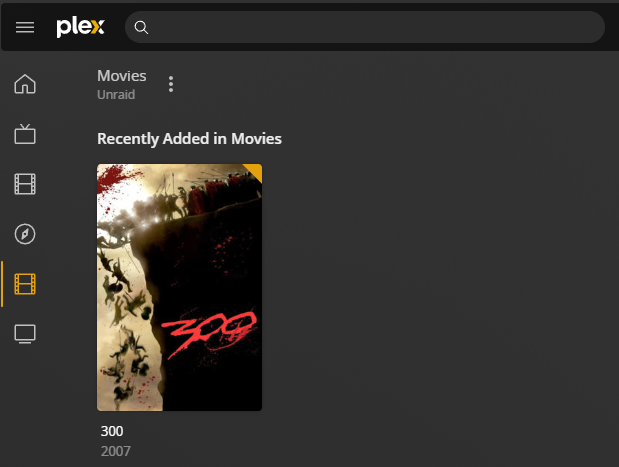
Similar to Jellyfin, there are a bunch of client devices that Plex supports as well, so you won’t have any issues finding support for your device.
Features & Functionality of Jellyfin/Plex
There are major differences in some of the features that Jellyfin and Plex offer.
Jellyfin Features
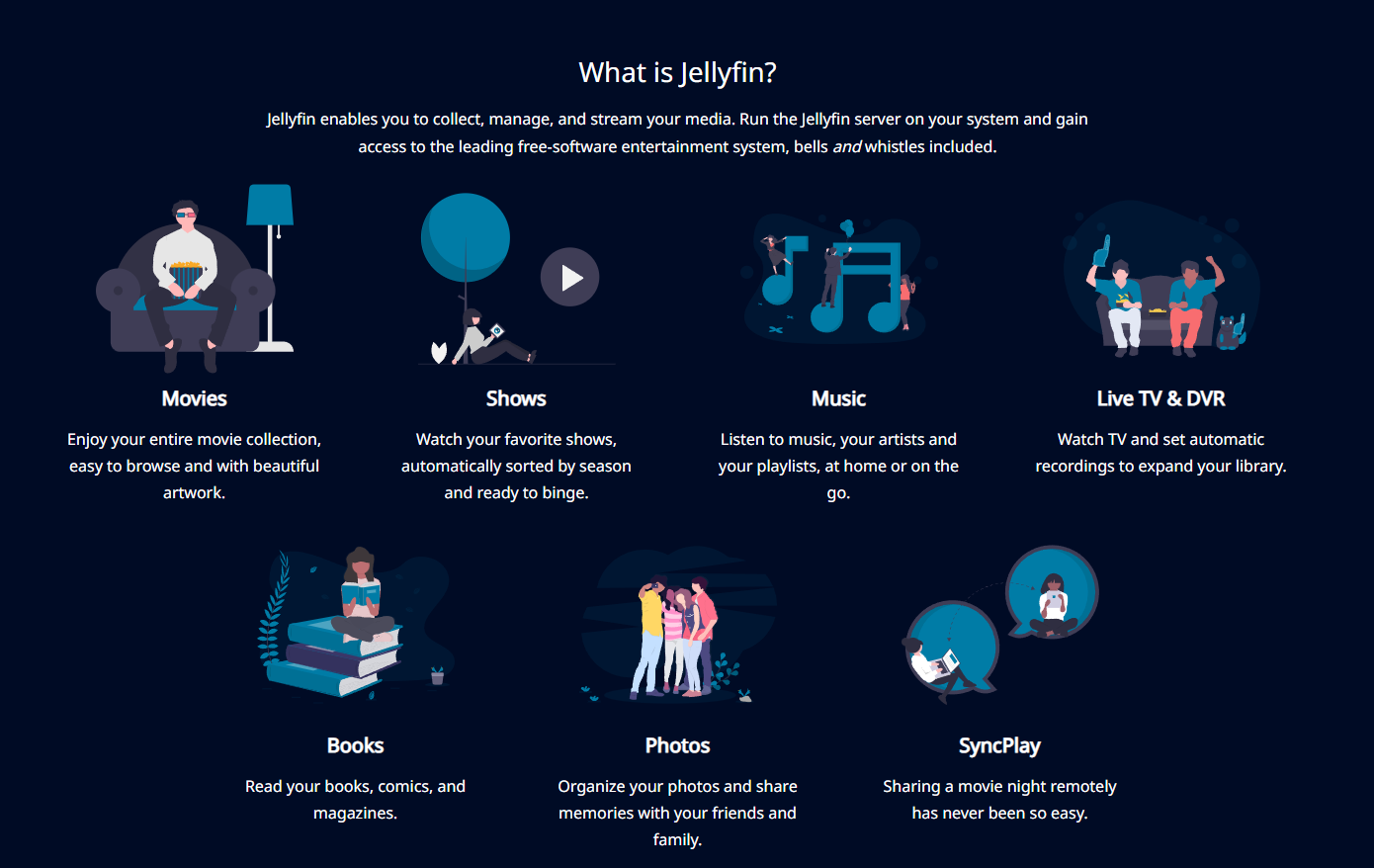
The core functionality that Jellyfin offers is media streaming, but over the past few years, this list has grown tremendously. While media streaming (movies, TV shows, Music) is still Jellyfin’s strength, you can now read books, add photos, remotely share a movie (with SyncPlay), and more. There are additional features as well, like Live TV and DVR, which let you watch live TV and record directly to your Jellyfin server.
The biggest benefit of Jellyfin isn’t a feature; it’s that Jellyfin is completely free. Unlike the Plex Pass, which requires a subscription or lifetime pass, Jellyfin is a free and open-source alternative, which means all features are available for free.
Plex Features
Plex has a core set of functionality (with the main being media streaming) that’s similar to Jellyfin; however, there are some key differences. First, Plex allows users to stream 600+ free live TV channels and over 50,000 movies and TV shows.
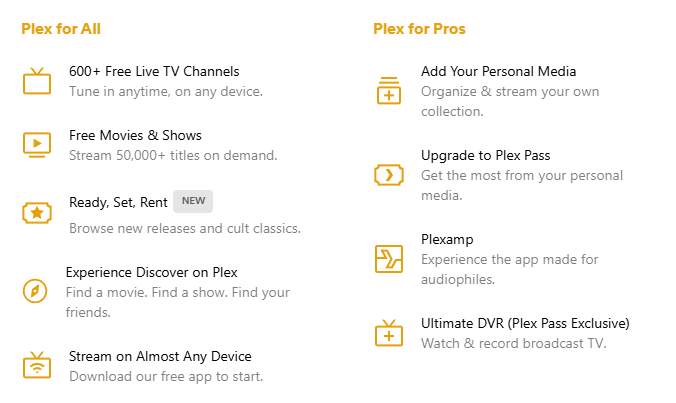
Plex also offers the Plex Pass, which gives users the ability to use Plex as a DVR, stream music to the PlexAmp application, and use hardware transcoding.
This means that if you want to use hardware transcoding with Plex, you must purchase the Plex Pass, while Jellyfin allows you to use hardware transcoding for free.
User Interface Differences Between Jellyfin and Plex
The user interface of any application is important, but when comparing Jellyfin vs Plex, one dashboard wins out, and it’s Jellyfin. Jellyfin is basic, and that’s a great thing.
As the years have gone on, Plex has become more and more commercialized, which has made the user interface cluttered. If you’re going to use that functionality, you might view this as a positive, but for a regular home media server where you’re streaming media you own, the clutter will be noticeable.
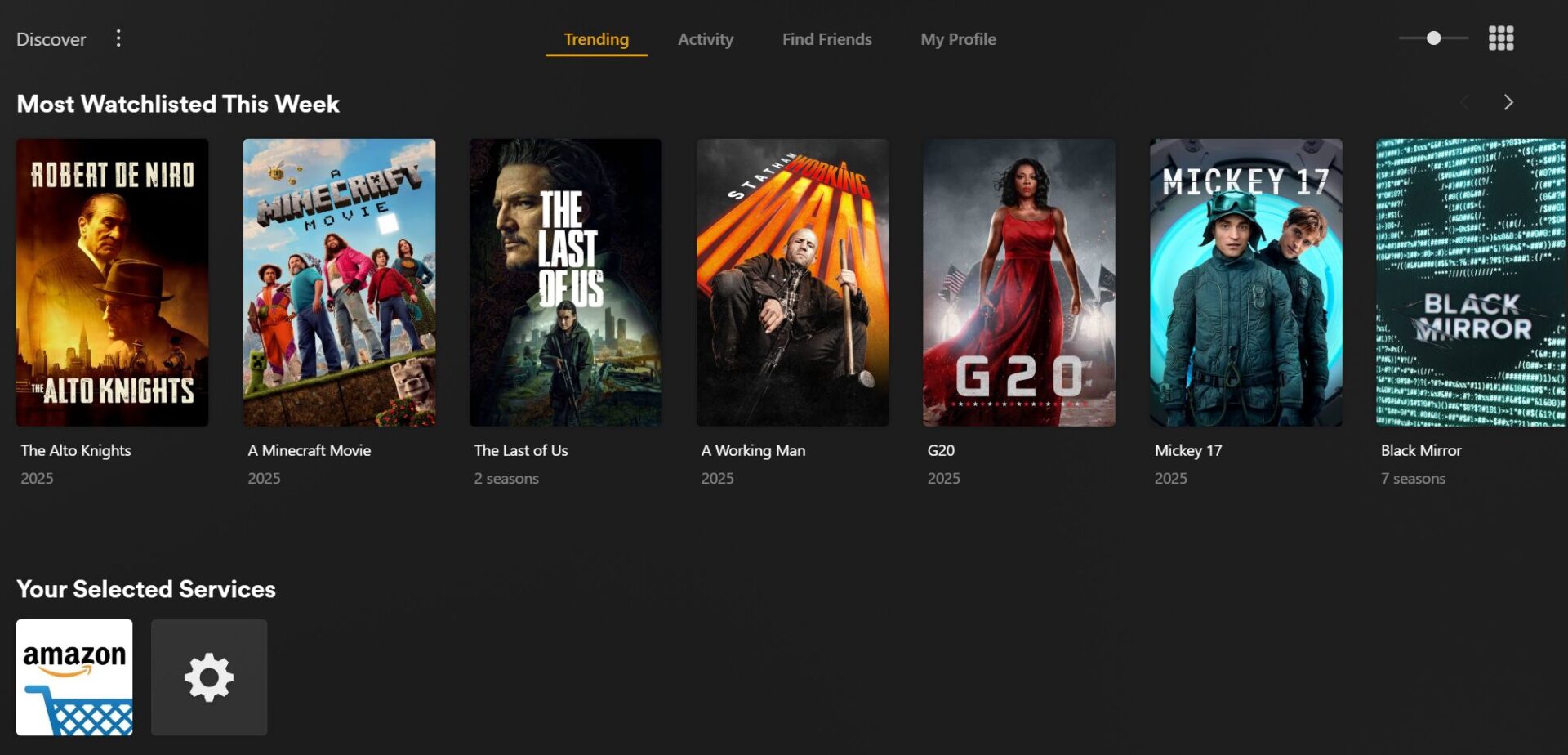
The screenshot above shows the Discover tab in Plex, where you can aggregate your media services and display content from other services. It can be genuinely useful if you use those services, though it can also get overwhelming. Jellyfin doesn’t have any of this, which can be viewed as a positive depending on your needs.
Overall, I find the Jellyfin user interface to be better than Plex in a head-to-head comparison. Generally, because the content displayed on it is actually my content, and I don’t have to search through various sections to get to the content that I’m looking for. With that said, users who will actually use the Plex Discover features may find it to be a lot more helpful.
Comparing Jellyfin and Plex
When comparing Jellyfin vs Plex, there are many similarities as ultimately, they’re both media servers. However, deciding which option is best for you will come down to a few core differences, on both the server and client side.
Differences: Jellyfin vs Plex
| Category | Jellyfin | Plex |
| Server Installation | Best on Docker, compatible, smaller overall OS support (outside of Docker) | Supports more platforms, including dedicated installation media on various OSes |
| Client Devices | Supports various client devices | Large support for client devices (slightly broader than Jellyfin) |
| Core Features | Media streaming, Live TV, DVR, and hardware transcoding (all free) | Plex Pass (paid subscription) offers DVR, Plexamp for music streaming, and hardware transcoding |
| Price | Free, all features included | Free tier, but key features require the Plex Pass; the lifetime price has more than doubled since 2024 |
| Remote Streaming | Free, but you set it up yourself | Paid: covered by the server owner’s Plex Pass, or each remote viewer needs a Remote Watch Pass |
| User Interface | Basic and clean, displays only your content | The Discover tab aggregates media services. Generally, a commercialized experience |
| Unique Selling Point | Entirely free with no premium features locked behind a paywall | Additional features, a dedicated team, and a polished experience with Plex Pass |
What Plex Costs in 2026
It would be wrong to compare these two in 2026 without covering what happened to Plex’s pricing. In April 2025, Plex announced major changes: the lifetime Plex Pass jumped from $119.99 to $249.99, monthly and annual prices went up alongside it, and remote playback, previously free, became a paid feature.
The remote streaming rules deserve a clear explanation, because a lot of coverage gets them wrong. If the server owner has a Plex Pass, everyone they share with can stream remotely at no cost. If not, each remote viewer needs a Remote Watch Pass, which now runs $2.99/month or $29.99/year after the introductory pricing ended on June 1, 2026. Streaming inside your own home is still free for everyone.
And it isn’t over: Plex scheduled another price increase for new subscriptions on July 1, 2026, the second big jump in just over a year. Existing passes keep their terms, but if you’re on the fence, the price of entry only moves in one direction. It’s hard to like these changes, and they make Jellyfin even more enticing than it already was.
The Hardware Side: What Actually Runs These Well
Disclosure: Some links below are affiliate links, which means that I earn a percentage of each sale at no cost to you. Thank you for your support.
Both servers run on almost anything: a NAS, a mini PC, a Raspberry Pi, an old desktop. The spec that actually matters is hardware transcoding, which converts video on the fly when a TV or phone can’t play the original file directly. For that, you want an Intel CPU with Quick Sync. Jellyfin gives you hardware transcoding for free; Plex locks it behind the Plex Pass.
If you’re buying a box for this job, the UGREEN DXP4800 Plus is what I’d get: a 4-bay NAS with a Quick Sync CPU and 10GbE networking that handles multiple transcodes without issue. It’s the top pick in my best NAS for Plex roundup, and everything in that article applies equally to Jellyfin. On a tighter budget, the 2-bay UGREEN DXP2800 gets you the same Intel Quick Sync transcoding for a lot less. And if you’d rather keep your storage where it is and run the server on a small dedicated box, an Intel mini PC like the Beelink EQ14 runs either server in Docker easily.
If you already own hardware, try it there first, because both servers cost nothing to install. One caveat if you’re NAS shopping: several current Synology models, including the DS925+, use AMD CPUs with no iGPU, which means no hardware transcoding on either platform. That’s one of the main reasons I lean Intel for media boxes.
Which One I’d Run in 2026
For most people building a media server in 2026, I’d go with Jellyfin. It does the core job as well as Plex, hardware transcoding costs nothing, and the interface shows your content and only your content. Jellyfin today feels like what made Plex great years ago, without a subscription attached.
Plex is still the right call for some setups. The apps are more polished, setup is closer to plug-and-play, and remote streaming works without any configuration, which matters if less technical family members use your server. If that convenience is worth roughly $250 (and climbing) to you, Plex remains a good product. Just be clear that convenience is mostly what you’re paying for.
Jellyfin’s one real weak spot against Plex is remote access, since nothing built in matches Plex’s zero-setup experience. It’s solvable, and I wrote a full guide on how to access Jellyfin remotely that covers the approaches I’d actually use. And if neither of these feels right, there are more options in my best Plex alternatives roundup.
Last updated: July 2026. Plex pricing reflects what Plex has published as of this update; check their pricing page for the current numbers before buying.