Plex Media Server is a media streaming application that organizes your movies, TV shows, and music and streams them to any device on your network or remotely. It runs as a Docker container on Unraid, using the official Plex-Media-Server image from the Unraid Community Apps store. In this step by step guide I will show you how to install Plex on Unraid using Docker and the Community Apps plugin.
💡Note: If you are running Plex on a different platform, check out our guides for how to install Plex on a Synology NAS, how to install Plex on OpenMediaVault, and how to install Plex on TrueNAS.
STEP 1
Log in to Unraid and click the Apps tab.

STEP 2
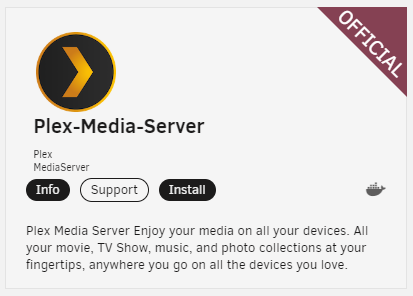
In the search field type in Plex. Select Install on the official Plex-Media-Server application.
💡Note: This will install Plex as a Docker container on your Unraid server.
STEP 3
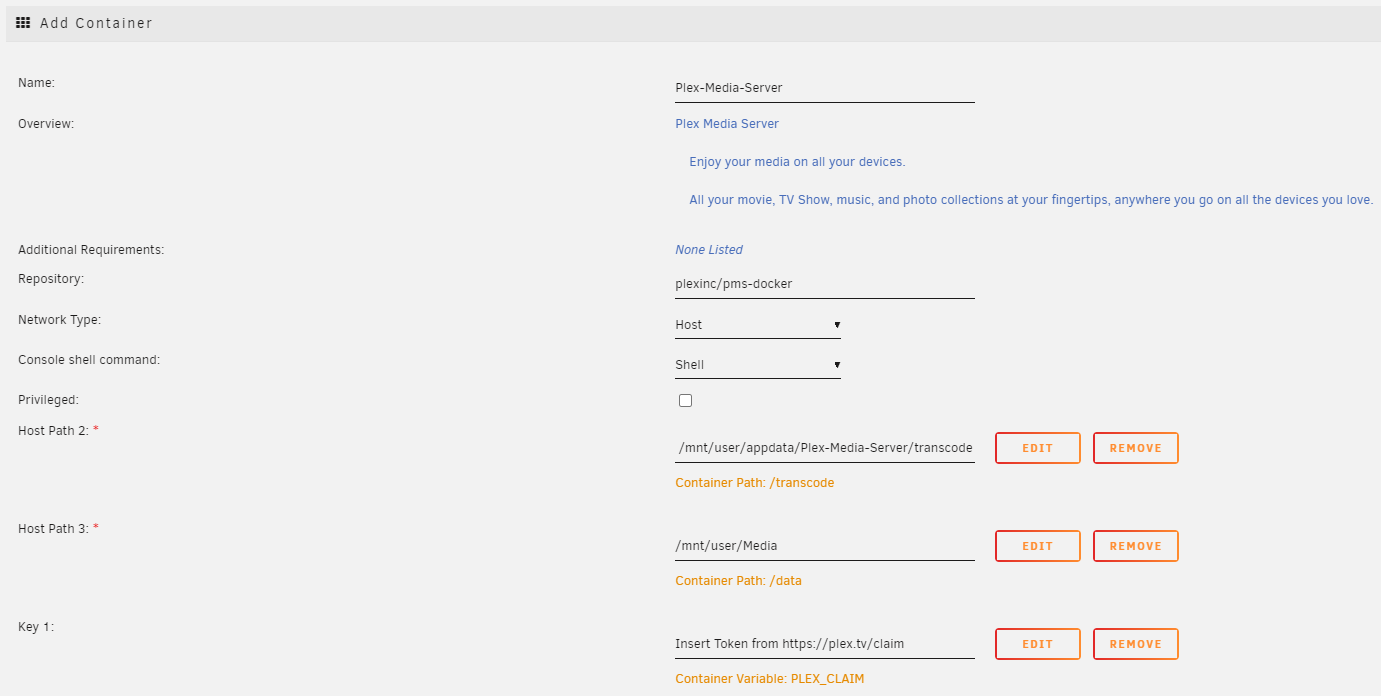
In the Name field type in the name you want to use for the container. Follow the instructions in the image below.
Match the following path and key settings, substituting your own media folder path for [Media]:
- Host Path 2:
/mnt/user/appdata/Plex-Media-Server/transcode - Host Path 3:
/mnt/user/[Media] - Key 1 (Plex Claim Code):
[your claim code]
💡Note: Host Path 2 maps the transcode volume into the Plex-Media-Server folder. Host Path 3 should point to wherever your media files live on Unraid — for example, /mnt/user/Media. All movies, TV shows, and music must be inside this folder. You can get a Plex Claim Code by navigating to the website and signing in — the code will be displayed and can be pasted into the Key 1 field. The claim code is optional; it simply links the new Plex instance to your account, and you can also complete that step during initial setup.
STEP 4
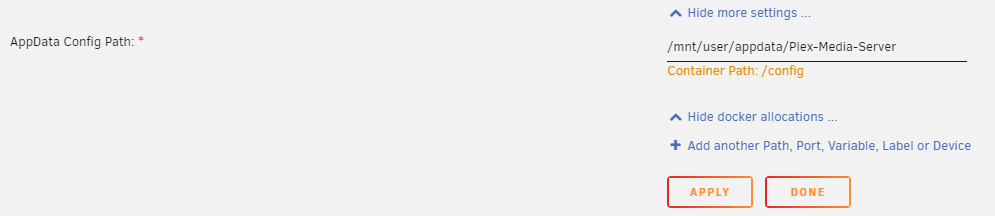
Click Show more settings at the bottom of the container configuration screen. Follow the instructions in the image below.
💡Note: The path shown in this section is where all Plex configuration data will be stored — by default /mnt/user/appdata/Plex-Media-Server/. This folder contains your entire Plex configuration. If you ever want to back up or migrate your Plex server, this is the folder to copy. If you modify this location, make sure the /transcode mount path from Step 3 is updated to match.
STEP 5
Click Apply to create the Docker container.
STEP 6
Click the Docker tab. Toggle Autostart to On so that Plex starts automatically whenever Unraid boots.

STEP 7
Open a browser and navigate to the address below, replacing [UNRAID_IP] with your Unraid server’s IP address:
http://[UNRAID_IP]:32400/web/index.htmlIf you used a Plex Claim Code in Step 3, the server will already be linked to your account and you will not need to claim it again after logging in. If you want to set up remote access or add SSL to your Plex instance, see our guide on how to set up an SSL certificate for Plex using Nginx Proxy Manager.

STEP 8
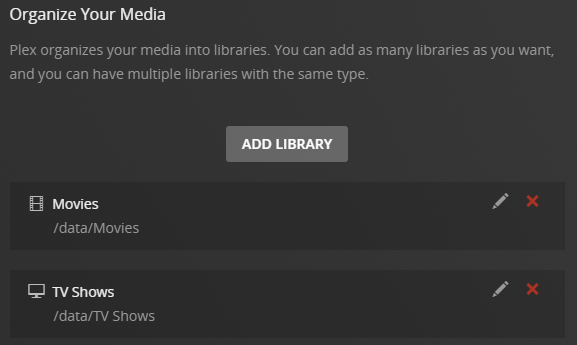
Complete the Plex setup wizard. Add your media libraries, pointing each one to a subfolder inside the /data directory. For example, create separate libraries for Movies, TV Shows, and Music.
💡Note: All media files were mapped to the /data location inside the container. You will need to create individual library folders within /data for each media type — Plex will not see files outside of this mapped path.
STEP 9
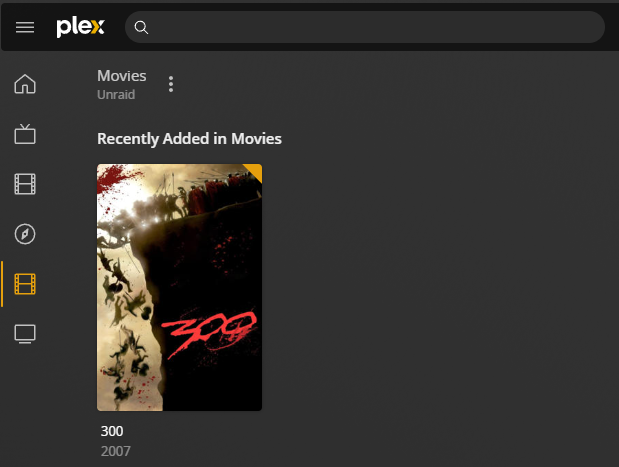
Wait for Plex to finish scanning your media. All of your files should begin to appear in the library.
💡Note: If you prefer a different media server, you can also install Jellyfin on Unraid as a fully open-source alternative. See our best Plex alternatives guide for a full comparison.
TROUBLESHOOTING
Plex web UI is not loading at port 32400
Confirm the container is running in the Docker tab. Check that Autostart is enabled (Step 6). Verify you are using the correct Unraid IP address. If the container is running but the UI is unreachable, check the container’s network mode — bridged mode is the default and is recommended for most setups. Host network mode can cause port conflicts with other containers.
libusb_init failed error in Plex container logs
This error is cosmetic and does not affect Plex functionality. It appears because the container attempts to detect USB devices that are not present. No action is required.
Media not appearing after adding libraries
Confirm that Host Path 3 in Step 3 points to the correct folder on your Unraid server. All media files must exist within the mapped /data path inside the container. Files stored outside of this path will not be visible to Plex.
Plex container not starting after Unraid reboot
Confirm that Autostart is toggled to On in the Docker tab (Step 6). Also check that the appdata path /mnt/user/appdata/Plex-Media-Server/ still exists and is accessible. If you have recently changed your Unraid array or share configuration, the appdata location may need to be remapped. You may also want to review how to set up WireGuard on Unraid if you are accessing Plex remotely and having connectivity issues after reboots.