
If you’re building a NAS, the best NAS case for most people is the Fractal Design Node 804. The rest of this guide is split by the motherboard you’re building around, because that’s what really decides it. The best ATX option is the JONSBO N5, and the micro ATX pick is that Node 804. For mini ITX, it’s the JONSBO N3, or the much smaller JONSBO N2 if size is the point. If drive count is the only thing that matters, it’s the Fractal Design Define 7 XL. These are the best NAS cases I’d buy in 2026. Whether you searched for a NAS chassis, a NAS computer case, or just a PC case that holds a lot of hard drives, it’s the same product.
A NAS case is an empty box. You supply the motherboard, the power supply, the drives and the NAS operating system yourself. That’s the whole difference between one of these and a prebuilt NAS enclosure that arrives with all of those decisions already made. I’ve asked myself out loud whether I should have just bought an 8-bay UGREEN device and installed TrueNAS on it instead. The answer, for me, is that a DIY build gets me drive bays and expansion I never would have had with a prebuilt.
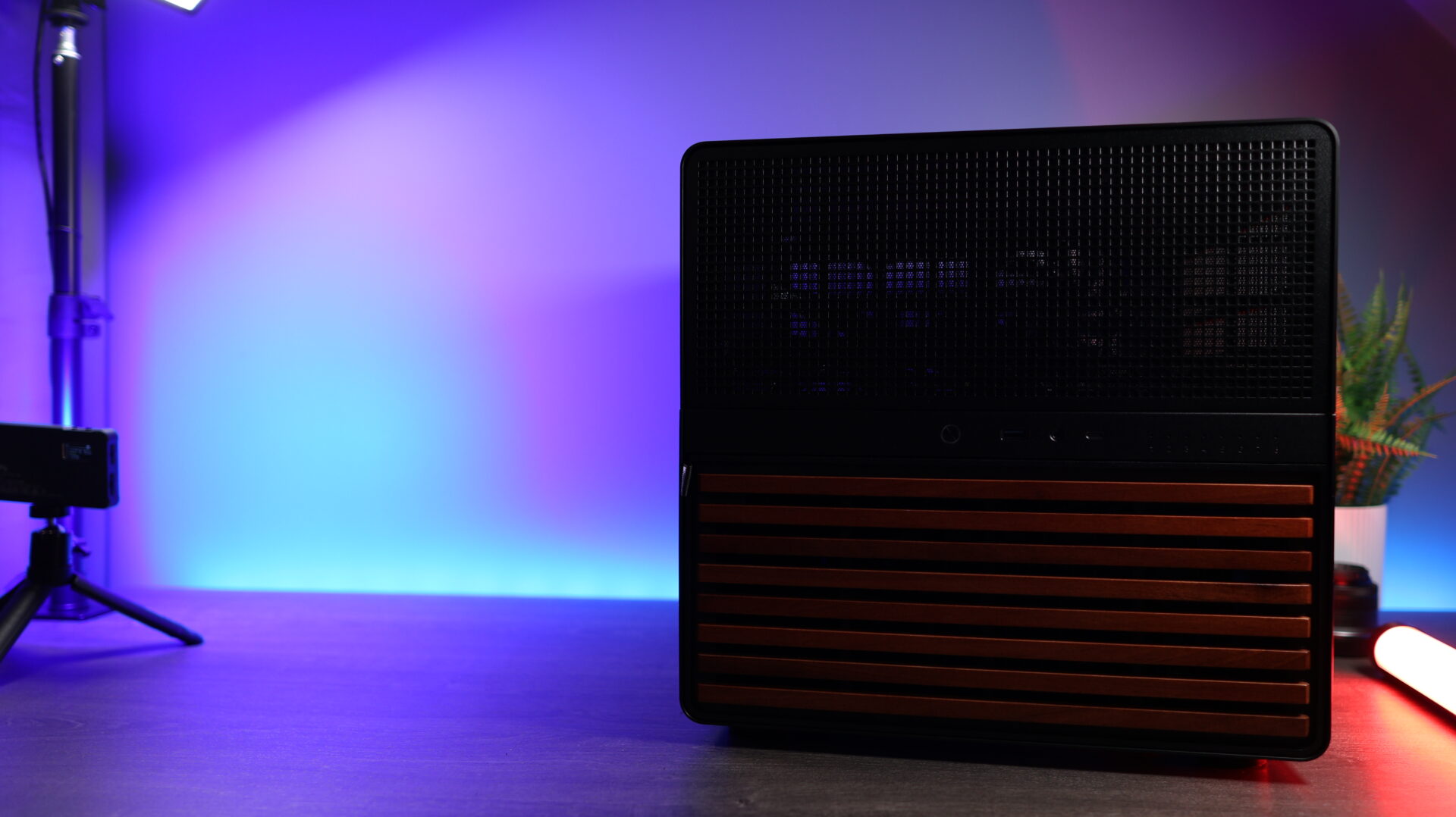
One thing to settle before you buy any of these: your motherboard has to have enough SATA ports to actually use the bays. Most motherboards have far fewer SATA ports than these cases have bays. If you’re filling more bays than your board has SATA ports, plan on a PCIe SAS/SATA RAID Controller Card as part of the build rather than as a surprise later.
Disclosure: Some links below are affiliate links, which means that I earn a percentage of each sale at no cost to you. Thank you for your support.
What is the Best NAS Case?
The best NAS case for most people is the Fractal Design Node 804, and here’s the whole list in one place with the specs that decide it. I’ve built in the Node 804 and the JONSBO N2 myself, and I have a JONSBO N5. Every number below comes from Fractal Design’s and JONSBO’s own product pages as of September 2026.
| Case | Motherboard | 3.5″ mounts | Hot-swap | PSU | Max CPU cooler |
|---|---|---|---|---|---|
| Fractal Design Node 804 | Micro ATX, Mini ITX | 10 | No | ATX | 160 mm |
| JONSBO N5 | ITX to E-ATX / XL-ATX | 12 | Yes | ATX | 160 mm |
| Fractal Design Define 7 XL | ITX to EE-ATX | 18 | No | ATX | 185 mm |
| JONSBO N3 | Mini ITX | 8 | Not stated | SFX | 130 mm |
| JONSBO N2 | Mini ITX | 5 | Not stated | SFX | 65 mm |
The JONSBO N5 is the only case on this list that JONSBO or Fractal lists as hot-swap.
Best Micro ATX NAS Case
The best micro ATX (mATX) NAS case is the Fractal Design Node 804. If you don’t want to read the rest of this article, it’s the one I’d suggest to almost everyone. It’s a cube that’s split down the middle. The motherboard, cooler and GPU live on one side, and eight dedicated 3.5″ drive trays fill the other. Add two combined 3.5″/2.5″ mounts and you’re at ten hard drives, with two dedicated 2.5″ spots left over for SSDs, in a case you can throw in a corner and forget about.
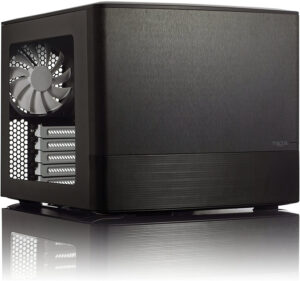
Best Micro ATX
Fractal Design Node 804
Micro ATX or Mini ITX · up to 10 x 3.5″ drives · 5 expansion slots · ATX power supply up to 260 mm · 160 mm CPU cooler · 320 mm GPU · 389 x 344 x 307 mm, 40.3 L
It’s one of my favorite NAS cases, because of the drive count and the relatively small form factor. When you build a NAS in it, it actually feels like you’re building a NAS. None of the bays are hot-swappable, which matters more to me than it used to. It’s capped at a micro ATX board, so a full ATX motherboard won’t fit, and it’s slightly harder to build in in my experience than a full ATX case is, simply because there’s less room. I love this case.
Best ATX NAS Case
The best ATX NAS case is the JONSBO N5. It’s the only case here that takes a full ATX or E-ATX board and still gives you hot-swappable drive bays. That combination used to mean buying a rackmount chassis.
JONSBO’s own spec page puts it at twelve hot-swappable 3.5″ bays and eight PCI expansion slots. There are three 120 mm fans built into the rear and space for a 240 or 280 mm AIO up front. Nothing else here gives you twelve drives, a full-length GPU and hot-swap at the same time, and that’s the entire argument for it.

Best ATX
JONSBO N5
ITX to E-ATX / XL-ATX · 12 x 3.5″ hot-swap bays · up to 4 x 2.5″ SSDs · 8 PCI slots · ATX power supply · 160 mm CPU cooler · 325–350 mm GPU · 355 x 403 x 350 mm
This replaces the JONSBO D500 that used to sit in this slot, which JONSBO has since moved to its end-of-life catalogue. The N5 covers the same brief better, with more drives, hot-swap, and enough room for a card for hardware transcoding or local AI. The specs above are JONSBO’s rather than mine, and the only thing I’ll tell you from experience is that I own one.
If the only thing you care about is drive count, the Fractal Design Define 7 XL is still the answer. It’s a full tower with eighteen 3.5″ mounting locations, nine expansion slots, 185 mm of cooler clearance and 530 mm of GPU room. It takes anything from mini ITX up to EE-ATX, so there’s no build it can’t hold.
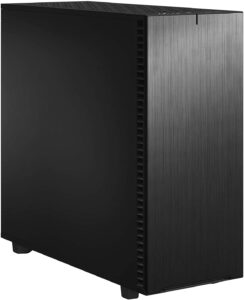
Most Drives
Fractal Design Define 7 XL
ITX to EE-ATX · up to 18 x 3.5″ mounting points · 9 expansion slots · ATX power supply up to 250 mm · 185 mm CPU cooler · 530 mm GPU · 77.6 liters
It’s hard to talk about the Define 7 XL without talking about how large it is. So let me put it this way: this is the best NAS case for people who don’t care at all how their NAS looks, how portable it is, or how much room it takes up. Fractal includes six trays, so eighteen means buying cages. If the plan is a massive array and the form factor isn’t a concern, though, nothing else here is close. None of the bays are hot-swappable, so every drive swap means pulling a side panel off.
If eighteen drives is more than you’ll ever fill, and the XL is simply too big, Fractal’s Define 7 is the smaller, E-ATX version: 14 HDD mounting locations in its storage layout, and roughly 20 liters less case to find a home for.
Best Mini ITX NAS Case
The best mini ITX NAS case for most people is the JONSBO N3, which fits eight 3.5″ drives into something not much bigger than a shoebox. The one to buy when a compact NAS case is the actual requirement is the JONSBO N2, the card below: a cube about 222 mm on a side with room for five 3.5″ drives and one 2.5″ SSD, and the smallest case here that’s built to be nothing but a NAS.
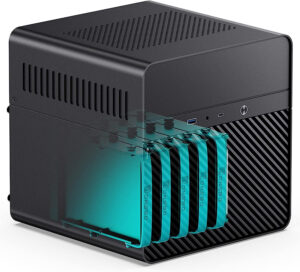
Smallest Build
JONSBO N2
Mini ITX only · 5 x 3.5″ drives + 1 x 2.5″ SSD · 1 low-profile expansion slot · SFX power supply · 65 mm CPU cooler · 222.5 x 222.5 x 224 mm
I have a love/hate relationship with mini ITX cases. They give you the smallest machine you can realistically build, and then charge you for it everywhere else. The board and the SFX power supply cost more while handing you fewer SATA ports and fewer slots. Building in this one is not going to be fun (I didn’t have a great time with it) because of how small it is. The 65 mm cooler limit also rules out just about every tower cooler made. Once it’s together, though, the form factor can’t be beaten.
Best Budget NAS Case
The best budget NAS case is the JONSBO N3. It’s the cheapest case on this list and it still holds eight 3.5″ drives, so nothing else here gets you eight bays for less. It’s mini ITX only, it needs an SFX power supply, and its two rear slot openings still serve the one PCIe slot a mini ITX board gives you, so the HBA that feeds those eight drives is the only card you get. That’s where the money comes out of it, though the shell is 2 mm aluminum over 1 mm steel internals.

Best Budget Pick
JONSBO N3
Mini ITX only · 8 x 3.5″ drives + 1 x 2.5″ SSD · 2 expansion slots · SFX power supply · 130 mm CPU cooler · 250 mm GPU · 233 x 262 x 298 mm
Eight drives is more than most home NAS builds will ever fill. JONSBO doesn’t state hot-swap for it, so don’t count on it. The 130 mm cooler limit means a low-profile or small tower cooler rather than whatever you have lying around. If the budget is the constraint and you don’t already own a micro ATX board, this is where I’d start.
The N3 isn’t a bigger N2, it’s a different case. You get eight bays instead of five, 130 mm of cooler clearance instead of 65 mm, and two slot openings instead of one low-profile. The N2’s remaining argument is pure size, and both are current products that JONSBO sells side by side.
How to Choose the Best DIY NAS Case
Start with the drive count and work backwards, because it’s the one decision the case can’t fix later. Figure out the storage you need, then the RAID layout you’d like to run, then how many drives of what size get you there. The list narrows itself from there. It’s 5 bays in the N2, 8 in the N3, 10 in the Node 804, 12 in the N5, and 14 and 18 drive mounts in the Define 7 and the XL.
The board form factor then drags three other decisions along with it. Mini ITX cases like the N2 and N3 need an SFX power supply and leave you one or two rear slot openings. Micro ATX gets you a standard ATX unit and full-height slots for an HBA or a 10Gb card. Only the N5 and the two Define cases take a full ATX or E-ATX board. Cooler clearance is the one that actually kills builds, since 65 mm in the N2 rules out every tower cooler and 130 mm in the N3 rules out the big ones.
If you want hardware transcoding or local AI on the same machine, check the GPU length early. It runs from 197 mm and low profile only in the N2 up to 530 mm in the Define 7 XL. I have an HBA card and an Nvidia RTX 3060 in my own NAS for local AI, so this one isn’t hypothetical.
Airflow is the criterion almost everyone skips and then regrets. The biggest challenge in my 2U home server build, quite honestly, was the case. I ended up with a SilverStone RM23-502-MINI that comes with no fans. The drive cage blocks one of the two 80 mm fan mounts, there’s no exhaust, and overall the airflow just isn’t that good. Count the fans in the box, and look at whether the drive cage sits in front of one of them, and whether you can run them slowly enough to stay quiet. The Node 804 ships with three fans and has mounts for seven more. The N2 gets a single 120 x 15 mm fan to cool five spinning drives.
Hot-swap is the real dividing line on this list, and the N5 is the only one of these cases that states it. I used to think hot-swap was more of a nice to have, and I don’t anymore. My own NAS runs in a Sliger CX4712, a 4U rackmount chassis with ten trayless 3.5″ hot-swap bays. Sliger sent me the chassis; I bought the fans and the rails myself. Those ten bays, plus the six-bay 2.5″ hot-swap cage I put in one of its 5.25″ slots, are something I probably never would have had with a prebuilt NAS. A rack chassis is a different product for a different room, though, so it isn’t a pick here.
Once the hardware is settled, you’ll need a NAS operating system. The three most common are TrueNAS Community Edition (which most people still know as TrueNAS Scale, renamed in the 25.04 release in April 2025), Unraid and OpenMediaVault. We’ve compared TrueNAS Core vs. TrueNAS Community Edition, TrueNAS vs. Unraid and OpenMediaVault vs. TrueNAS if you’d like the differences (Core is in maintenance mode, no new features). You can also run the NAS OS inside a hypervisor so that it’s easy to back up the configuration if something goes wrong. If you’d like the rest of the parts list and not just the case, our Ultimate DIY NAS Build Guide covers the processor, motherboard, memory and drives.
Get the drive count right, get enough air moving across those drives, and just about any case on this list will be great. If you want one answer and you’re not building around a board you already own, buy the Node 804.