The best 10Gb switch for most people who need one is the smallest one that covers the devices moving large files. For most people that’s the TRENDnet TEG-S762 or the MikroTik CSS610-8G-2S+IN. If you want eight copper 10G ports it’s the TP-Link TL-SX1008, and if you already run UniFi it’s the Pro XG 8 PoE.
I upgraded my entire setup to a full 10 gig network through 2025 and into early 2026, switches, NAS devices and PCs, and for most people it’s honestly hard for me to recommend doing the same. For me it was worth it, because I’m editing large video files and my backups run faster. But if you’re on gigabit today and just want quicker transfers, a 2.5G switch and a 2.5G adapter get you most of the way for a fraction of the money.
10Gb is the upgrade you make once you’re already at 2.5G and still sitting there waiting on files. 10 Gigabit Ethernet is ten times gigabit and four times 2.5GbE, and that’s the whole benefit, because from an internet perspective you’re not going to see any increase in speeds.

| Network standard | Maximum throughput |
|---|---|
| 1 GbE | 125 MB/s (1,000 Mbps) |
| 2.5 GbE | 312.5 MB/s (2,500 Mbps) |
| 5 GbE | 625 MB/s (5,000 Mbps) |
| 10 GbE | 1,250 MB/s (10,000 Mbps) |
So the question isn’t which is the best 10GbE switch in the abstract. It’s how many 10G ports you need, whether they should be SFP+ or RJ45, and whether anything needs PoE.
Disclosure: Some links below are affiliate links, which means that I earn a percentage of each sale at no cost to you. Thank you for your support.
-
Best 10Gb Switch: My Top Picks Compared
- TRENDnet TEG-S762: Best Budget Pick
- MikroTik CSS610-8G-2S+IN: Best Cheap 10G Uplink
- TP-Link TL-SX1008: Best All-Copper 10Gb Switch
- MikroTik CRS309-1G-8S+IN: Best Fanless SFP+ Switch
- TP-Link Omada SX3008F: Best Managed 10Gb Switch
- MikroTik CRS312-4C+8XG-RM: Best Mixed Copper and SFP+ Rackmount
- TP-Link TL-SG3428X: Best if Most of Your Network Stays Gigabit
- UniFi Pro XG 8 PoE: Best for a UniFi Network
- Unmanaged vs Managed 10Gb Switches: Which Do You Need?
- How Many 10Gb Ports Do You Actually Need?
- SFP+ vs RJ45: Which 10Gb Ports Should You Buy?
- Best 10Gb Switch for a Home Network or NAS
- Do You Need PoE on a 10Gb Switch?
Best 10Gb Switch: My Top Picks Compared
If you want one name for eight SFP+ ports, the best 10G switch here is the MikroTik CRS309-1G-8S+IN. Four of the switches this guide used to recommend are off the table: the NETGEAR GS110EMX is on NETGEAR’s end-of-life list with a last sale date in September 2023, the QNAP QSW-M408-4C and QSW-308-1C have no Amazon buy box today, though QNAP still lists the QSW-308-1C as current, and the NETGEAR XS508M is down to a single unit. So the comparison below is rebuilt around what you can actually buy.
| Switch | 10G ports | Other ports | Managed | PoE |
|---|---|---|---|---|
| TRENDnet TEG-S762 | 2 x RJ45 | 4 x 2.5G RJ45 | No | None |
| MikroTik CSS610-8G-2S+IN | 2 x SFP+ | 8 x gigabit RJ45 | Smart (SwOS Lite) | PoE in only |
| MikroTik CRS305-1G-4S+IN | 4 x SFP+ | 1 x gigabit RJ45 | Yes (L3) | PoE in only |
| MikroTik CRS310-1G-5S-4S+IN | 4 x SFP+ | 5 x SFP, 1 x gigabit | Yes (L3) | PoE in only |
| TP-Link TL-SX105 | 5 x RJ45 | None | No | None |
| TP-Link Omada SX3008F | 8 x SFP+ | None | Yes (L2+) | None |
| MikroTik CRS309-1G-8S+IN | 8 x SFP+ | 1 x gigabit RJ45 | Yes (L3) | PoE in only |
| TP-Link TL-SG3428X | 4 x SFP+ | 24 x gigabit RJ45 | Yes (L2+) | None |
| TP-Link TL-SX1008 | 8 x RJ45 | None | No | None |
| UniFi Pro XG 8 PoE | 8 x RJ45, 2 x SFP+ | None | Yes (L3) | 155 W out |
| MikroTik CRS312-4C+8XG-RM | 8 x RJ45, 4 x combo | 1 x 100M management | Yes (L3) | None |
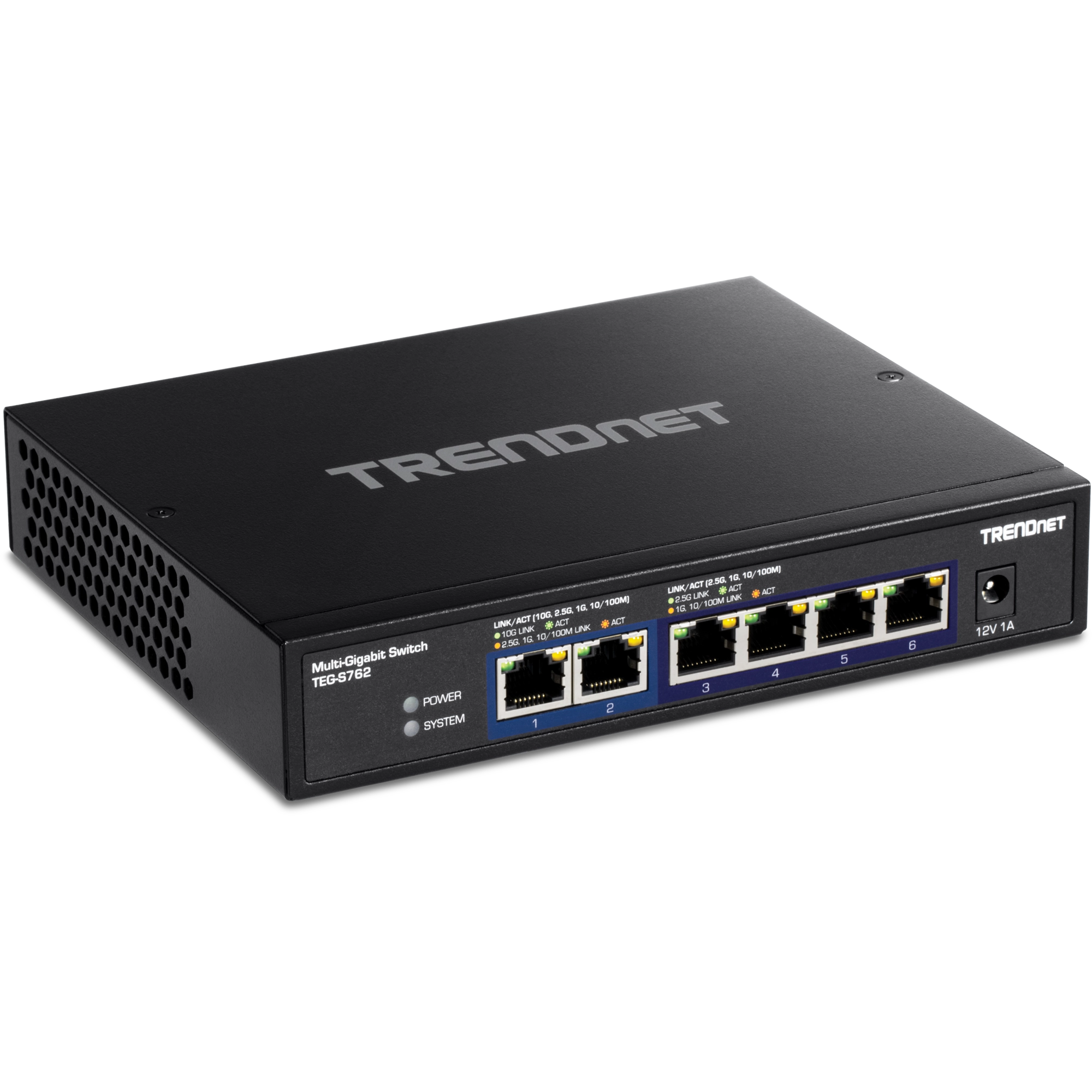
TRENDnet TEG-S762: Best Budget Pick
2 x 10G RJ45, 4 x 2.5G RJ45 · unmanaged · fanless
The cheapest way to get two real 10G copper ports from a brand with a warranty behind it. The other four run at 2.5G rather than gigabit, so it’s an upgrade on both counts. It’s fanless, with lifetime manufacturer protection in the US and Canada. Six ports total makes it a NAS-and-one-desktop switch, not a backbone.

MikroTik CSS610-8G-2S+IN: Best Cheap 10G Uplink
2 x SFP+, 8 x gigabit RJ45 · SwOS Lite smart switch · fanless · 11 W
If your house is still gigabit and you only need 10G between a NAS and one other machine, this is the closest replacement for the old QNAP QSW-308-1C. SwOS Lite gives it VLANs, port mirroring and bandwidth limits. The catch is that both 10G ports are SFP+, so budget a DAC or a copper transceiver on top.

TP-Link TL-SX1008: Best All-Copper 10Gb Switch
8 x 10G multi-gig RJ45 · unmanaged
Eight 10G copper ports, nothing to configure and no transceivers to buy. Every port auto-negotiates down through 5G, 2.5G and gigabit, so older devices plug straight in. It replaces the NETGEAR XS508M this guide used to lead with.
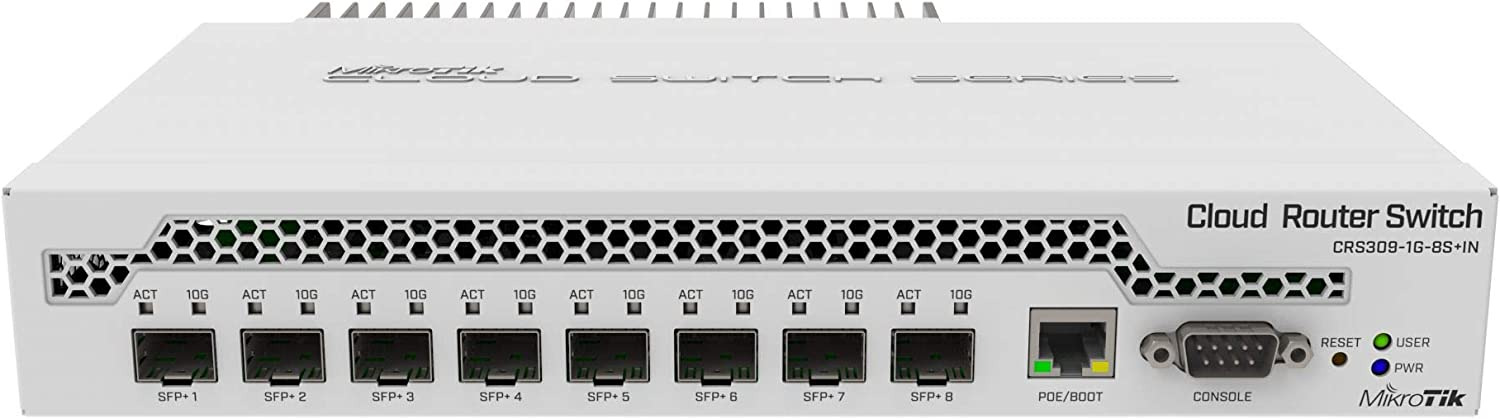
MikroTik CRS309-1G-8S+IN: Best Fanless SFP+ Switch
8 x SFP+, 1 x gigabit RJ45 · RouterOS or SwOS · fanless · 23 W
Eight 10G SFP+ ports with no fan in the case, and it dual-boots between RouterOS and the much simpler SwOS, with the gigabit port on the front there for management. The Omada SX3008F is a little cheaper and rack mountable, but it stops at L2+ where this is L3. MikroTik calls this one a desktop switch, so fill it with DAC cables on a shelf, not in rails.

TP-Link Omada SX3008F: Best Managed 10Gb Switch
8 x 10GE SFP+ · L2+ managed through Omada · fanless · 15.46 W · 1U rackmount
The old TL-SX3008F is end of sale at TP-Link and the same box now ships as the Omada SX3008F: it undercuts what the QNAP QSW-M408-4C last sold for, with twice the 10G ports. Omada gives you VLANs, static routing, QoS and link aggregation. The trade is that the QNAP had combo SFP+/RJ45 ports and this is SFP+ only.
MikroTik CRS312-4C+8XG-RM: Best Mixed Copper and SFP+ Rackmount
8 x 10G RJ45, 4 x 10G RJ45/SFP+ combo · L3 managed · rackmount
Twelve 10G ports, eight copper and four combo ports you can populate either way, so the SFP+ against RJ45 decision goes away. It’s the most expensive switch here, so don’t buy it unless you’ll genuinely fill it.
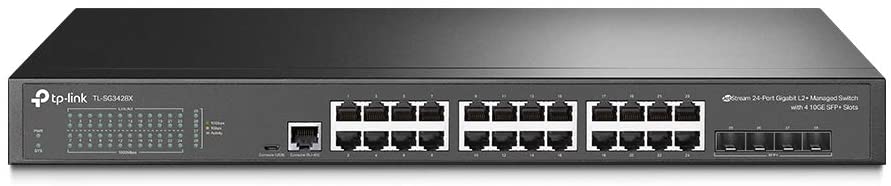
TP-Link TL-SG3428X: Best if Most of Your Network Stays Gigabit
4 x 10GE SFP+, 24 x gigabit RJ45 · L2+ managed through Omada · fanless · rackmount
The port count is the point here: twenty-four gigabit ports for everything ordinary, and four 10G SFP+ uplinks for the NAS, the server and the next switch along. TP-Link has ended sale of the TL-SG3428X and replaced it with the Omada SG3428X, so the listing this links to is the old model, and it was down to five units on September 14, 2026.
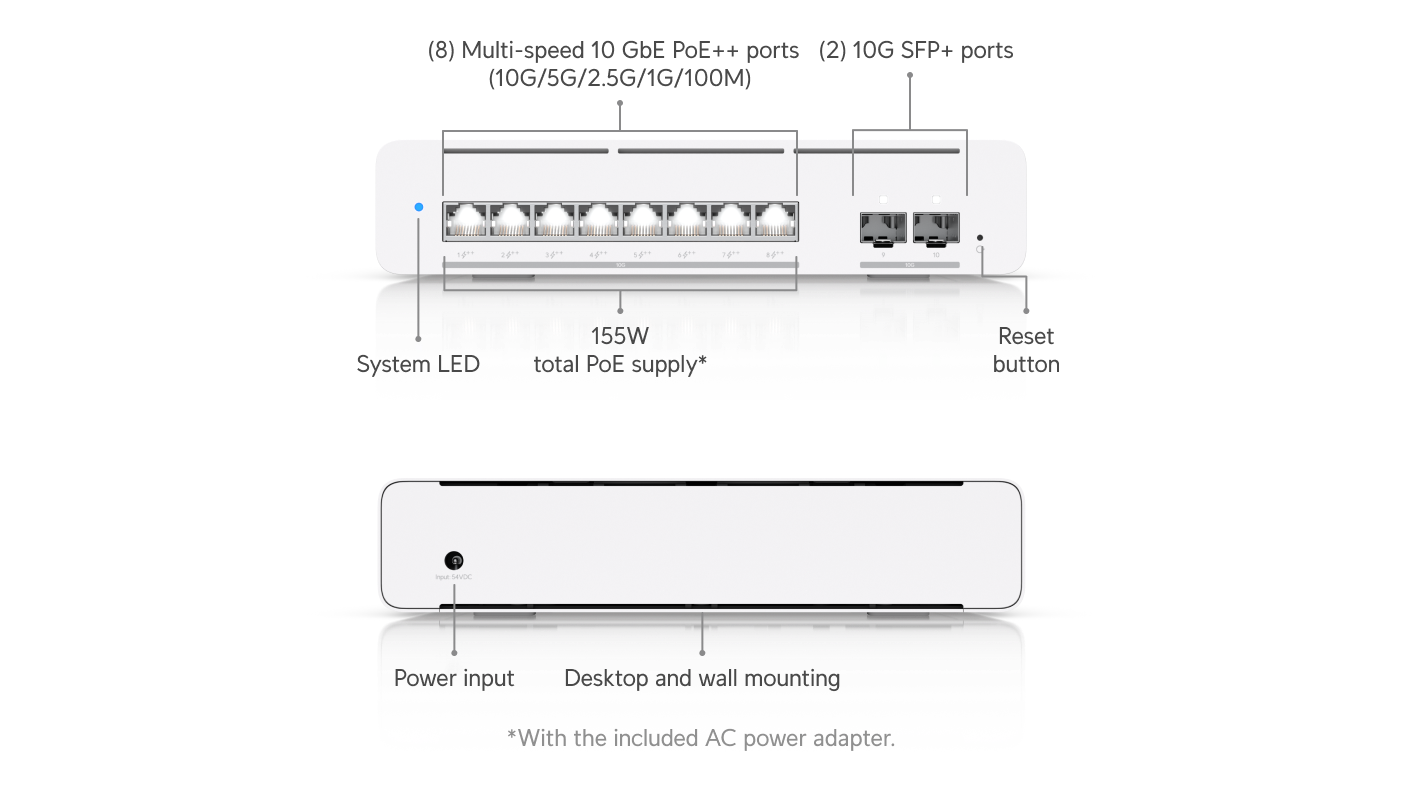
UniFi Pro XG 8 PoE: Best for a UniFi Network
8 x 10 GbE RJ45, 2 x 10G SFP+ · L3 managed · 155 W PoE
This is the 10 gig switch I have here, and it’s the one I’d point you at if you’re already in UniFi. It lands in the same UniFi Network application as your gateway and access points, and it’s the only switch here with PoE out. If eight ports isn’t enough, the UniFi Pro XG 24 PoE I reviewed last year has been sold out since August 2026.
Unmanaged vs Managed 10Gb Switches: Which Do You Need?
A 10Gb unmanaged switch is basically a dumb switch. You plug a network port into it, and it distributes that exact VLAN to everything else plugged in. A managed switch is what gives you the granular control, because if you’re configuring VLANs on your router, you need one to control which VLAN each connected device lands on.
That’s the deciding question, and it’s the first one I’d ask about any switch. If everything hanging off it belongs on the same network, unmanaged is cheaper, quieter and has nothing to break: that’s the TEG-S762, the TL-SX105 and the TL-SX1008 above. If you want cameras on their own VLAN and trusted devices on another, you need to tag each port, so a camera ends up on the camera VLAN and not the trusted one, and the cheapest fully managed switch here is the MikroTik CRS305-1G-4S+IN.
Layer 2 against layer 3 matters less than people expect. Most of the managed switches above are sold as layer 3, but plenty of people use them exactly the way they’d use a layer 2 switch, because all of the advanced routing is configured on their router. That is how my own network is set up. If that’s you, don’t pay extra for it, and I’ve written up layer 2 vs. layer 3 switches separately.
There’s a middle tier that’s easy to miss as well. The MikroTik CSS610 runs SwOS Lite, so it gets a web UI with VLANs and bandwidth limits, which makes it a smart switch rather than a properly managed one.
How Many 10Gb Ports Do You Actually Need?
Fewer than you think. The rule I’d start with is the one I’ve already written for NAS owners. If you only want the NAS itself talking to the switch at 10GbE, while everything else reaches it at gigabit or 2.5G, one 10G port is enough. If you want one specific device hitting the NAS at full 10 gig, you need at least two, one for each end.
After that it’s counting the machines that genuinely move large files, usually a NAS, an editing PC and maybe a second server. Then add a port for the uplink to whatever switch handles the rest of the house. If you have all three, that lands at four. The MikroTik CRS305-1G-4S+IN is the buy if those four links stay in the rack on DAC cables, and it’s the cheapest fully managed switch in the table. The TP-Link TL-SX105 costs more and gives five copper ports with nothing else to buy if they run to real desks. The rack version is the MikroTik CRS310-1G-5S-4S+IN, with the same four 10G SFP+ ports plus five gigabit SFP cages, though it has a fan.
I have a Flex 2.5G switch, a bunch of rack-mounted switches, a Pro XG 8 PoE and a bunch of utility switches. But I have a lot of hardware mainly for the channel, and it’s going to be overkill for most. The part worth copying isn’t the port count, it’s planning it up front. The setup I replaced ran a single ethernet cable to every switch, with no link aggregation and everything capped at 1 Gb.
There’s also a cheaper answer than more 10G ports. Link aggregation (LACP) on a Synology NAS bonds two or four gigabit ports together, and it’ll serve several clients at once with no 10G hardware anywhere. It will not make a single transfer faster, which is the catch. But if four people hit the NAS at once, rather than one person moving a 40 GB file, LACP fixes it, as long as your switch supports link aggregation, which in practice means a managed switch.
SFP+ vs RJ45: Which 10Gb Ports Should You Buy?
Both, in specific places. In my server rack I’m using DAC cables. Everything people actually sit at is copper, a mix of Cat 5e, 6 and 6A, based on what my house was already pre-wired with. So: SFP+ and DAC in the rack, fiber between rooms, copper out to the desks.
DAC cables use less power, they’re just better for shorter runs, and they’re cheaper too. A passive SFP+ DAC costs less than a single 10G SFP+ to RJ45 transceiver, and that holds at 5 m as much as at 1 m. That’s the whole economics of it, as long as your switch accepts the DAC you buy, and some brands are fussier than others. If both ends of a link live in the same rack, SFP+ wins on price and on power. The moment one end is a desktop across the house, copper wins, because there’s nothing extra to buy.
Passive DACs are sold up to about 7 m, and under 10 to 15 feet is where I’d keep them, with fiber for anything longer. On copper, 10GBASE-T runs up to 55 m (180 ft) over Cat 6 in good conditions, less in a tight bundle, and the full 100 m (328 ft) over Cat 6A. So Cat 6 is the minimum you should be running for 10Gb. Cat 5e isn’t officially supported at 10 gig and I’m using it anyway, so on short runs you’re probably going to be okay, though I can’t guarantee that.
Back in November 2024 the way my house is laid out left me with a 16-port PoE switch I couldn’t move, so I planned on running about a 150 foot fiber cable and had no idea how it was going to go. Today a long fiber run joins my two main switches, and if you have a distance problem, fiber is the answer and SFP+ is how you terminate it.
Best 10Gb Switch for a Home Network or NAS
For a home network, the best 10Gb network switch is nearly always the smallest one that covers your 10G devices, so that’s the TRENDnet TEG-S762 for a NAS and a desktop, or the MikroTik CSS610-8G-2S+IN if the rest of the house is still gigabit, remembering its two 10G ports are SFP+, so budget a DAC or a transceiver at each end.
What you get out of it is files moving faster, and there’s really not any other benefit. I can move individual or multiple files ten times faster than I was able to before. Rebuilding my backup strategy meant moving somewhere around 30 to 40 terabytes. That would have been three or four straight days of transfers, and it ended up being somewhere around 12 to 18 hours instead.
The part that catches people out is the storage sitting behind the switch. On a NAS running RAID, you’re generally going to need somewhere between five and seven hard drives working together to fully max out a 10 gig connection. SSD cache helps, but it isn’t really going to hold 10 gig speeds for long durations. If your storage cannot read and write at 10Gb, the switch and the network cards are wasted money. Once the hardware is in, everything worked out of the box for me apart from a couple of network card drivers.
The NAS side has its own steps, and I’ve covered configuring 10GbE on a Synology NAS separately. The honest version for most people is still the cheaper one: get a 2.5G switch and a 2.5G adapter for the NAS if it supports one, and I’ve written up the best 2.5Gb switches for exactly that. If you’re already at 2.5 gig and want faster than that, then yeah, upgrade to 10 gig.
Do You Need PoE on a 10Gb Switch?
Almost certainly not. Very few switches at these prices have PoE out at all. The only two here that can power another device are the UniFi Pro XG 8 PoE with a 155 W budget and the Pro XG 24 PoE with 720 W. The MikroTik desktop boxes take PoE in and give none back out, the rackmount CRS312 has no PoE at all, and neither do the TP-Link switches.
PoE is power over ethernet, so the network cable you plug into a device will also power it, as long as the device is PoE capable. Plenty of home gear now is, from access points to cameras, and one cable doing both jobs is genuinely great when the thing sits on a ceiling.
The thing is, almost none of that gear needs 10 gig. A camera or most access points are perfectly happy on gigabit or 2.5G, the exception being a Wi-Fi 7 AP like the U7 Pro XG, which takes PoE+ and has a 10 GbE uplink. So the sensible layout is to buy the PoE switch separately at 1G or 2.5G and uplink it into the 10G switch. That’s exactly how my own rack is wired: a UniFi Flex 2.5G 8 PoE hanging off the Pro XG 24 PoE, powered from one of its 90 W PoE+++ ports, which gives the Flex 76 W to spend on the two access points under it, and powering it that way has been flawless.
The tiers are PoE at 15.4 W a port, PoE+ at 30 W, PoE++ at 60 W and, on UniFi gear, PoE+++ at 90 W, and for most people you’re probably not going to need anything more than PoE+. What’s really important is the hardware you’re going to power with it, not the headline number on the switch. Do total up the wattage before you buy, though. Both switches in my old setup were constantly running into PoE limit issues, and my cameras were teetering with disconnections.