Unraid is a good NAS operating system, and I want to say that up front, because I’ve run it and this isn’t a list built to talk you out of it. The array is the most forgiving way to store a pile of mismatched drives, the app system is the easiest in self-hosting, and once you learn the Unraid way of doing things it just works. But it is the only NAS OS in this space with a paid license, it is not built around ZFS, and writes to a parity array are slower than everything else here. Those are the three reasons people go looking, and they’re fair reasons.
I run TrueNAS as my main NAS today, with a UniFi UNAS Pro 8, a UGREEN NASync, and a Synology doing backup duty around it, so this isn’t a spec-sheet comparison. These are the Unraid alternatives I’d actually put data on in 2026, split by whether you want free software on your own hardware or a prebuilt box, and who each one is right for.
The short version: TrueNAS is the best free Unraid alternative and the one I run. OpenMediaVault is the free one for old or tiny hardware. HexOS is the new one built to poach Unraid users. On the prebuilt side, a UGREEN NASync gives you strong hardware and still lets you install TrueNAS later, a UniFi UNAS Pro is the simplest storage box I’ve used, and Synology is the polished appliance you pay extra for.
Disclosure: Some links below are affiliate links, which means that I earn a percentage of each sale at no cost to you. Thank you for your support.
Why People Look for an Unraid Alternative
It helps to be specific, because the reason you’re leaving decides where you should go.
- The license. Unraid moved to its current pricing in 2024: Starter is $49 for up to six devices, Unleashed is $109 for unlimited devices, and Lifetime is $249. The first two include a year of updates, then it’s an optional $36 a year to keep getting new versions. You keep what you have if you stop paying, so it’s not a subscription in the hostage sense, but every other option on this page is free or already baked into hardware you’re buying anyway.
- ZFS. Unraid supports ZFS pools as of version 7, and it works, but it is not a ZFS-first platform. The classic parity array is what it’s built around. If snapshots, replication, and scrubs are the reason you want a NAS, TrueNAS does all of that more naturally.
- Write performance. With a parity array you’re effectively writing to one disk at a time, plus the parity calculation. A cache pool helps a lot, but you’ll never see the throughput of a striped RAID or a ZFS pool where the drives work together. Files are also capped at the size of a single disk, so a backup archive bigger than your largest drive simply won’t fit.
- You want it free and open source. Unraid is proprietary, TrueNAS and OpenMediaVault aren’t, and for some people that’s the whole conversation.
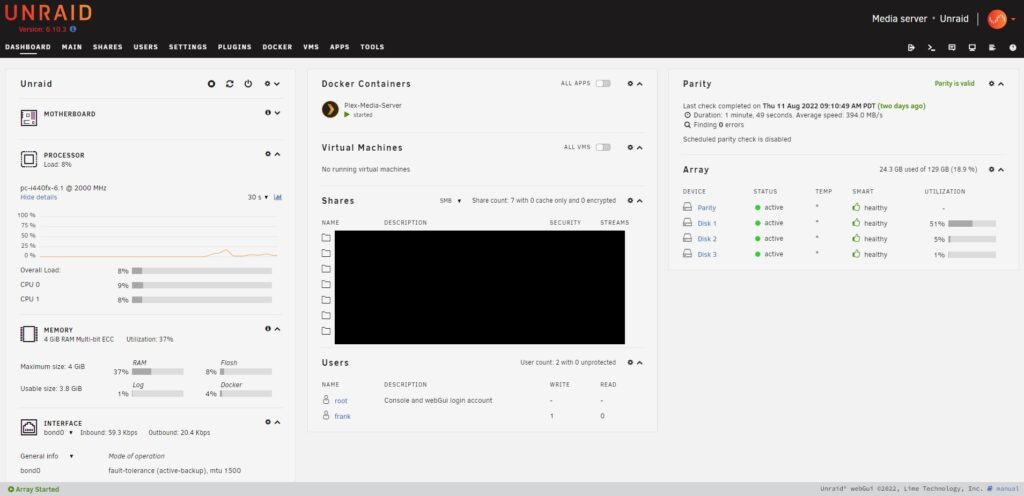
What you give up is worth naming too. Nothing else handles mixed drive sizes as gracefully, VMs are easier to set up in Unraid than in TrueNAS, and the community app templates are as close to one-click as self-hosting gets. If those are the things you love, skip to the end, because the honest answer might be to keep it.
Free or Prebuilt: Pick Your Route First
Every Unraid alternative falls into one of two buckets. The first is a free NAS operating system you install on hardware you already own or build yourself: TrueNAS, OpenMediaVault, or HexOS if you count a paid OS on your own hardware. That’s the closest match to how you’re using Unraid today. The second is a prebuilt NAS with its own operating system: UGREEN, UniFi, or Synology. You get hardware and software designed together, a warranty, and less setup, and you give up some control over what runs on it. One twist that matters for this article: UGREEN lets you install a third-party OS, so it lands in both buckets.
TrueNAS: The Best Free Unraid Alternative
TrueNAS is a free, open-source NAS operating system built on OpenZFS, and it’s what I moved everything to. The old Core and Scale split is effectively over. iXsystems has consolidated on TrueNAS Community Edition, the current stable release is 25.10, and TrueNAS 26 is in beta with a move to one major release a year. Apps run on Docker after a detour through Kubernetes that’s finally settled, so just about any container you ran on Unraid runs here.
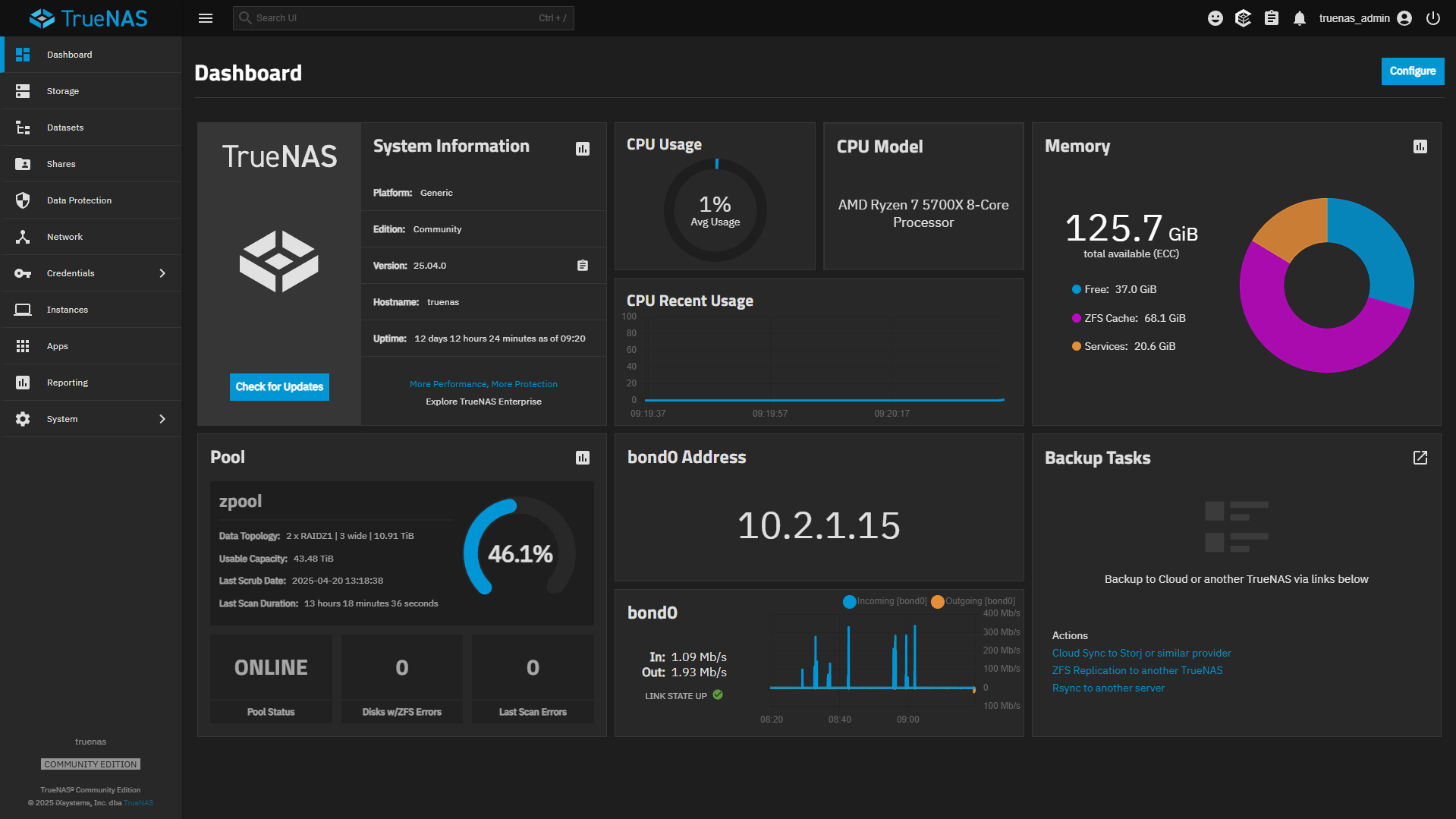
The reason to pick it is ZFS, because scrubs catch silent corruption, snapshots are instant and cheap, and replication is how I do every backup in my home lab now. That data integrity story runs through everything you do on the box, and it’s the single biggest thing Unraid’s array doesn’t give you. The old knock on ZFS was that you couldn’t grow a pool one drive at a time the way Unraid can, and that has been fixed. RAIDZ expansion landed in TrueNAS in late 2024, so you can add a single disk to an existing RAIDZ pool now, which takes away the argument that used to send people to Unraid by default.
Now the honest part: TrueNAS is not beginner-friendly, and it is the least friendly thing on this page. Your first decision is a pool layout (RAIDZ1, RAIDZ2, mirrored vdevs), and it determines your performance and redundancy for the life of the pool, so you have to get it right before you copy a single file. Permissions are handled through ACLs on datasets, and they confuse just about everyone the first time, me included. It also uses spare RAM as read cache, so plan on 8GB as the floor and 16GB if you can, knowing that more RAM means faster reads, and I personally wouldn’t run ZFS without ECC memory. None of that is a reason to avoid it. It’s a reason to plan the build instead of winging it, and my TrueNAS setup guide covers the decisions in order.
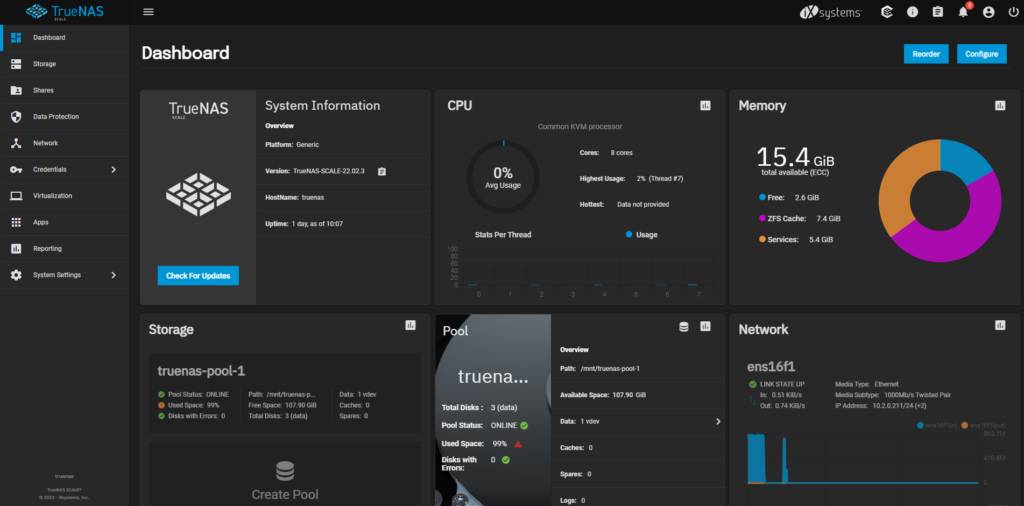
If you’re stuck between the two, I compared them directly in my Unraid vs. TrueNAS guide. The one-line version is that TrueNAS wins on data integrity and cost, Unraid wins on mixed drives and ease of use, and I chose data integrity.
OpenMediaVault: The Free One for Old or Small Hardware
OpenMediaVault is a free NAS OS built on Debian, currently at version 8. It supports the standard RAID levels and a bunch of filesystems, most people run Btrfs for snapshots, and ZFS is available through a plugin. Out of the box it is fairly basic, but install OMV-Extras and it becomes a real competitor, with Docker, KVM for virtual machines, and WireGuard, and in my opinion that’s a required step rather than an optional one.
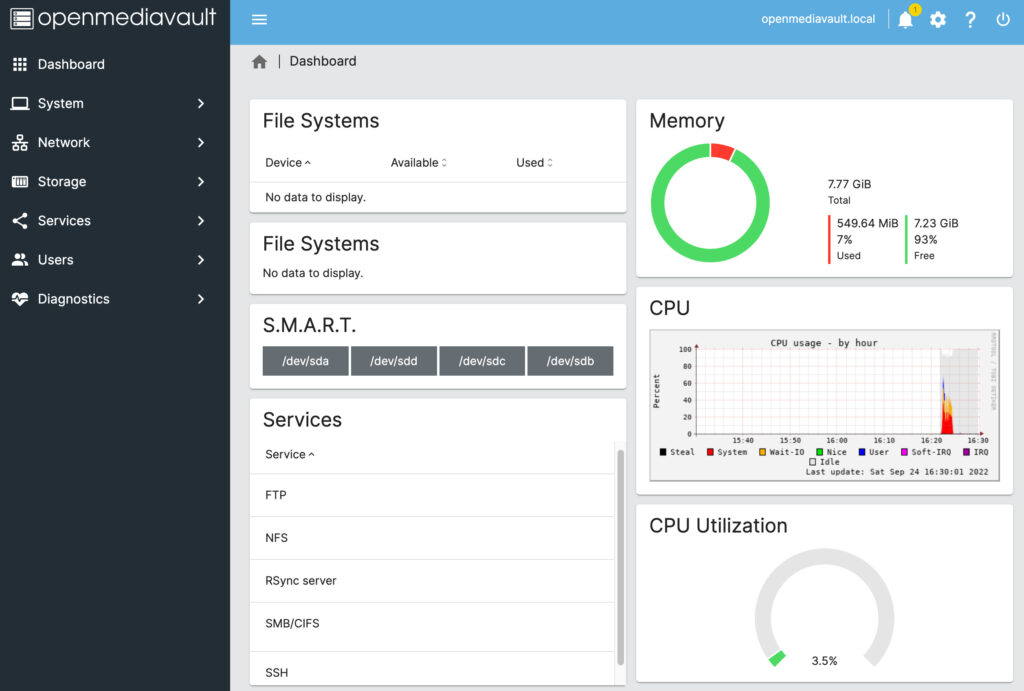
Where it wins is hardware, because OpenMediaVault runs on almost anything, including a Raspberry Pi, and it uses almost nothing while doing it. If you’re replacing Unraid on an old office PC or a single-board computer, it’s the free alternative to Unraid I’d reach for. Where it loses is everywhere else, since on any hardware that can comfortably run TrueNAS, TrueNAS is the better NAS, and I’d struggle to give you a reason to pick OMV for a rackmount or a proper desktop build. It’s a good OS being compared against two better ones. I have a full OpenMediaVault vs. TrueNAS comparison if you want the long version.
HexOS: Built on TrueNAS, Aimed at Unraid Users
HexOS is the newest option here, and it exists to solve exactly the complaint I just made about TrueNAS. It’s a simplified front end built on top of TrueNAS in partnership with iXsystems, so you get ZFS underneath with a setup process designed for people who don’t want to learn what a vdev is. It’s a lifetime license, $199 per server while it’s in early access and $299 after, and it pitches adding storage one drive at a time as a headline feature, which is the RAIDZ expansion I mentioned above wearing a friendlier interface.
I’m including it because it’s the most direct Unraid competitor to appear in years, not because I’m ready to recommend it. It’s still early access, some features are labeled as coming soon, and paying $199 to make a free OS easier is a trade that only makes sense if TrueNAS genuinely scares you off. If it does, HexOS is the one to watch. If you’re comfortable spending a weekend learning, put the $199 toward drives.
UGREEN NASync: Prebuilt Hardware That Still Lets You Run Anything
UGREEN is the interesting one for an Unraid user, because it’s the prebuilt NAS that doesn’t lock you in. The NASync line ships with UGOS Pro, which has Docker, a solid mobile app, and first-party apps for shares, users, and backups. But UGREEN also allows third-party operating systems. I got TrueNAS running on one in about five minutes, and you can do the same with Unraid, so a NASync box is really strong hardware with an operating system you’re free to change. Nothing from Synology or UniFi gives you that.
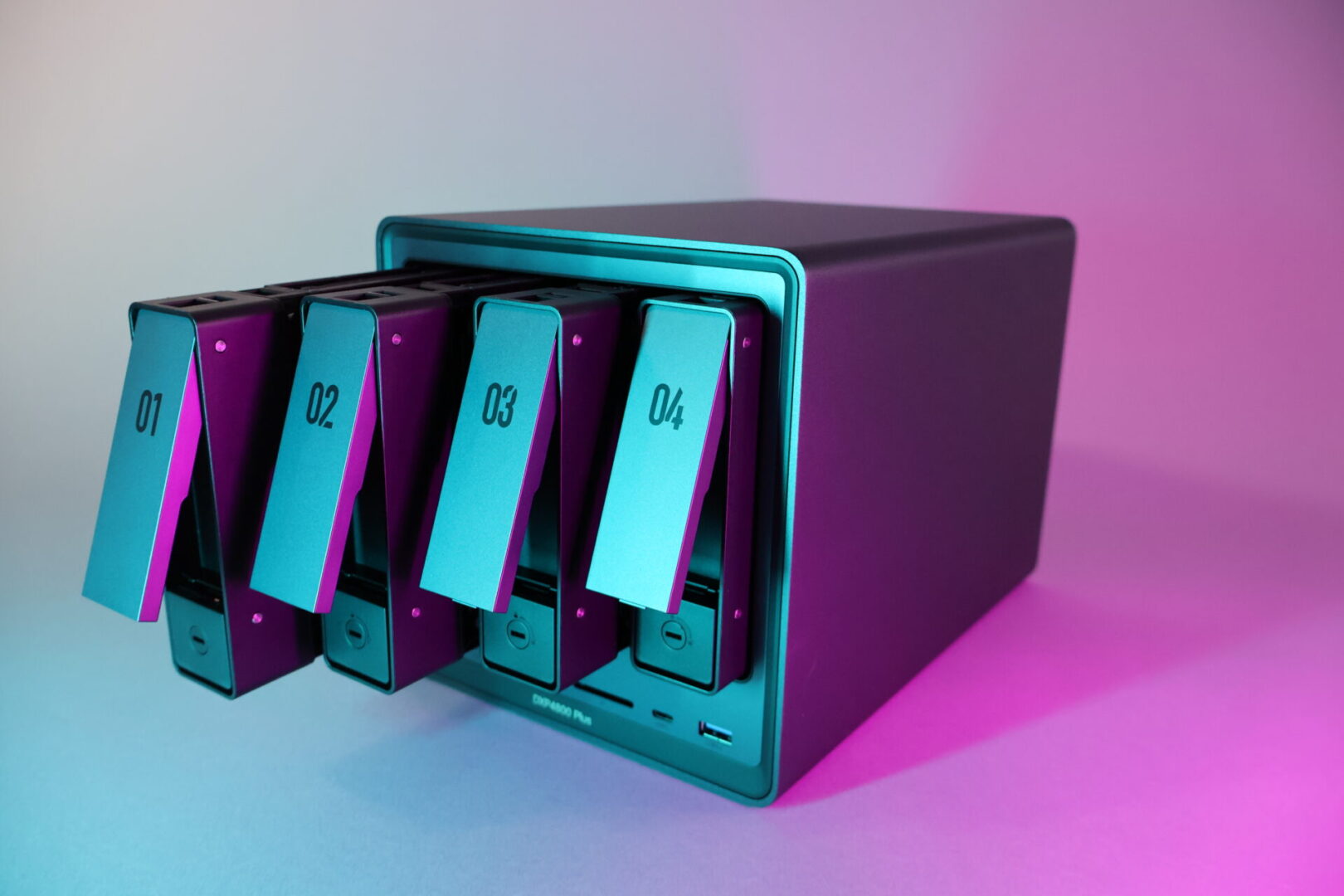
The hardware is the sell here. The DXP4800 Plus is the model I’d point most people to, with an Intel processor that handles Plex transcoding, 10GbE, and four bays for about $657 as I write this. The DXP2800 is the two-bay budget pick at around $390, and the DH4300 Plus is a four-bay for about $374 if you want bays over horsepower. I’ll be straight about the software: when I first reviewed the DXP4800 Plus I didn’t like UGOS, and I said so. It has improved a lot since, and I’m comfortable recommending it now, but it’s still not as refined as Synology’s DSM and its backup tools are harder to use. The escape hatch is that it doesn’t matter as much, because if UGOS isn’t for you, you install TrueNAS and keep the hardware. My best UGREEN NAS guide compares every model.

UniFi UNAS Pro: The Simplest Storage Box You Can Buy
If the reason you’re leaving Unraid is that you’re tired of managing it, the UNAS line is the opposite end of the spectrum. UniFi Drive is the easiest NAS software I’ve used, full stop. Shares, users, snapshots, and backups are all right there in the drive view, sharing a file externally is a link and a password with no port forwarding, and there’s not much else to it. I ran the original UNAS Pro for close to a year as a daily driver, and today the UNAS Pro 8 is the backup target for a good chunk of my home lab.
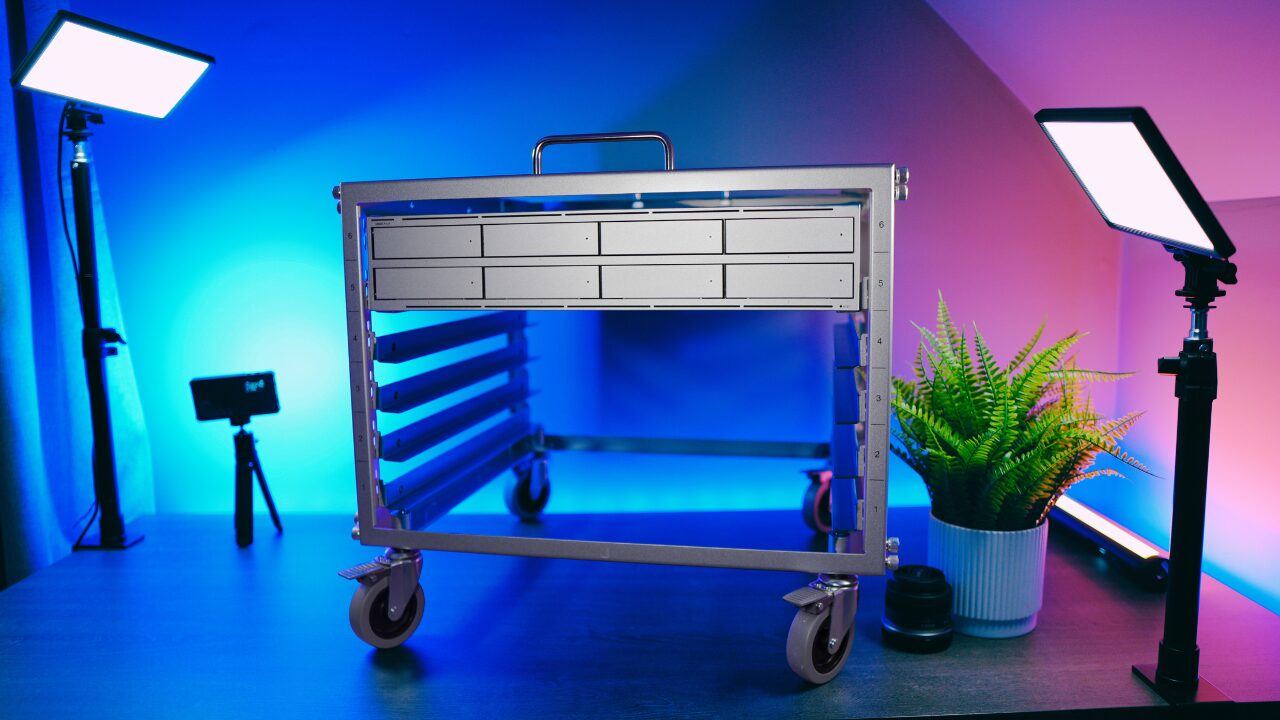
The UNAS Pro is seven bays and 10G SFP+ for $499, the UNAS Pro 8 adds a bay and NVMe caching for $799, and the two-bay UNAS 2 is $199. That’s pricing Unraid on a DIY box can’t beat once you count the license and the case. The catch is the whole pitch: it is storage only. No Docker, no apps, no VMs, no Plex, and it’s a younger platform than anything else here, so it hasn’t had years of weird problems ironed out yet. If you’re leaving Unraid because you love the app side, this is the wrong direction. If you want your NAS to be a NAS and run apps on a cheap mini PC next to it, it’s the one I’d buy, and I showed exactly how that setup works in my Docker and Jellyfin on the UNAS Pro guide. The full lineup is in my best UniFi NAS guide.
Synology DSM: The Appliance You Pay Extra For
DSM is still the most polished NAS operating system you can buy. It’s designed as an appliance, updates are boring in the good way, and the first-party apps are legitimately good. Hyper Backup, Snapshot Replication, Active Backup for Business, and Synology Photos are the reason people stay for a decade. SHR is also the closest thing outside Unraid to a sane mixed-drive story, since it lets you use different sizes without wasting most of the space. If you want a NAS you configure once and forget, this is it.
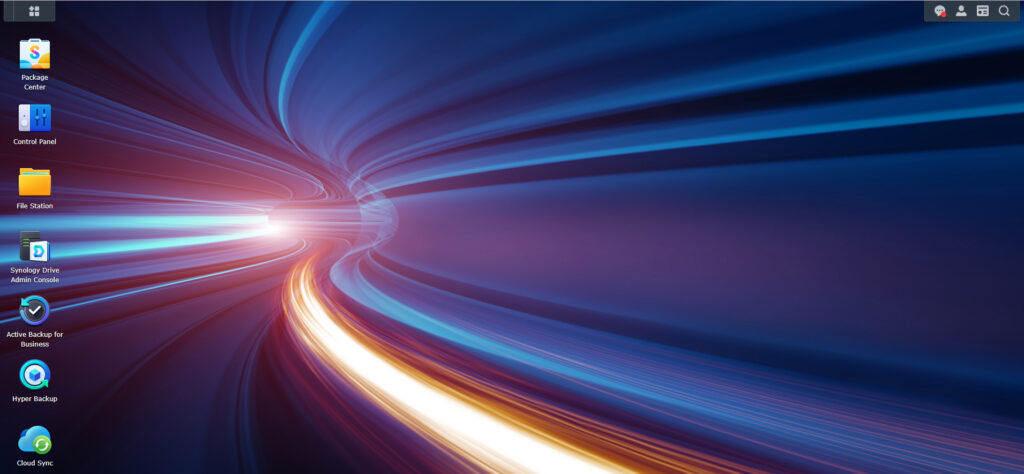
The trade-offs are the ones you’d expect from an appliance. You’re paying a premium for older components, DSM only runs on Synology hardware, and it’s the hardest ecosystem on this page to leave. It took me the better part of a year to get off Synology’s first-party apps when I moved to TrueNAS, because there is no equivalent of moving a Docker container, so you replace each app with something else. Synology also spent 2025 locking the Plus lineup to its own drives and then reversing most of that in DSM 7.3 after the backlash, so buy with your eyes open. The DS925+ is the current four-bay Plus model, and my Synology buying guide covers the rest of the lineup. It is a fine Unraid alternative for someone who wants less to manage, and a poor one for anyone who wants a home server.
Unraid Alternatives Compared
| Alternative | Type | Cost | ZFS | Mixed drive sizes | Apps / Docker | Best for |
|---|---|---|---|---|---|---|
| TrueNAS CE | Free OS, your hardware | Free | Native, the whole point | Not in one pool, but RAIDZ expands one drive at a time | Yes (Docker) | Data integrity, backups, the free answer |
| OpenMediaVault | Free OS, your hardware | Free | Via plugin | No | Yes (with OMV-Extras) | Old PCs, Raspberry Pi, low-power boxes |
| HexOS | Paid OS, your hardware | $199 early access, $299 after | Native (TrueNAS underneath) | Adds one drive at a time | Yes | Wanting TrueNAS without learning it |
| UGREEN NASync | Prebuilt, desktop | From $374, no license | Only if you install TrueNAS on it | No | Yes (Docker) | Strong hardware, keep your OS options open |
| UniFi UNAS Pro | Prebuilt, rackmount | $499 / 7 bays, no license | No | No | No (pair a mini PC) | Storage and backups that need no attention |
| Synology DSM | Prebuilt, desktop | Premium hardware, no license | No (Btrfs) | Yes, via SHR | Yes (Container Manager) | Set-and-forget appliance |
| Unraid (stay) | Paid OS, your hardware | $49 to $249, optional $36/yr updates | Pools supported, not the default | Yes, the best at it | Yes (Docker, easiest templates) | Mixed drives and a media server |
When You Should Just Keep Unraid
Sometimes the best Unraid alternative is Unraid. If your box is a shoebox of drives in four different sizes, nothing above handles that as well, and the license pays for itself in the drives you don’t have to replace. If it’s a media server where you dump files and stream them back, the write-speed penalty doesn’t matter and the app templates are a real advantage. And if you’re on Starter or Unleashed and only annoyed about the $36 a year, remember that you can skip it and keep running the version you have. The Lifetime license at $249 ends the question for good. Switching a working NAS on principle is how you lose a weekend and occasionally some data.
Which Unraid Alternative Should You Pick?
- You want a free Unraid alternative and you’ll put in the time: TrueNAS Community Edition. It’s what I run, ZFS is the reason, and RAIDZ expansion removed the main thing Unraid used to hold over it.
- You want free, but the hardware is old, tiny, or a Raspberry Pi: OpenMediaVault with OMV-Extras.
- You want TrueNAS’s storage without TrueNAS’s learning curve: watch HexOS, and wait for it to leave early access before you trust it with the only copy of anything.
- You want to buy a NAS but keep your options open: the UGREEN DXP4800 Plus. Run UGOS, and if you outgrow it, install TrueNAS on the same box.
- You want storage that needs zero attention and you’ll run apps elsewhere: the UNAS Pro, or the UNAS Pro 8 if you want the eighth bay and NVMe cache. This is what I use for exactly that job.
- You want the most polished appliance and you’re fine paying for it: a Synology like the DS925+, knowing that leaving later is hard.
- Your drives are all different sizes and the box works: keep Unraid.
Conclusion
The Unraid alternative I’d recommend to most people is TrueNAS, and it’s the one I picked with my own data. It’s free, ZFS is the best thing you can put under a NAS, and the one advantage Unraid held for years, growing a pool one disk at a time, isn’t exclusive anymore. If you’d rather buy than build, UGREEN gets you strong hardware without closing the door on running TrueNAS later, and the UNAS Pro is the right answer when you want storage to be boring. Whichever way you go, the decision that matters more than the operating system is what you put in the bays, so start with good NAS drives and a backup plan, because no filesystem replaces one.