UGREEN went from “the charging cable company” to one of the most interesting NAS brands in about two years, and I’ve had NASync units in my own setup for most of that time. Two of them handle my actual backups: a DXP4800 Plus that turns on at 2 a.m. every night to pull an incremental ZFS replication as my on-site backup, and a DXP8800 Plus that started as my off-site backup target and now runs TrueNAS with encrypted datasets. This list covers every current NASync model based on that experience, with the trade-offs included, because every one of these has at least one.
The quick answer if you don’t want to read the whole thing: the DXP4800 Plus is the best UGREEN NAS for most people, the DH4300 Plus is the budget pick, and the DXP8800 Plus is the one to buy if you’re consolidating everything into a single box. If a cheap Plex server is the goal, look at the DXP2800, and if you want 10GbE everywhere, that’s what the GT models are for. The rest of this article explains who each model is actually for, and just as important, who shouldn’t buy it.
Disclosure: Some links below are affiliate links, which means that I earn a percentage of each sale at no cost to you. Thank you for your support.
How I Use These (and Why This List Is Different)
I’ve been testing UGOS since the NASync line launched, which is over two years at this point, and I don’t keep every NAS I test. Two UGREEN units earned a permanent spot in my 3-2-1 backup strategy, and that’s a better endorsement than any spec sheet. My DXP4800 Plus is the on-site copy: it powers on at 2 a.m., pulls an incremental ZFS replication from my primary storage, and shuts itself off about an hour later. My DXP8800 Plus started life as my off-site target running UGOS, pulling rsync backups with snapshots for data integrity. The piece I was missing there was encryption at rest, which is why it runs TrueNAS now. All of my datasets are encrypted, and it handles the ZFS replication side of things.
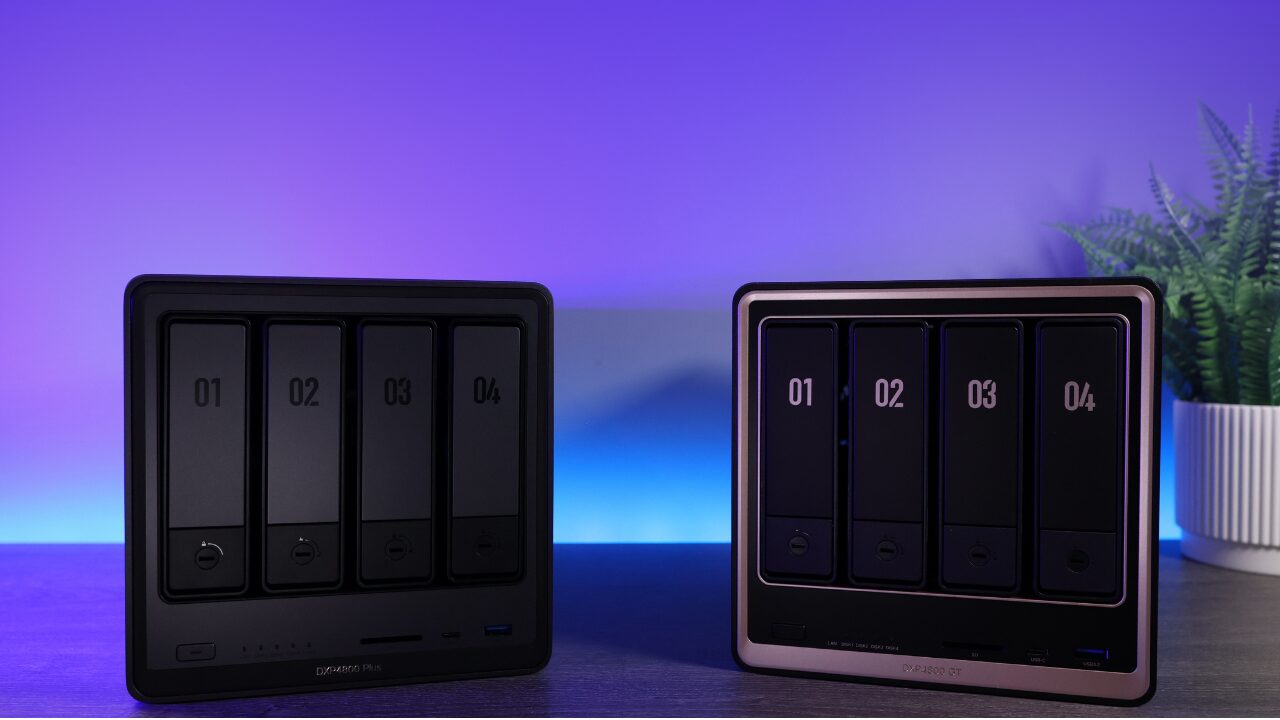
You might have noticed that both of my units run TrueNAS, not UGOS Pro. That tells you two things. The first is that UGOS is still younger than Synology’s DSM, and if you have specific requirements (encryption at rest was mine), you may outgrow it. The second, and this is the part I genuinely like about UGREEN, is that the hardware doesn’t fight you when that happens. A third-party OS installs without drama, which is something you can’t say about most pre-built NAS brands. You’re buying good hardware with a decent OS on top, not hardware held hostage by its software.
Quick disclosure: UGREEN sent me both GT models to test, and they’ve sponsored videos on my channel. The opinions and the caveats below are mine, and you’ll notice the GT models have plenty of caveats.
How UGREEN Names Its Models (DH, DXP, GT, Pro)
UGREEN’s model names look confusing until you know the system. Here’s the decoder:
- DH: the budget line. ARM processors, fixed RAM, UGOS Pro only. Great for photo and file backup, not for third-party operating systems.
- DXP: the main line. Intel processors with Quick Sync (so Plex and Jellyfin hardware transcoding works), expandable RAM, M.2 NVMe slots, and the option to install TrueNAS or Unraid later.
- GT: the enterprise-leaning fork. AMD Ryzen Embedded processors, 10GbE at prices where other brands ship 2.5GbE, plus ECC memory support and U.2 drive compatibility, which nothing else in the lineup offers. The catch: no Intel Quick Sync, and AMD’s transcoding support just isn’t as clean, so plan around direct play.
- Pro: newer Intel CPU tiers of existing models, sold alongside the originals rather than replacing them.
One rule that simplifies most buying decisions: if media transcoding matters to you, buy Intel (DXP2800, DXP4800 Plus/Pro, DXP6800 Pro, DXP8800 Plus). If ECC and network speed matter more, that’s what the GT fork is for. There’s also a base DXP4800 with an Intel N100 that I’ve left off this list. It’s fine for basic file storage, but at typical pricing the Plus is worth the step up for the 10GbE port alone.
The Best UGREEN NAS Models
Top Pick
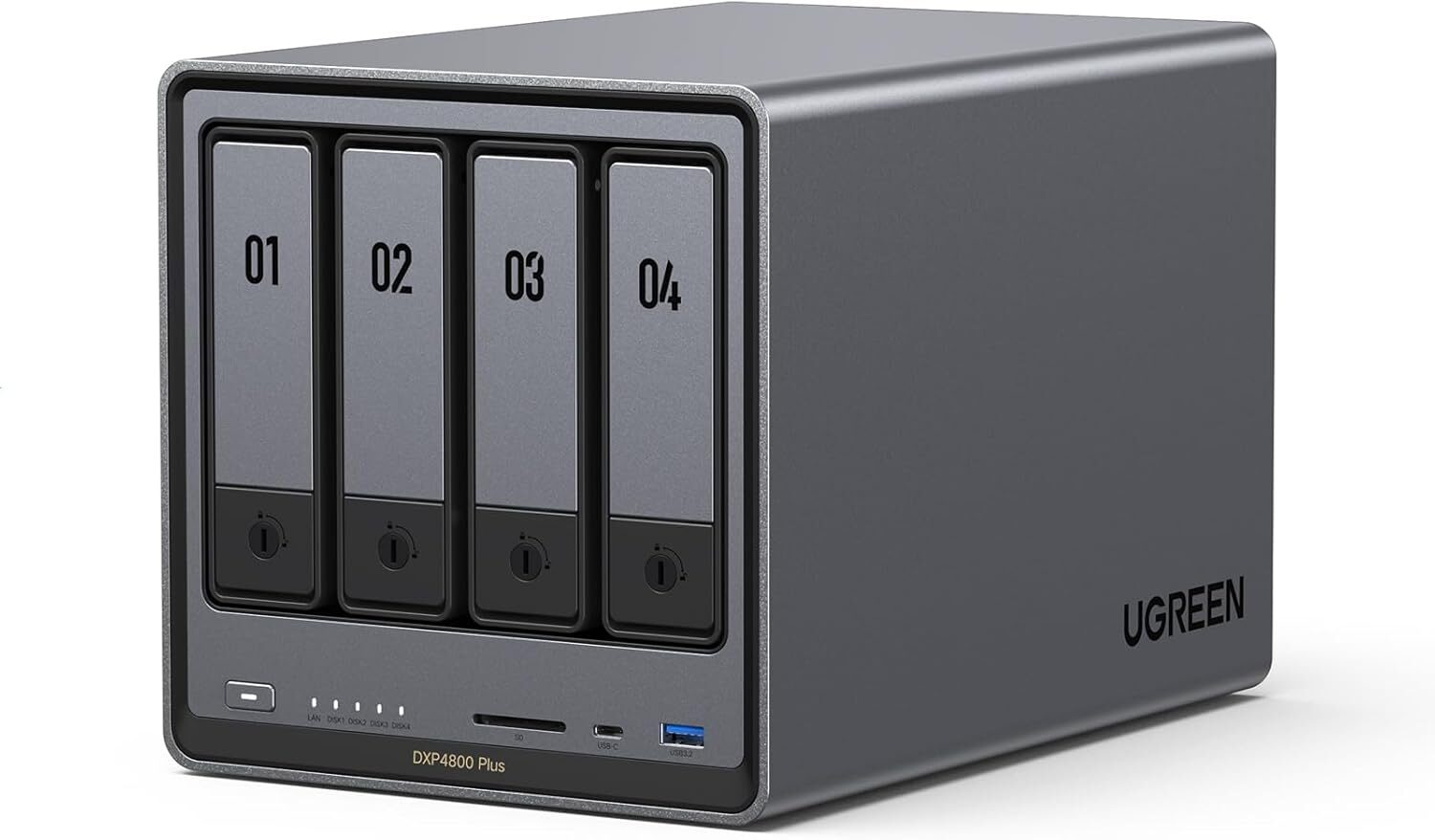
UGREEN NASync DXP4800 Plus
4-bay + 2x M.2 NVMe, Intel Pentium Gold 8505 (5-core, Quick Sync), 8GB DDR5 (to 64GB), 10GbE + 2.5GbE, UGOS Pro
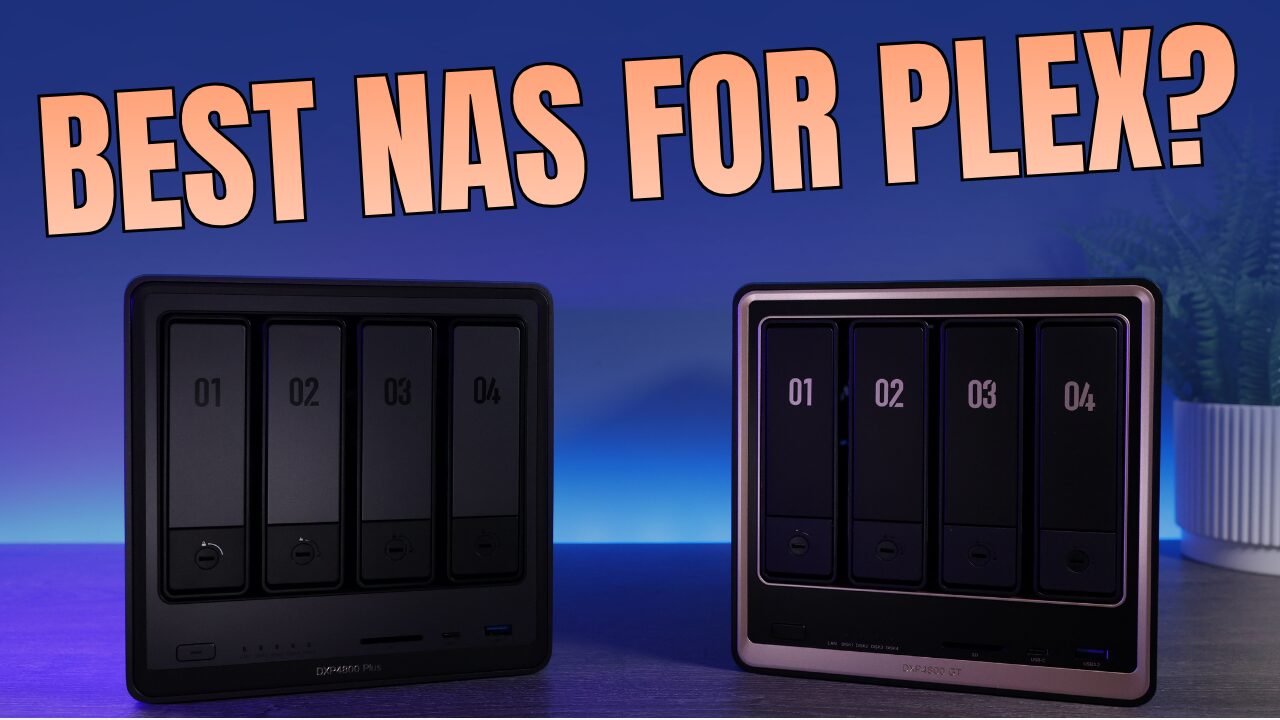
The DXP4800 Plus is the best UGREEN NAS for most people, and it’s not particularly close. You get hardware transcoding for Plex and Jellyfin, built-in 10GbE, two NVMe slots, and noticeably more horsepower than Synology’s DS925+ at a similar price. It’s also the UGREEN I use myself. Mine runs TrueNAS and handles my nightly on-site ZFS replication, powering on at 2 a.m. and shutting off when it’s done. That flexibility is half the appeal: if UGOS ever isn’t enough for you, a third-party OS installs without a fight, so you’re never stuck. The honest trade-off is that UGOS is newer and less proven than DSM. If you want the most polished software experience on day one, Synology still has the edge there. For everyone else, this is the box.
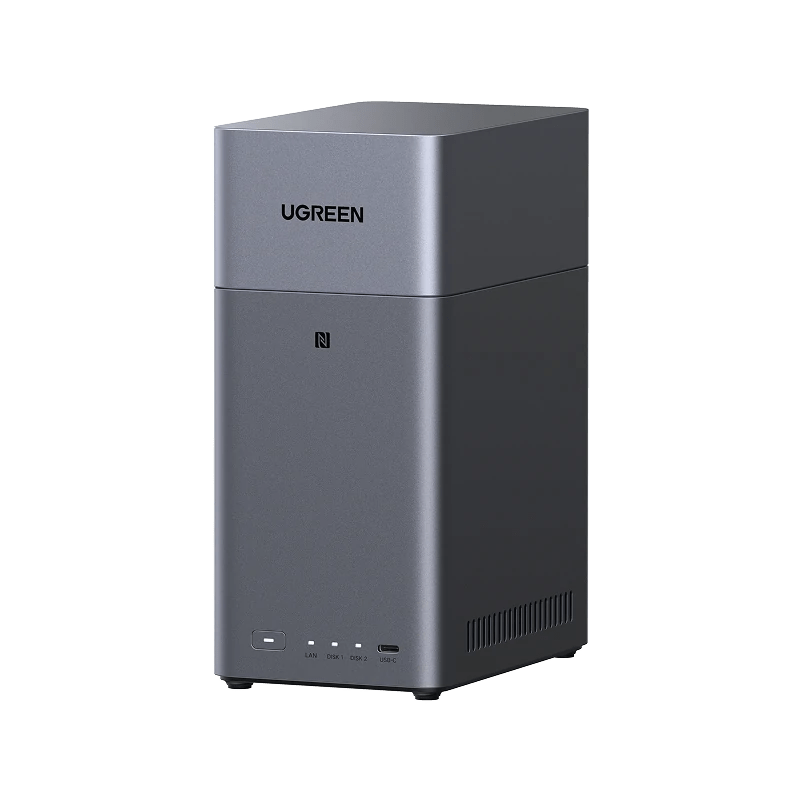
UGREEN NASync DH2300
2-bay, 8-core ARM (RK3576), 4GB fixed RAM, 1GbE, 4K HDMI out, UGOS Pro
The DH2300 is about the cheapest real NAS worth owning, and if you’re currently paying for cloud storage, it beats that math pretty quickly. It runs most of the same UGOS apps as the far more expensive DXP line, it has an HDMI port for direct 4K playback on a TV, and for photo and file backup it simply does the job. Keep your expectations in check, though: the RAM is fixed at 4GB, the Ethernet port is gigabit rather than 2.5GbE, and this is not a box you’ll ever load TrueNAS onto. Buy it to back up phones and computers, not to build a lab around. If you think you’ll want more later, spend up now. The DH4300 Plus below is the same idea with more room to breathe.

Best Value
UGREEN NASync DH4300 Plus
4-bay, 8-core ARM 2.4GHz, 8GB RAM, 2.5GbE, 4K HDMI out, RAID 5/6/10, Docker support, UGOS Pro
The DH4300 Plus is the budget UGREEN I’d point most beginners to, because it fixes the DH2300’s two real limitations: you get four bays with proper RAID 5/6/10 instead of two, and 2.5GbE instead of gigabit. Eight gigabytes of RAM and Docker support mean it can run a few containers alongside backups, which is more than most ARM budget boxes manage. The same DH-line rule applies, though: it’s an ARM machine locked to UGOS, so there’s no TrueNAS escape hatch here. If your plan is photo backup, file storage, and maybe a container or two, this is a lot of NAS for the money. If your plan involves Plex transcoding or a future home lab, the DXP line is where you should be looking.
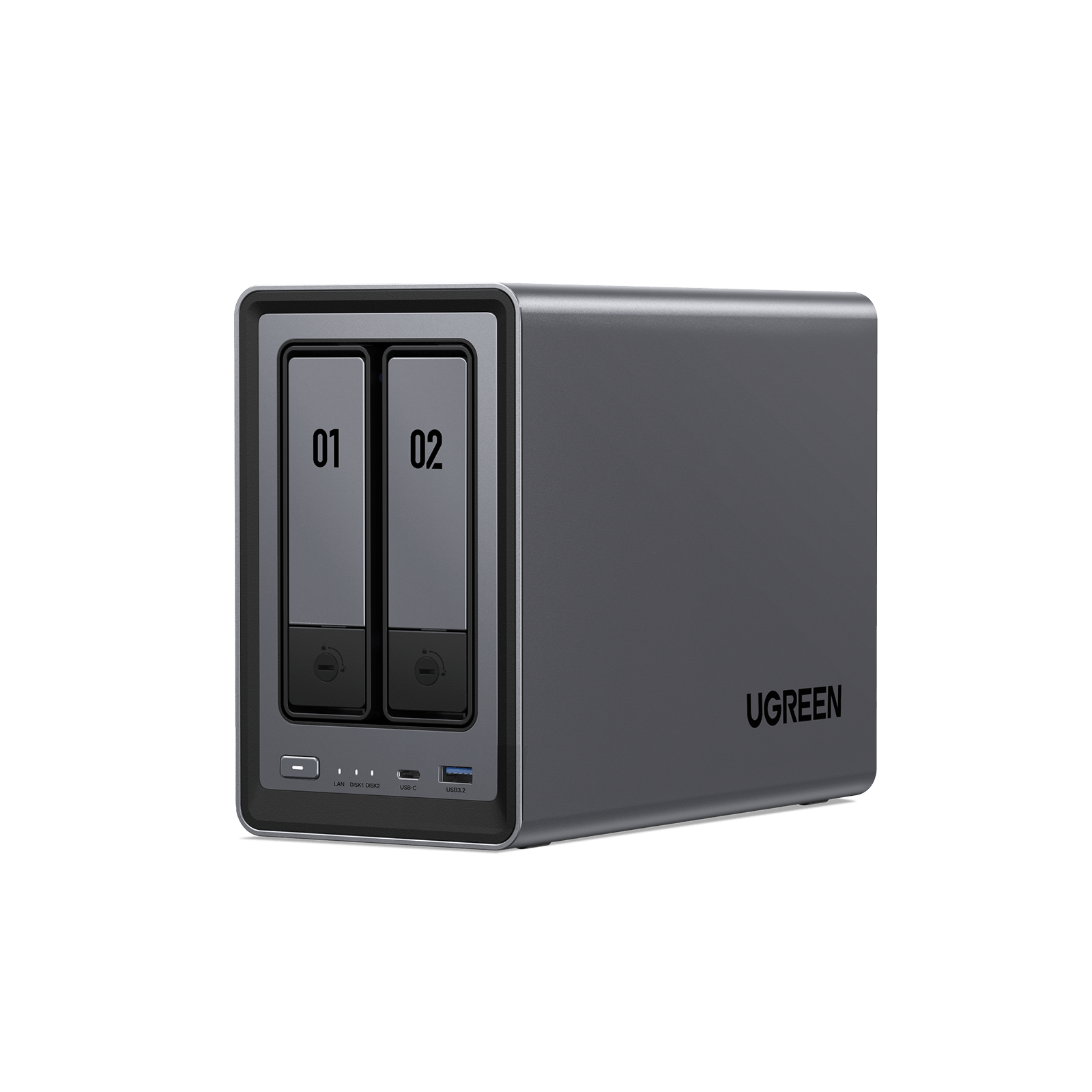
UGREEN NASync DXP2800
2-bay + 2x M.2 NVMe, Intel N100 (Quick Sync), 8GB DDR5 (exp.), 2.5GbE, UGOS Pro
The DXP2800 is the cheapest UGREEN with real hardware transcoding, and that makes it the budget Plex box in this lineup. The Intel N100 handles 4K transcodes that the same-priced Synology 2-bays can’t reliably do anymore, and the two NVMe slots are a nice bonus at this price. It’s also the cheapest entry into the DXP line’s biggest advantage: because it’s x86, you can put TrueNAS or Unraid on it later if UGOS stops being enough. The caveats are a single 2.5GbE port and, as with every UGREEN, an operating system that’s still maturing next to DSM. If your library direct-plays and you don’t care about transcoding, the DH4300 Plus gives you twice the bays for similar money. But if Plex is the point, buy this.
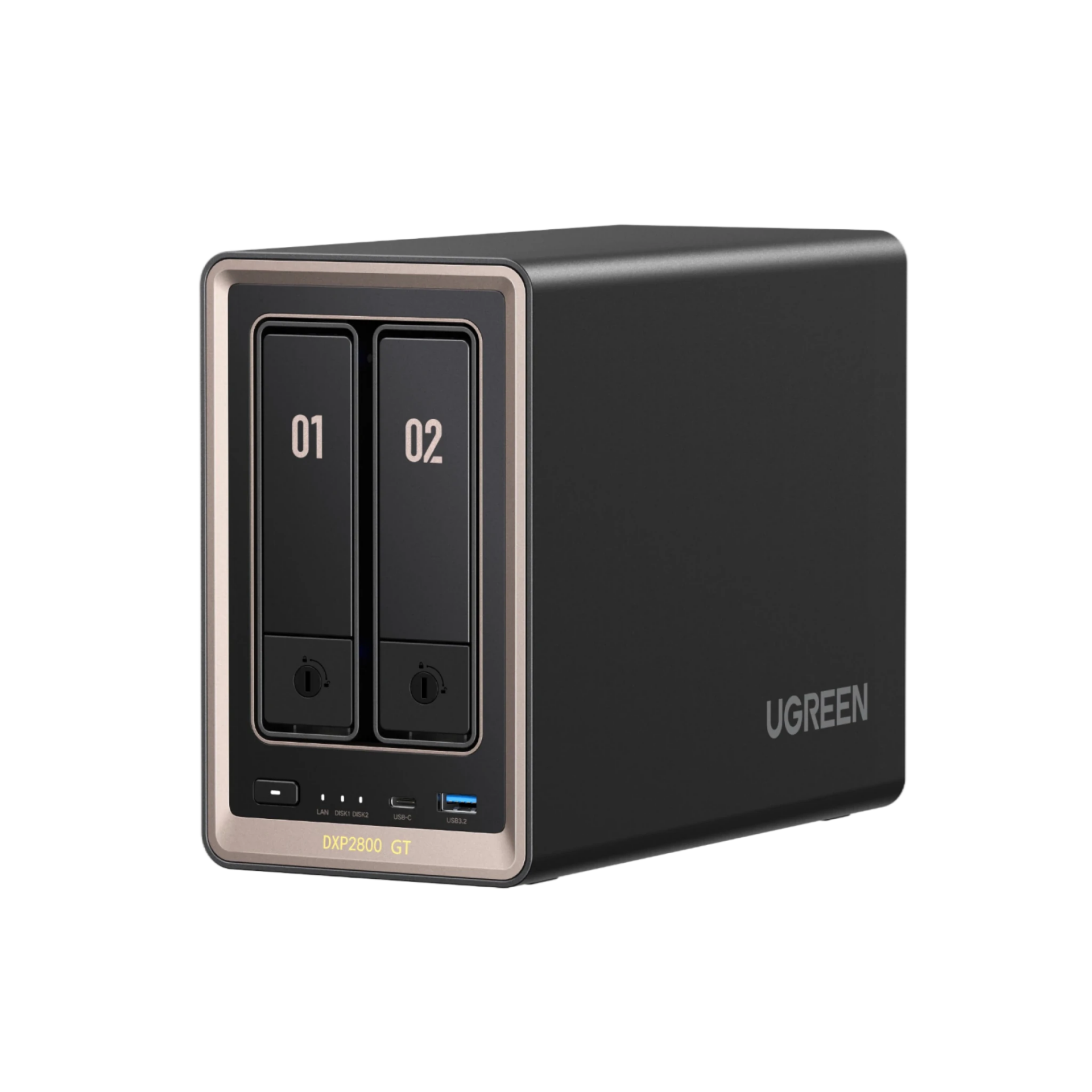
UGREEN NASync DXP2800 GT
2-bay + 2x M.2 NVMe, AMD Ryzen Embedded R2514 (4C/8T, no Quick Sync), 8GB DDR4, 10GbE, UGOS Pro
The DXP2800 GT is the 2-bay for people who care more about network speed than media serving, because you’re getting a 10GbE port at a price where the big brands are still shipping 2.5GbE or less. It uses the same AMD Ryzen chip as the DXP4800 GT, which means no Intel Quick Sync. AMD’s graphics can technically transcode, but the support isn’t nearly as clean, so plan around direct play. If your library direct-plays, or the box is mostly moving backups and large files, that trade-off won’t matter and the 10GbE absolutely will. If transcoding is the priority, the DXP2800 above is the safer pick. One more note: the GT models launched in June 2026, so they’re the newest and least field-tested units in the lineup.
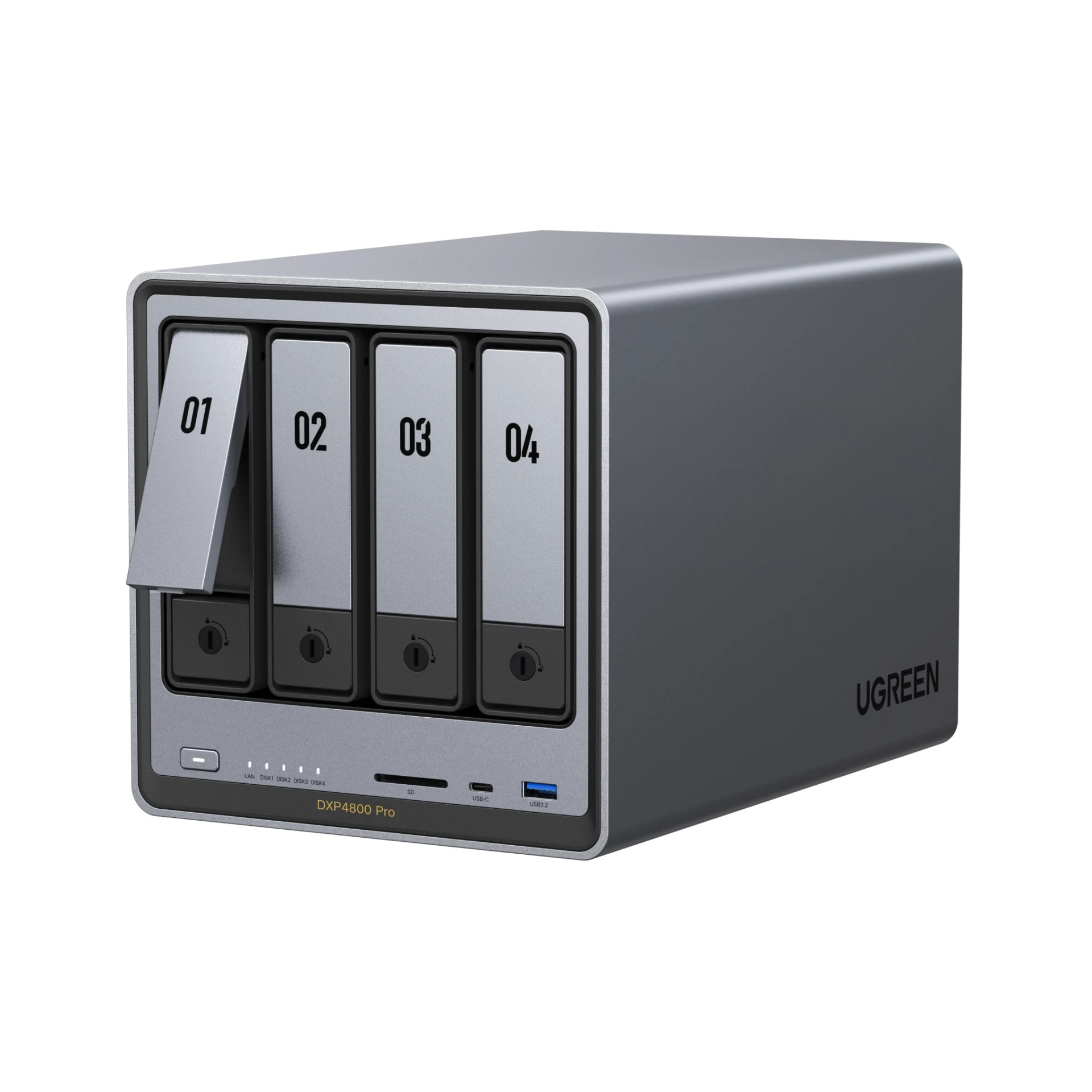
UGREEN NASync DXP4800 Pro
4-bay + 2x M.2 NVMe, Intel Core i3-1315U (6-core, Quick Sync), 8GB DDR5 (to 96GB), 10GbE + 2.5GbE, UGOS Pro
The DXP4800 Pro is a refreshed take on the DXP4800 Plus, and UGREEN sells them side by side rather than replacing one with the other. The Pro moves you from the Pentium Gold up to a newer Core i3-1315U and raises the memory ceiling to 96GB, while keeping the 10GbE plus 2.5GbE networking and the Quick Sync transcoding that make the Plus so easy to recommend. It is the stronger box, but quite honestly, most people will not feel the CPU difference in day-to-day NAS work, because file serving, backups, and Plex don’t stress a modern chip. Where the Pro earns its price is VMs and heavier Docker workloads, where the extra cores and memory headroom are real. If you find the Plus at a discount, that’s still the value play. Buying at full price for virtualization? Get the Pro.
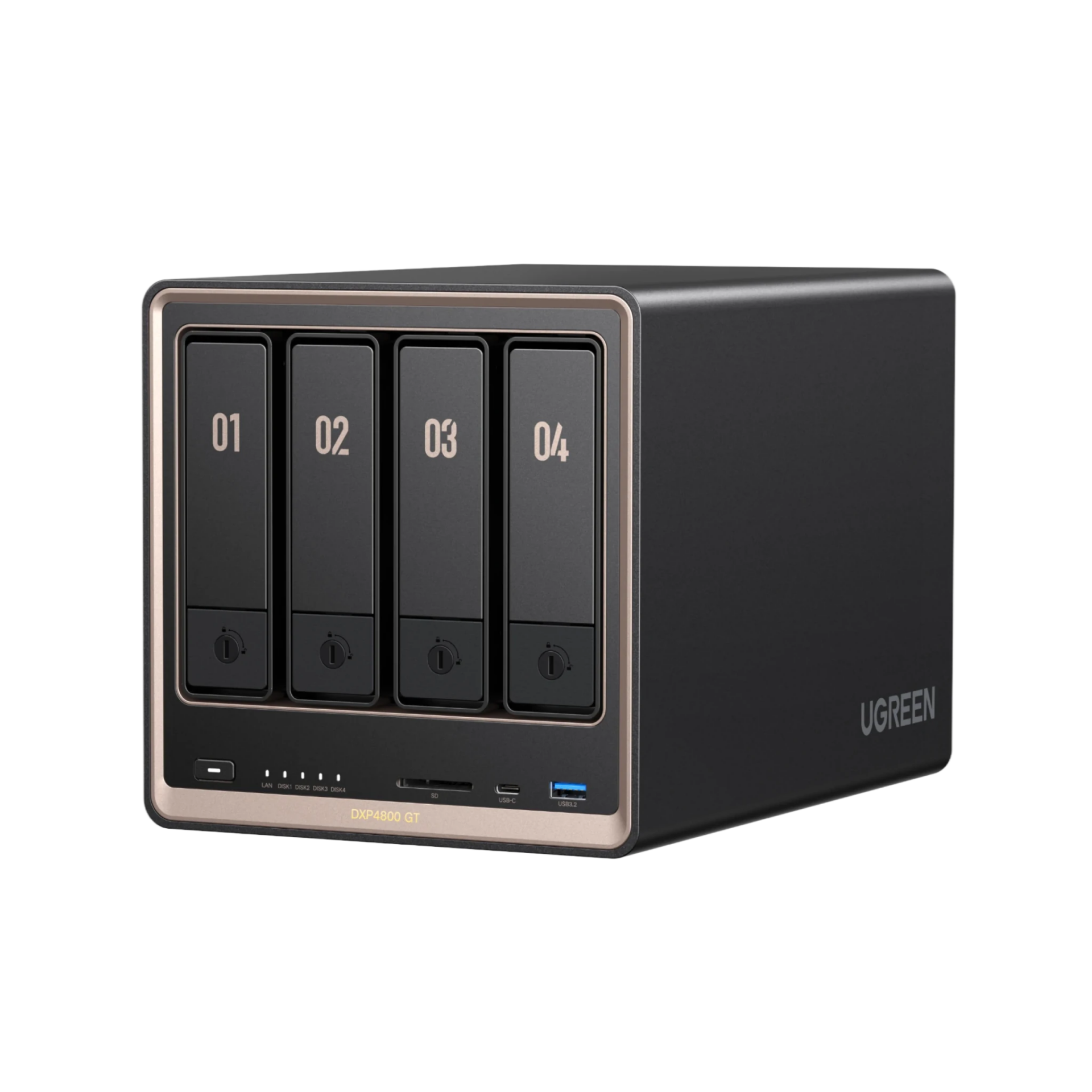
UGREEN NASync DXP4800 GT
4-bay SATA/U.2 combo bays + 2x M.2 NVMe, AMD Ryzen Embedded R2514 (4C/8T, no Quick Sync), 8GB DDR4 (to 64GB, ECC supported), dual 10GbE, UGOS Pro
UGREEN sent me both GT models to test, and the way I’d frame the DXP4800 GT is that it isn’t the next rung on the ladder. It’s more like a fork in the road. Instead of Intel and Quick Sync, you get things no other UGREEN offers: ECC memory support (a first for the brand), dual 10GbE, and drive bays that accept U.2 enterprise SSDs alongside regular SATA. I don’t know of another NAS in this form factor that does that. I have two gripes from my testing. The RAM in the box is not ECC, so the platform supports it but you have to buy the module yourself, and I really wish UGREEN just shipped it that way. And there’s no Quick Sync, and AMD’s transcoding support isn’t nearly as clean, so Plex-heavy buyers should get the DXP4800 Plus instead. But if you’d give up transcoding for ECC and two 10GbE ports, this is the one. For a lot of home labs, that’s an easy yes.

UGREEN NASync DXP6800 Pro
6-bay + 2x M.2 NVMe, Intel Core i5-1235U (10-core, Quick Sync), 8GB DDR5 (exp.), dual 10GbE, 2x Thunderbolt 4, UGOS Pro
The DXP6800 Pro is the middle option between the 4800 line and the 8-bay, and it moves you up to a 10-core i5, dual 10GbE, and Thunderbolt 4 in a box that still fits on a desk. The i5 keeps Quick Sync, so Plex transcoding works properly, and six bays plus two NVMe slots is plenty of headroom for most setups. Like the rest of the DXP line, TrueNAS or Unraid will install and run fine if UGOS ever stops being enough. The real question is whether you need this much NAS: if you’re storing files and running a few containers, the DXP4800 Plus does that for a lot less. Buy the 6800 Pro when you know your storage or VM needs are going to grow into it.

UGREEN NASync DXP8800 Plus
8-bay + 2x M.2 NVMe, Intel Core i5-1235U (10-core, Quick Sync), 8GB DDR5 (exp.), dual 10GbE, 2x Thunderbolt 4, UGOS Pro
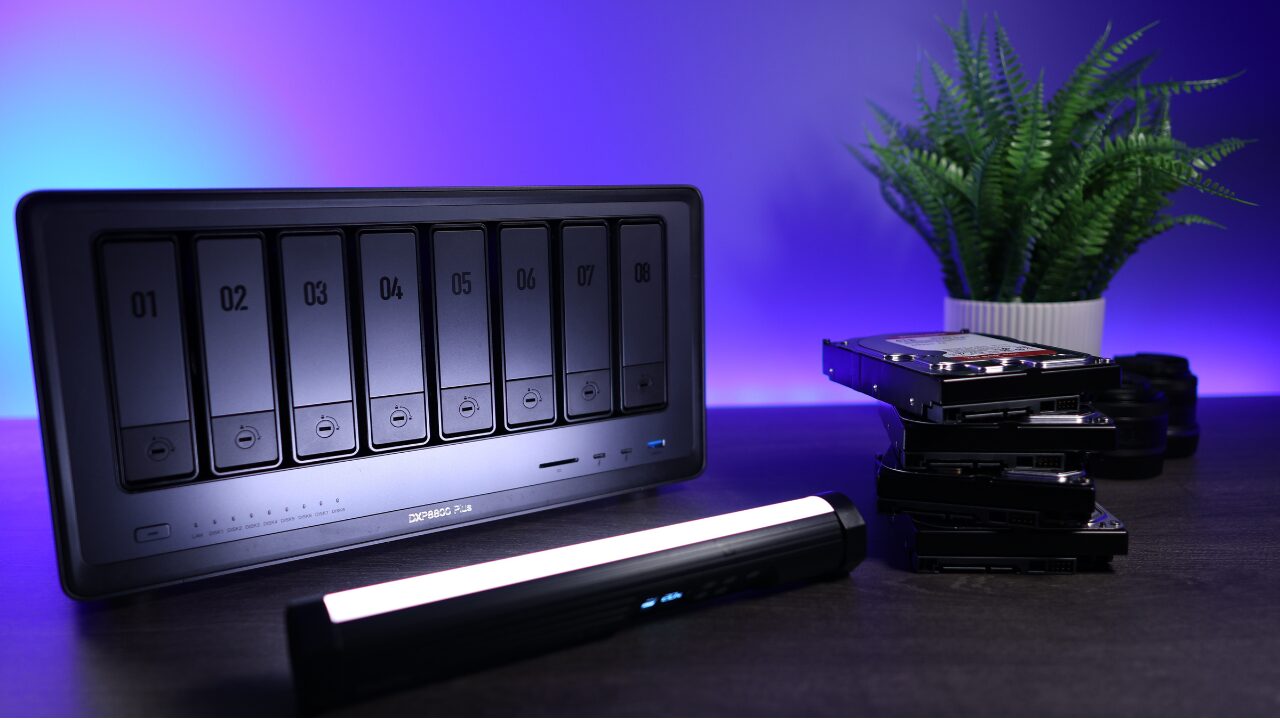
The DXP8800 Plus is the UGREEN unit I trust with my own backups, so I can speak to this one from real use. Mine started as my off-site backup NAS running UGOS, pulling rsync backups from my on-site devices with snapshots for data integrity. The piece I was missing was encryption at rest, and that’s why it runs TrueNAS now: all of my datasets are encrypted, and it handles the ZFS replication side of my 3-2-1 strategy. You couldn’t repurpose a Synology that way. Eight bays, dual 10GbE, and a 10-core i5 is more NAS than most people need, but if you’re consolidating everything into one box or building a serious backup target, that’s exactly the point of an 8-bay. If six bays cover you, the DXP6800 Pro is the same platform for less.
Spec Comparison
| Model | Bays | CPU | RAM | Network | Plex transcoding |
|---|---|---|---|---|---|
| DH2300 | 2 | 8-core ARM (RK3576) | 4GB fixed | 1GbE | No (HDMI direct play) |
| DH4300 Plus | 4 | 8-core ARM 2.4GHz | 8GB | 2.5GbE | No (HDMI direct play) |
| DXP2800 | 2 + 2x M.2 | Intel N100 | 8GB DDR5 | 2.5GbE | Yes |
| DXP2800 GT | 2 + 2x M.2 | AMD R2514 | 8GB DDR4 | 10GbE | No |
| DXP4800 Plus | 4 + 2x M.2 | Intel Pentium 8505 | 8GB DDR5 (to 64GB) | 10GbE + 2.5GbE | Yes |
| DXP4800 Pro | 4 + 2x M.2 | Intel i3-1315U | 8GB DDR5 (to 96GB) | 10GbE + 2.5GbE | Yes |
| DXP4800 GT | 4 (SATA/U.2) + 2x M.2 | AMD R2514 | 8GB DDR4 (to 64GB, ECC supported) | 2x 10GbE | No |
| DXP6800 Pro | 6 + 2x M.2 | Intel i5-1235U | 8GB DDR5 (exp.) | 2x 10GbE + TB4 | Yes |
| DXP8800 Plus | 8 + 2x M.2 | Intel i5-1235U | 8GB DDR5 (exp.) | 2x 10GbE + TB4 | Yes |
UGOS Pro, Two Years In
Every recommendation above comes with the same asterisk, so let’s deal with it directly. I’ve been testing UGOS for over two years, and it’s gone from something I honestly didn’t like much to something I’m comfortable recommending. What UGREEN has done is slowly improve the things that actually matter instead of piling on apps: BTRFS volumes with snapshot support, solid file shares and phone photo backup, Docker on most models, and recently a surveillance center app that records ONVIF cameras locally like a traditional NVR. What it isn’t, yet, is DSM. Synology has a two-decade head start, and you feel it in the depth of the app ecosystem and the maturity of the backup tooling. Here’s where I land: UGOS is good enough for most people today, and it keeps getting better, but if a specific software feature is the reason you’re buying a NAS, check that UGOS actually has it before you order. There’s no subscription behind any of it either. UGOS, the mobile apps, and remote access all come with the hardware.
The counterweight, and the reason I keep recommending UGREEN anyway, is that the DXP models don’t lock you in. They’re standard x86 machines, and TrueNAS, Unraid, or Proxmox installs on them without a fight. Both of my own units run TrueNAS for exactly this reason (I wanted encryption at rest and ZFS replication). UGREEN has said that installing your own OS doesn’t void the hardware warranty, though I’d confirm the current policy before you commit. One nuance on the GT models: UGOS lives on eMMC there rather than a removable drive, so a third-party OS goes onto one of the two M.2 slots, and you give one up. That’s exactly how I run TrueNAS on my own UGREEN units. It’s not the end of the world, but it is a compromise. And remember this whole escape hatch only applies to the DXP line: the DH models are ARM boxes that live and die with UGOS.
UGREEN vs. Synology
This is the comparison most people are actually making, so here’s the way I’d frame it. With Synology, you’re paying a premium for software: a more mature operating system, a deeper app ecosystem, and years of polish. For some people that’s worth it, and I still point people at Synology when the software is the reason they’re buying. With UGREEN, you’re paying a more reasonable price for drastically better hardware, and the software is younger. It really comes down to what you value more.
Two more things tip the scale for me. UGREEN takes any SATA drives you like, while Synology has been tightening drive verification on recent models. And when you outgrow the included software, UGREEN lets you replace it. That second one is why both of my units run TrueNAS today, and it’s the reason a UGREEN purchase feels safer long-term than the spec sheet alone suggests.
Which UGREEN NAS Should You Buy?
- You want to stop paying for cloud storage: the DH2300, or the DH4300 Plus if you want RAID 5 and room to grow.
- You want a small Plex server: the DXP2800.
- You want one NAS that does everything well: the DXP4800 Plus. This is the default answer.
- You’ll run VMs or heavy Docker workloads: the DXP4800 Pro for the extra cores and 96GB memory ceiling.
- Network speed matters more than Plex: the DXP4800 GT (dual 10GbE), or the DXP2800 GT in a 2-bay.
- You’re consolidating everything into one box: the DXP8800 Plus, or the DXP6800 Pro if six bays are enough.
Whichever unit you pick, put a UPS in front of it, because a NAS that loses power mid-write can corrupt data. UGREEN even makes a small DC UPS purpose-built for the DXP2800/4800 and DH lines, and I keep a full list of options on my recommended hardware page.