I record my own cameras into a Blue Iris VM on Proxmox that writes footage straight through to a NAS, so the storage side of this is something I’ve had to think about properly. A surveillance hard drive has an easier job than a NAS drive in one way and a much harder one in another. It rarely has to read anything back, but it writes continuously, forever, from every camera at once, and it never gets an idle moment to recover. That workload is what separates these drives from the desktop drive sitting in your PC, and it’s the reason a drive that has been perfectly reliable for ten years in a computer can fail inside eighteen months in a recorder.
I’ve changed my advice here since I first wrote this page, and not because the drives got faster. AI object detection went from a niche add-on to the default, and the drives now come in two tiers depending on whether your recorder is doing that work. Picking the wrong tier is the most common mistake I see, and it costs you either money or drives.
Disclosure: Some links below are affiliate links, which means that I earn a percentage of each sale at no cost to you. Thank you for your support.
Best Surveillance Hard Drive: My Quick Picks
- Best for most people: WD Purple 8TB. The 8TB and larger Purple drives carry a 360TB/year workload rating rather than 180TB, which covers AI detection without paying for the Pro tier.
- Best on a budget: Seagate SkyHawk 4TB. Fine for a handful of cameras with no analytics running.
- Best for heavy AI analytics: WD Purple Pro or Seagate SkyHawk AI. Both are rated at 550TB/year and both are worth it only if you genuinely need them.
- Best for a large system: Seagate SkyHawk AI at high capacity. It supports up to 64 HD streams and 32 AI streams, which is more than a home system will ever ask of it.
- What to avoid: a desktop drive, and any drive whose workload rating you can’t find.
What Actually Makes a Surveillance Drive Different
Three things, and only one of them is marketing. The first is that these drives are tuned for sustained sequential writes instead of the mixed read and write pattern a desktop drive expects, which is the entire shape of a recorder’s workload. The second is firmware built around video: rather than pausing to retry a bad sector and dropping frames while it does, the drive is designed to keep the stream moving and accept a small amount of loss. In a PC you want the retry, and in an NVR you want the footage to keep recording.
The third is the one worth actually paying attention to, and I’ve given it its own section below because it decides which drive you buy. Everything else on the box, the RPM figures and the cache sizes, matters far less than the manufacturers’ own marketing suggests.
Workload Rating Is the Spec That Decides It
Workload rating is how much data the manufacturer expects the drive to write per year, and it’s the number nobody puts on the front of the box. Surveillance drives come in roughly three bands, and knowing which band you need is most of the decision:
| Tier | Workload | Drives | Who it’s for |
|---|---|---|---|
| Standard | 180TB/year | WD Purple up to 6TB, Seagate SkyHawk | A few cameras, plain recording, no analytics |
| Enhanced | 360TB/year | WD Purple 8TB and larger | Most home systems running AI detection |
| AI tier | 550TB/year | WD Purple Pro, Seagate SkyHawk AI | Many 4K cameras, constant analytics |
I think the middle row is the part almost nobody mentions, and it’s the single most useful thing on this page. WD quietly rates the 8TB and larger Purple drives at 360TB/year specifically because they’re expected to land in AI-capable recorders, so buying a larger standard Purple often gets you into the analytics tier without paying the Pro premium at all. If you were about to buy a 4TB Purple and a Purple Pro was the alternative, look at the 8TB Purple sitting between them first.
This matters more now than it did two years ago because AI detection has become the normal way to run cameras rather than an enthusiast extra. If you’ve read my guide to the best Blue Iris alternatives, every serious option there does object detection as a matter of course, and that detection reads and re-reads footage the drive is still busy writing.
WD Purple: The Best Surveillance Hard Drive for Most People
WD Purple is the default answer and has been for years, mostly because it’s the drive every NVR manufacturer tests against and the one you’ll find in the compatibility list of whatever recorder you buy. It’s rated at 180TB/year in the smaller capacities, supports up to 64 single-stream HD cameras, and carries an MTBF of up to a million hours.
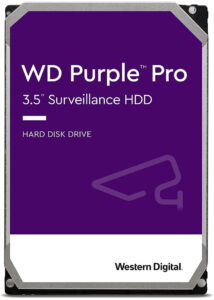
My advice on capacity is different here than it would be for a NAS drive, because of the workload jump at 8TB. Below that you’re on the standard 180TB/year tier, which is genuinely fine for a few cameras doing plain continuous recording. At 8TB and above you’re on 360TB/year, which is the tier I’d want under any system doing object detection.
- WD Purple 1TB and 2TB: one or two cameras, short retention.
- WD Purple 4TB and 6TB: the sensible small-system sizes, still on 180TB/year.
- WD Purple 8TB, 10TB, 12TB and 14TB: the 360TB/year tier, and where I’d start for anything with analytics.
- WD Purple 18TB: long retention on a lot of cameras.
WD Purple Pro: When the Standard Purple Isn’t Enough
Purple Pro is the higher-endurance tier, rated at 550TB/year with a five-year warranty, and it goes to considerably higher capacities than the standard line. It exists for recorders doing deep learning analytics across a lot of streams, and for the video analytics appliances and servers that sit above the home market entirely.
I’d be straight about this one: most home systems don’t need it. If you’re running six cameras into a UniFi Protect console or a Frigate box, the 8TB or larger standard Purple already puts you on 360TB/year and the Pro premium buys headroom you’ll never reach. Where it earns its price is a genuinely busy system: a dozen or more 4K cameras, continuous analytics on all of them, and footage you keep for months rather than weeks.
Seagate SkyHawk: The Best Budget Surveillance Drive
SkyHawk is Seagate’s answer to the Purple and it’s usually the cheaper of the two at the same capacity, which is the main reason to buy one. It runs at 5900 RPM with 64MB of cache in the smaller capacities and carries the same 180TB/year workload rating as the standard Purple, so on paper the two are closely matched for a small system.
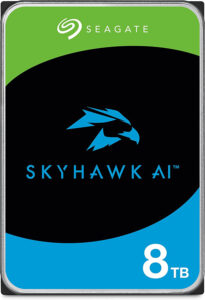
I still reach for the Purple first, and the reason is compatibility lists rather than the drive itself. More recorders name the Purple explicitly, and when something goes wrong with a surveillance system you want to be running the configuration the manufacturer tested. That’s a soft advantage rather than a technical one, and if the SkyHawk is meaningfully cheaper on the day you’re buying, it’s a perfectly sensible drive.
- SkyHawk 2TB and 4TB: small systems, plain recording.
- SkyHawk 6TB and 8TB: the sizes most people land on.
- SkyHawk 10TB, 12TB, 16TB and 18TB: bulk storage for longer retention.
Seagate SkyHawk AI: For Systems Doing Real Analytics
SkyHawk AI is the drive to look at if you’ve decided you’re in the top tier, and it’s the most capable option on this page by a wide margin. It runs at 7200 RPM with 256MB of cache, carries the 550TB/year workload rating, and Seagate rates it for up to 64 HD video streams and 32 AI streams at once. Capacities now run considerably higher than anything the standard lines offer.
I’d read that stream figure carefully, because 32 simultaneous AI streams is far beyond what a home system will ever ask for. If you have eight cameras with detection running, you are not close to the limit of a standard Purple, let alone this. Buy the AI drive when you have genuinely outgrown the tier below, or when the price difference on the day happens to be small enough that the extra endurance is free.
What Size Surveillance Hard Drive Do You Need?
Capacity comes down to three things: how many cameras you have, what resolution they record at, and how long you want to keep the footage. A single 4K camera recording continuously will use dramatically more space than the same camera set to record only on detected motion, which is the setting most people should be using anyway now that detection is reliable.
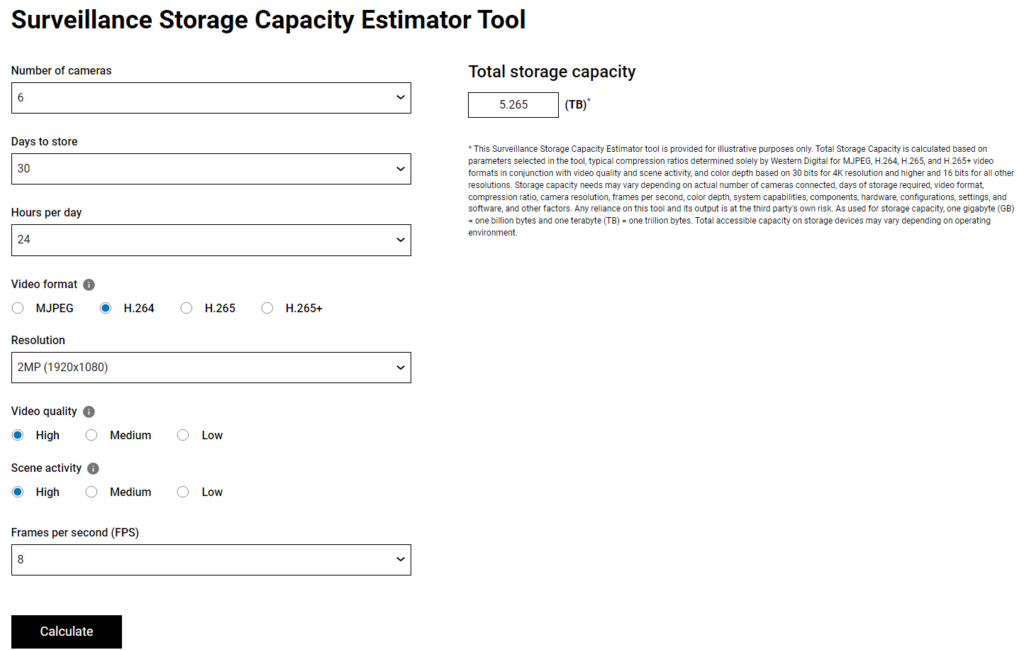
I’d rather not guess at this, so I use Western Digital’s surveillance capacity calculator. Put in your camera count, resolution, frame rate and retention period and it gives you a figure to buy against. My general advice is to take whatever it tells you and go one size up, because retention is the setting everyone increases later and nobody decreases.
One thing I’d add that the calculator won’t tell you is that filling a drive to the brim is a bad idea regardless of the number it gives you. Recorders overwrite the oldest footage when they run out of room, and leaving some headroom means that process stays predictable rather than becoming the thing that finally breaks.
What I Would Avoid
- Desktop drives. This is the big one. A WD Blue or a Barracuda will work for a while and then it won’t, because continuous writing is exactly the workload they aren’t rated for. The money you save is less than one drive replacement.
- Any drive with no published workload rating. If a manufacturer won’t tell you the figure, assume it’s low. That covers most of the unbranded drives sold as surveillance drives.
- Shucked external drives. They’re excellent value for backups and a poor idea in a recorder, where you want firmware built for the write pattern rather than whatever happened to be inside the enclosure.
- Mixing a surveillance drive with a NAS drive in the same array. My own recorder writes to a NAS rather than local disks, and in that setup you want proper NAS drives throughout rather than one of each.
Which Surveillance Hard Drive Should You Buy?
For most people the answer is an 8TB WD Purple, and the reason is the workload jump rather than the capacity. It puts you on the 360TB/year tier that suits a system doing object detection, it’s the drive your recorder’s compatibility list almost certainly names, and it’s enough space that you won’t be revisiting the decision in a year.
If you’re running a handful of cameras with no analytics and the budget is tight, a 4TB SkyHawk does the job properly and costs meaningfully less. If you’re at the other end, with a dozen 4K cameras and detection running constantly, that’s when Purple Pro or SkyHawk AI stops being overkill and starts being the right purchase.
I’d finish on this, whichever you land on: the drive is only half of it. Surveillance footage is the kind of data you don’t notice is missing until you need it, so treat the recorder as a live system rather than a backup and keep anything genuinely important somewhere else as well. Security setups also change constantly and nothing is ever guaranteed, so it’s worth revisiting the whole arrangement occasionally rather than assuming it’s finished.