
The best OpenWrt router for a homelab is one that still gets updates, which as of October 2026 means a router with an image in OpenWrt 25.12.5, the current stable release. For most people, that’s the GL.iNet Flint 2, a Wi-Fi 6 router with two 2.5GbE ports and 1GB of RAM. The OpenWrt One, the GL.iNet Beryl 7 and an x86 mini PC cover the setups it doesn’t.
This list first went up in 2023, and most of those picks didn’t age well, so every pick below was rechecked against OpenWrt’s current build list. If you already own a NETGEAR Nighthawk, there’s a section on it further down.
Disclosure: Some links below are Amazon affiliate links, which means that I earn a percentage of each sale at no cost to you. Thank you for your support.
Choosing the Best Routers With OpenWrt for Homelabs
An OpenWrt router for a homelab should be on a current release, have the ports you need and handle VLANs, which are the reason most people want one. In my video on building a pfSense router, I called VLANs “one of the biggest reasons to move off a consumer router.”
A DIY router isn’t for everyone. I ran pfSense for a few years, and in late 2024 I moved to a UniFi Cloud Gateway to minimize complexity, even though you lose a lot of granular control. If you’re still deciding, I compared the options in pfSense vs. OpenWrt and OPNsense vs. OpenWrt.
What “Still Gets Updates” Means
OpenWrt 25.12 is the current stable series (25.12.5 shipped on July 1, 2026), and the project said it would not provide security updates for 24.10 after September 2026. So a router whose newest image is 24.10 or older isn’t on a supported release anymore, and every pick here has a 25.12.5 image.
Before you buy, search the exact model in OpenWrt’s Firmware Selector to confirm it has a 25.12.5 image, then open its page in the Table of Hardware and read any warning box at the top. Match the hardware version too, since a v1 and a v2 of the same router can have different radios inside. The warning boxes matter. The Broadcom one reads “Devices with Broadcom WiFi chipsets have limited OpenWrt supportability.” OpenWrt recommends more than 32MB of flash and at least 128MB of RAM for anything past basic routing, and every pick here clears both.
Please note: the Supported Current Rel column in the Table of Hardware can lag. In October 2026 it still showed 24.10.4 for the NETGEAR R7000, which has a 25.12.5 image, so trust the Firmware Selector over it.
You’ll Still Need a Switch and Access Points
A two-port box like the OpenWrt One or an x86 mini PC still needs a managed switch and access points, and to use VLANs across your network, both have to support VLAN tagging. I ran that layout for years, with pfSense as the router and UniFi switches and access points behind it. A Wi-Fi router like the Flint 2 covers more of it in one box, which is why it’s the pick for most people. You’ll still add switches and access points once you outgrow its wired ports or one room of Wi-Fi.
Is GL.iNet Firmware Real OpenWrt?
Sort of. GL.iNet says “all GL.iNet router firmware is based on OpenWrt while featuring additional proprietary features and software.” As of October 2026, the Flint 2 and the Beryl 7 both ship on an OpenWrt 21.02 base, which isn’t a current upstream branch. Upstream OpenWrt is a separate flash: on the Flint 2 and the Beryl 7, flash the sysupgrade image, never the factory image.
Wi-Fi 6 or Wi-Fi 7?
Wi-Fi 7 hardware does have 25.12.5 images, including the Beryl 7, the Banana Pi BPI-R4 and the TP-Link Archer BE450. However, the Beryl 7 and BPI-R4 pages say the drivers still need work. The Archer BE450 only installs over a UART serial console, and GL.iNet’s Flint 3 and Slate 7 have no upstream image. For a main router, Wi-Fi 6 is the safe choice today.
Do the FCC Router Rules Change What You Can Buy?
When I covered this in July 2026, I said that “existing routers are not suddenly illegal, and anything you already own can continue to be used.” The FCC’s own fact sheet agrees. On March 23, 2026, it added foreign-produced consumer routers to its Covered List (unless they hold a Conditional Approval), which stops new models from getting FCC authorization. It does not prohibit the import, sale or use of models the FCC already authorized.
The firmware-update worry I raised then is answered for now, too. On May 8, 2026, the FCC said routers authorized before the listing may keep receiving updates, including ones that patch vulnerabilities, at least until January 1, 2029. GL.iNet says every product it currently sells in the US is unaffected. The effect is on new models like its Flint 4 and Slate 7 Pro, which aren’t coming to the US at release.
The Best OpenWrt Routers to Buy Now
The Flint 2 is the best router for OpenWrt for most people, and the other three are for specific setups. Every pick below has a 25.12.5 image (the x86 pick through the generic x86/64 image), and the Flint 2, OpenWrt One and Beryl 7 were sold new when checked in October 2026.

GL.iNet Flint 2 (GL-MT6000): Best OpenWrt Router for Most Homelabs
Wi-Fi 6 (4×4) · MediaTek Filogic 830 · 1GB RAM · 8GB eMMC · 2x 2.5GbE, 4x 1GbE · USB 3.0
This is the best OpenWrt router for almost everyone, because it’s a full Wi-Fi router with two 2.5GbE ports, four 1GbE LAN ports and plenty of RAM and storage by router standards. It ships with GL.iNet’s firmware, so you flash the 25.12.5 sysupgrade image from the GL.iNet web interface at 192.168.8.1 without keeping the configuration. OpenWrt then answers at 192.168.1.1. The downside is that it’s Wi-Fi 6, though for a main router that’s the safer bet right now anyway.
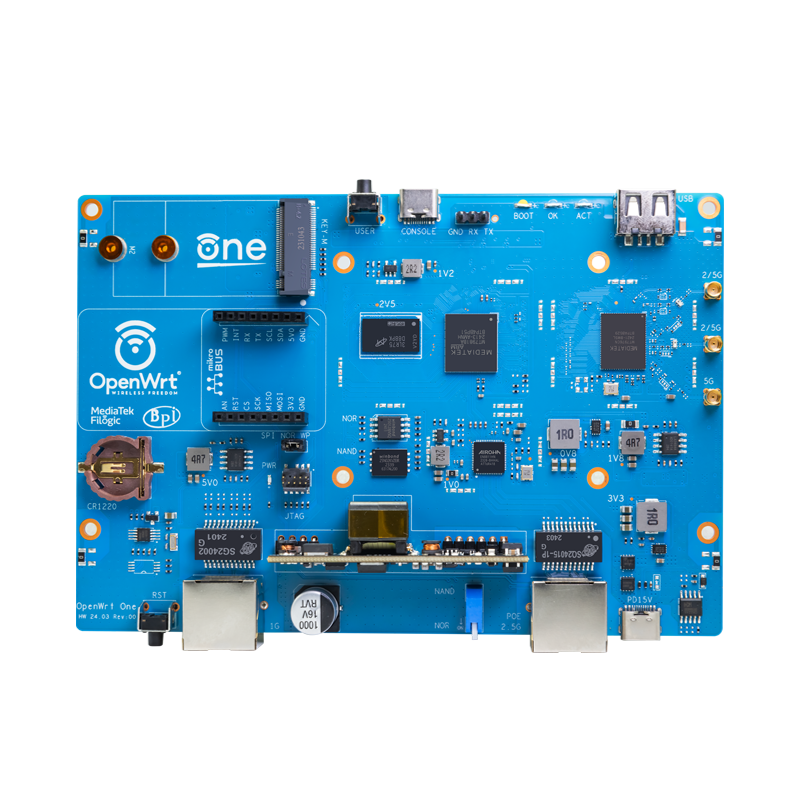
OpenWrt One: Best for Upstream OpenWrt Out of the Box
Wi-Fi 6 (dual-band) · MediaTek Filogic 820 · 1GB RAM · 256 MiB NAND + 16 MiB NOR · 2.5GbE WAN, 1GbE LAN · M.2 NVMe · PoE in
The OpenWrt One is the project’s own router, built with Banana Pi, and it’s the only pick that ships with upstream OpenWrt and LuCI already installed. It ships on whatever release was current when its batch was made, so upgrade it to 25.12 if it’s older. It’s one of the cheaper picks, and with a USB-C serial console and a separate NOR chip for recovery, it’s a great router to learn on. The catch is that it has only two Ethernet ports, so it needs a switch. Batches from October 2025 have a detached M.2 post at the 2230 position and nothing in the box to attach it.

GL.iNet Beryl 7 (GL-MT3600BE): Best Wi-Fi 7 Travel Router for OpenWrt
Wi-Fi 7 (2×2) · MediaTek Filogic 850 · 512MB RAM · 512MB NAND · 2x 2.5GbE · USB 3.0
The Beryl 7 went on sale on February 3, 2026, and it’s a Wi-Fi 7 travel router with two 2.5GbE ports and a 25.12.5 image. Its device page says 25.12.5 works, but “mt76 driver wireless performance & stability on MT7990 WLAN hardware needs further optimization & improvement.” If you’d like a travel router on upstream OpenWrt and can live with Wi-Fi drivers that are still maturing, this is the one.
When I recorded my home lab accessories video in September 2025, I was using the GL.iNet Slate 7 as a travel router. It runs GL.iNet’s firmware and has no 25.12.5 image, which is why the Beryl 7 is the pick here.
Beelink EQ14: Best x86 Option for OpenWrt
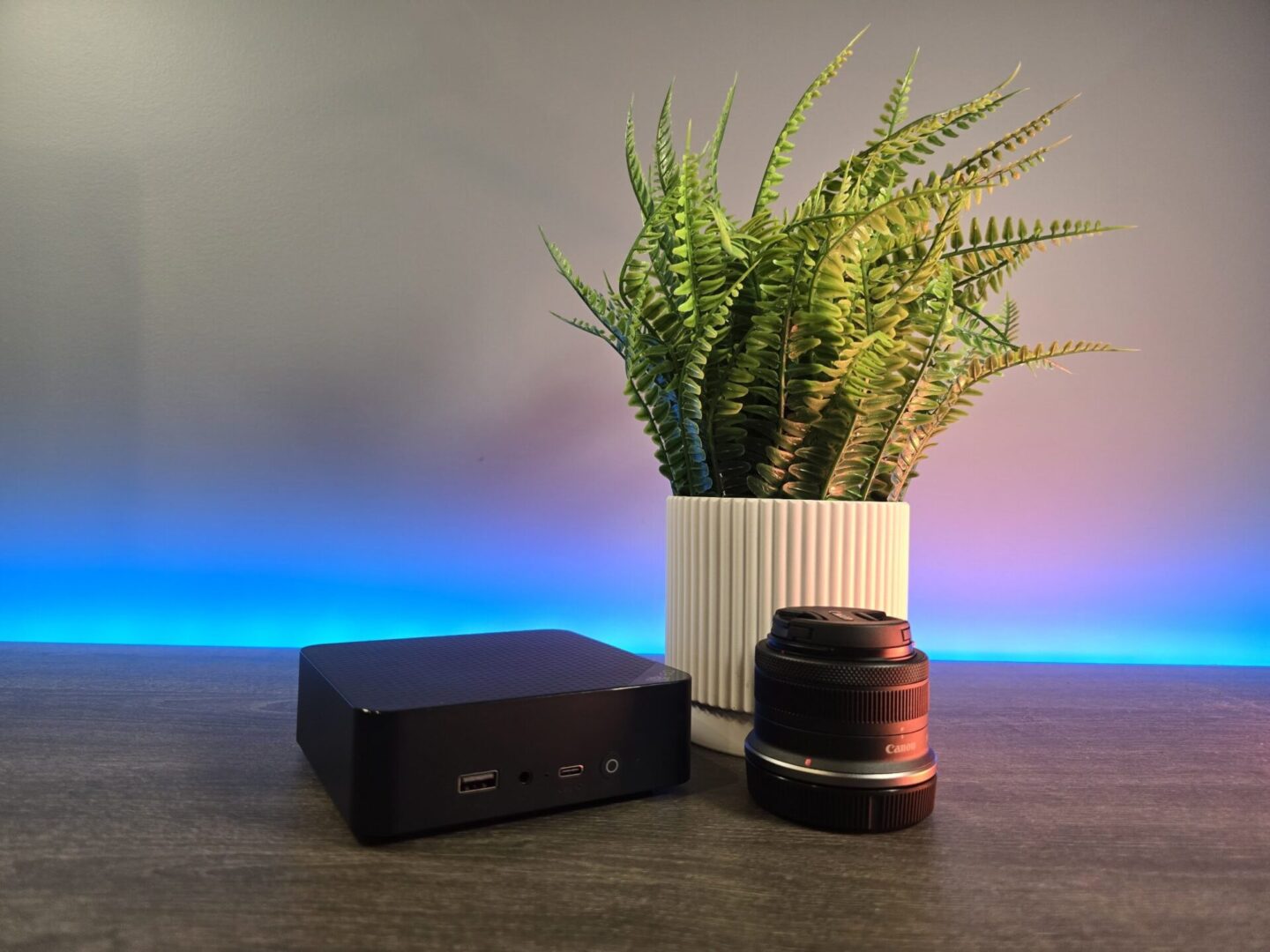
Intel N150 (4 cores) · 16GB RAM · 500GB SSD · 2x 2.5GbE · Wi-Fi 6 (Intel AX101)
OpenWrt 25.12.5 publishes a generic x86/64 image, so any mini PC with two network ports (WAN and LAN) can run it. The EQ14 is the one I set up as a pfSense router for my July 2026 video, and under pfSense it idled around 10 W in my testing.
It has far more memory than any router here, but it still needs a switch and access points. It’s also the most expensive of the four, and if you’re buying one just to be a router, I’d at least look at models with four 2.5GbE ports.
If you’d rather build a wired box, the Banana Pi BPI-R4 also has a 25.12.5 image and 10G SFP+ ports. It’s a board you assemble yourself (case, power, SFP+ modules and a separate Wi-Fi 7 card), though.
| Router | Best For | Wi-Fi | Ethernet | How OpenWrt Gets On It |
|---|---|---|---|---|
| GL.iNet Flint 2 (GL-MT6000) | Most homelabs | Wi-Fi 6 | 2x 2.5GbE, 4x 1GbE | Flash the sysupgrade image |
| OpenWrt One | Upstream OpenWrt from the box | Wi-Fi 6 | 1x 2.5GbE, 1x 1GbE | Ships with OpenWrt |
| GL.iNet Beryl 7 (GL-MT3600BE) | Travel | Wi-Fi 7 | 2x 2.5GbE | Flash the sysupgrade image |
| x86 mini PC | Wired x86 router | Varies by model | 2+ ports | Install the x86/64 image |
Netgear Nighthawk OpenWrt Support Depends on the Model
This section is for a Nighthawk or other NETGEAR router you already own, not one to buy. Every model below has a 25.12.5 image unless it says otherwise (checked October 2026), but the Wi-Fi chip decides how useful that image is.
- Qualcomm, Wi-Fi works: R7800, R7500 v2, D7800, XR450 and XR500, though the D7800’s DSL modem isn’t supported. The R7500 v1 has an image, but its 5GHz Wi-Fi isn’t supported.
- MediaTek MT7621, Wi-Fi works: R6220, R6260, R6350, R6700 v2, R6800, R6850, R6900 v2, R7200 and R7450.
- Broadcom, where Wi-Fi is the problem: the Table of Hardware says OpenWrt “will turn your R7000 into a fancy wired router, without any Wi-Fi support.” The R6250 and R6300 v2 carry the same flags, and the R8000P has no supported Wi-Fi at all. The R7900 and R8000 list no Wi-Fi limits.
- Newer and less documented: the RAX120 v2, the only RAX model with an image.
- No 25.12.5 image: R6400, R7000P, RAX40, RAX50, and no RS-series (Wi-Fi 7) Nighthawk at all.

OpenWrt’s support and NETGEAR’s are separate things. NETGEAR’s September 2026 security advisory marks the XR500 End-of-Support and says “no security updates are planned.” For most people, I wouldn’t buy any older Nighthawk for OpenWrt today, and the R7000 shows why: OpenWrt runs on it, and you lose the Wi-Fi.
What Happened to the 2023 Picks
The original list had seven routers, and here’s where each one stood in October 2026:
- TAKTIKAL OpenWrt Router: unavailable on Amazon, with no profile in OpenWrt 25.12.5.
- Linksys WRT3200ACM: still has an image, but the Table of Hardware lists it as discontinued and its Wi-Fi driver doesn’t support WPA3.
- Linksys “EA8450”: actually the Linksys E8450 (also sold as the Belkin RT3200), which has an image but needs a UBI conversion to install and is unavailable on Amazon.
- NETGEAR WAX206: NETGEAR’s end-of-service date was January 31, 2026.
- NETGEAR XR500: End-of-Support at NETGEAR.
- Linksys EA9200: a 2014-era Broadcom router with no device page, so “works extremely well with OpenWrt” doesn’t hold up.
- Linksys EA8100: Wi-Fi 5 with 256MB of RAM, and unavailable on Amazon.
If you own one of these, check its device page before you upgrade it.
Final Thoughts on OpenWrt Routers
Overall, the Flint 2 is the pick for most people, and the OpenWrt One is the one to learn on if you already have a switch. Once yours is running, port forwarding in OpenWrt and setting up Tailscale on OpenWrt are good next steps. If you’d rather not maintain a DIY router at all, that’s a fair call, and it’s the one I made when I moved to UniFi.
Security support changes, vendors retire models and OpenWrt ends releases on its own schedule, so nothing here is guaranteed. Check the device page before you buy.