For most people, an 8-port PoE switch is going to be the most common starting point, and the best 8 port PoE switch is the one whose total power budget covers everything you’ll plug into it. If you run UniFi, get the UniFi Flex 2.5G PoE (it’s the one I have). For a few access points or cameras with nothing to set up, the TP-Link TL-SG1008P is the cheapest way to do it, and for VLANs without UniFi, look at the Omada SG2008P.
I run a bunch of UniFi switches, including the Flex 2.5G PoE and a Pro XG 8 PoE. But a lot of that is overkill for most people, so the picks below go down to a basic unmanaged switch.
Disclosure: Some links below are affiliate links, which means that I earn a percentage of each sale at no cost to you. Thank you for your support.
-
The Best 8-Port PoE Switch for Most People
- UniFi Flex 2.5G PoE: Best for a UniFi Network (the One I Run)
- UniFi Lite 8 PoE: Cheapest Way Into UniFi PoE
- TP-Link TL-SG1008P: Best Budget 8-Port PoE Switch
- NETGEAR GS308PP: Best Unmanaged Switch With PoE on Every Port
- Omada SG2008P: Best Managed 8-Port PoE Switch Outside UniFi
- UniFi Pro XG 8 PoE: Best 10G PoE Switch
- Managed or Unmanaged 8-Port PoE Switch
- PoE, PoE+ or PoE++: How Much Power Budget You Need
- Gigabit or 2.5G: Which 8-Port PoE Switch Speed to Buy
- 8-Port PoE Switch Price Tiers: What the Money Buys
- Final Thoughts on 8-Port PoE Switches
The Best 8-Port PoE Switch for Most People
Every switch here is on sale new as of September 2026.
| Switch | Speed | PoE ports | PoE budget | Managed |
|---|---|---|---|---|
| UniFi Flex 2.5G PoE | 2.5G, 10G uplink | 8 x PoE++ | 16 to 196 W | UniFi Network |
| UniFi Lite 8 PoE | 1G | 4 x PoE+ | 52 W | UniFi Network |
| UniFi Switch Ultra | 1G, PoE++ in | 7 x PoE+ | 16 to 202 W | UniFi Network |
| UniFi Pro 8 PoE | 1G, 10G SFP+ | 6 x PoE+, 2 x PoE++ | 120 W | UniFi Network (L3) |
| UniFi Pro XG 8 PoE | 10G, 10G SFP+ | 8 x PoE++ | 155 W | UniFi Network (L3) |
| TP-Link TL-SG1008P | 1G | 4 x PoE+ | 64 W | No |
| TP-Link TL-SG108PE | 1G | 4 x PoE+ | 64 W | Easy managed |
| NETGEAR GS308PP | 1G | 8 x PoE+ | 83 W | No |
| TP-Link TL-SG1008MP | 1G | 8 x PoE+ | 153 W (126 W on V1) | No |
| Omada ES208GP | 1G | 8 x PoE+ | 64 W | Easy managed |
| Omada SG2008P | 1G | 4 x PoE+ | 62 W | Smart managed |
| Zyxel GS1900-8HP | 1G | 8 x PoE+ | 77 W | Smart managed |
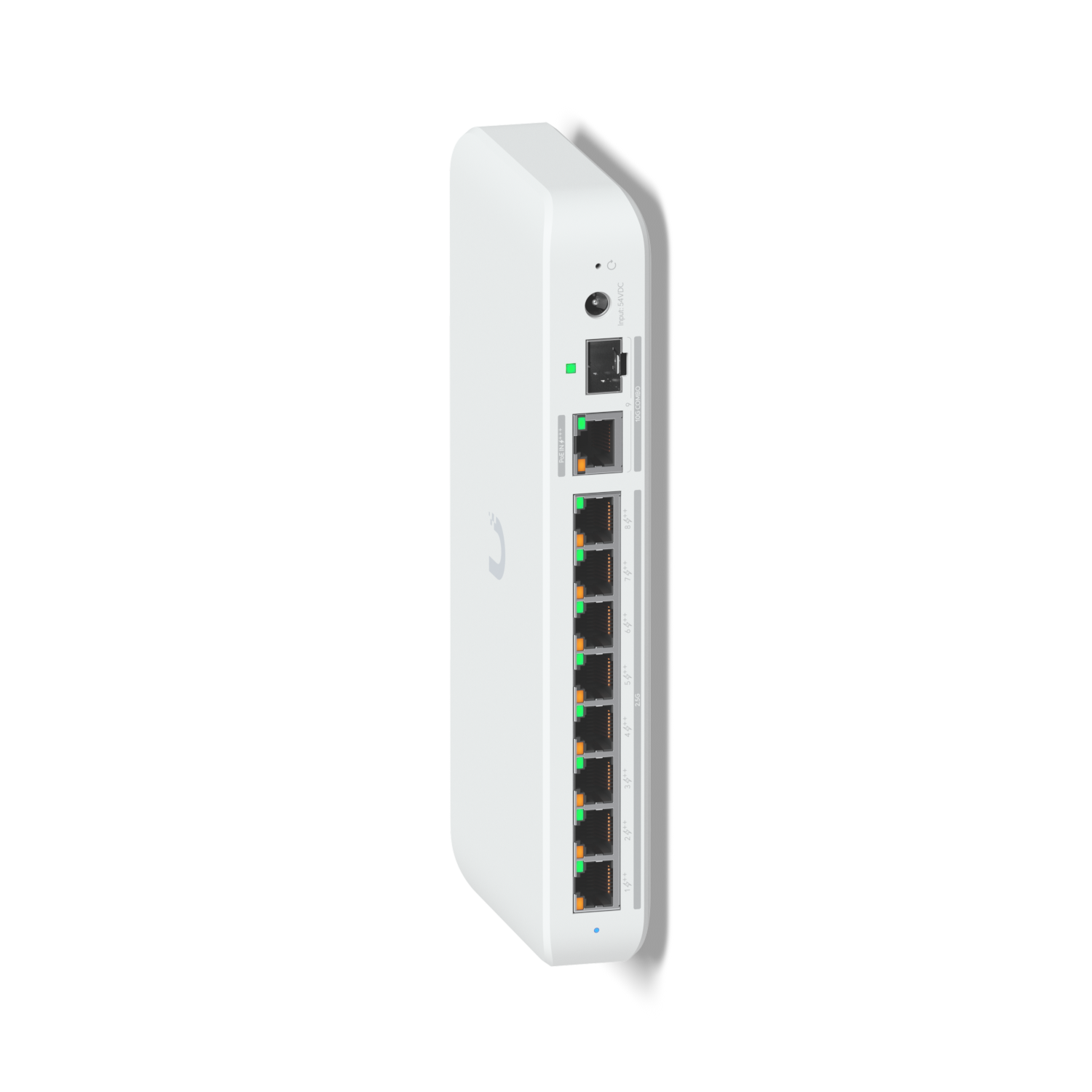
UniFi Flex 2.5G PoE: Best for a UniFi Network (the One I Run)
8 x 2.5G PoE++ · 10G uplink (copper or SFP+) · 16 to 196 W by power source · fanless
I have one, and if you already run a UniFi gateway, it’s the one I’d get. Every port is 2.5G and PoE++, so it runs access points a PoE+ switch can’t. The catch is that it ships with no power supply. It needs PoE+ or higher from upstream, or the separately sold 210 W adapter. On PoE+ it only has 16 W, less than one U7 Pro can draw.
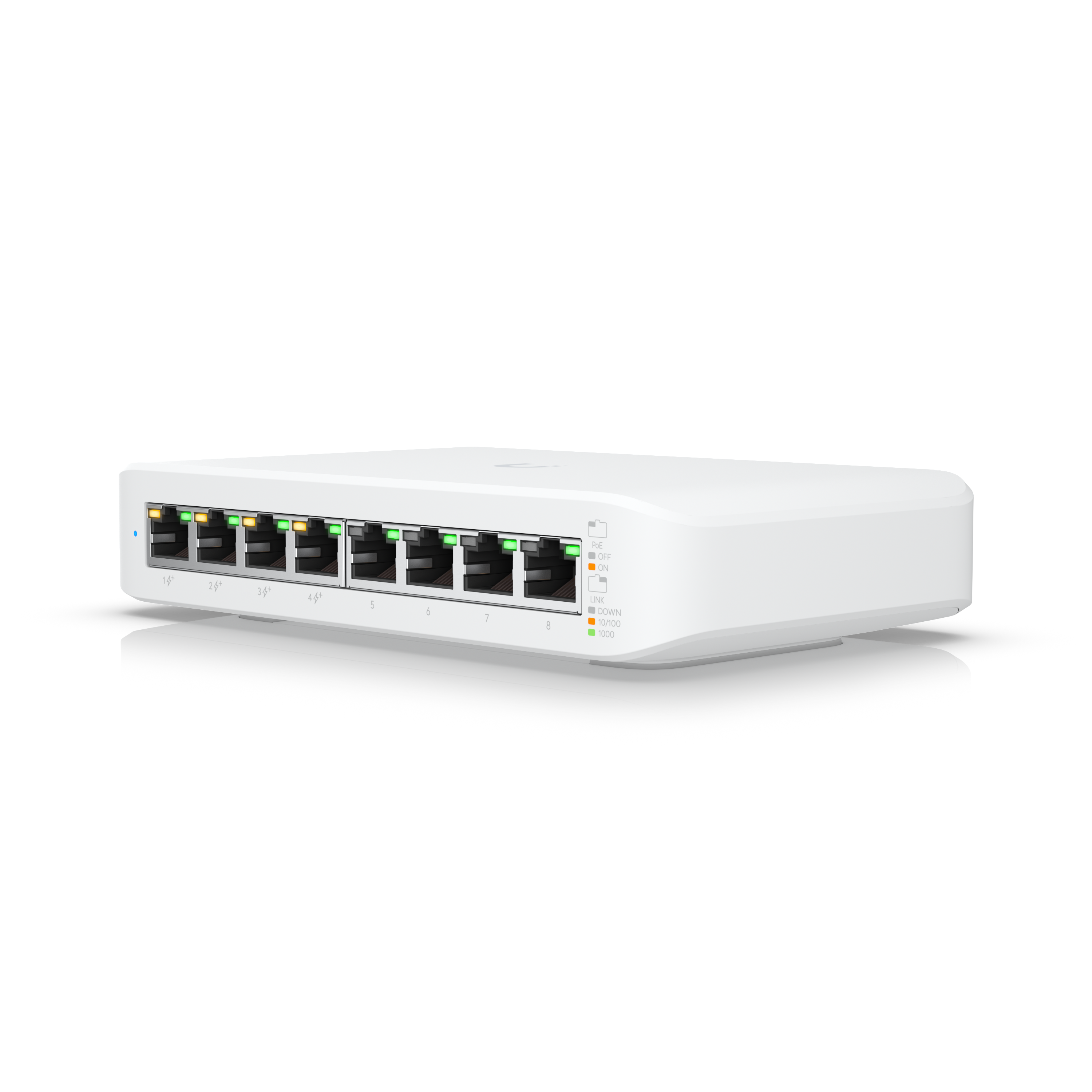
UniFi Lite 8 PoE: Cheapest Way Into UniFi PoE
8 x 1G, 4 x PoE+ · 52 W total · fanless
It’s the cheapest UniFi 8-port PoE switch, and I bought one years ago (in early 2025, it was splitting my two ISP connections). Only four ports have PoE and the budget is 52 W, which is about one access point and three small cameras.

TP-Link TL-SG1008P: Best Budget 8-Port PoE Switch
8 x 1G, 4 x PoE+ · 64 W total · unmanaged · fanless
It’s the cheapest switch here, and for four PoE devices with nothing to configure, it’s all you need. It leaves a lot out, though: only four ports have PoE, and there are no VLANs or uplink ports.
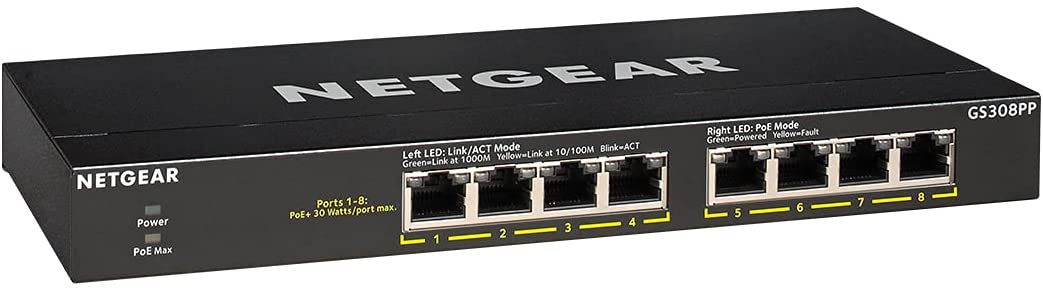
NETGEAR GS308PP: Best Unmanaged Switch With PoE on Every Port
8 x 1G, 8 x PoE+ · 83 W total (123 W with the optional PSU) · unmanaged · fanless
If you need PoE on every port and no VLANs, this is the simple answer. Eight small cameras fit easily in 83 W, but eight power-hungry devices won’t. For more headroom, the TP-Link TL-SG1008MP has 153 W on every hardware version since V2 (the Amazon listing’s title says 126 W, the V1 figure).
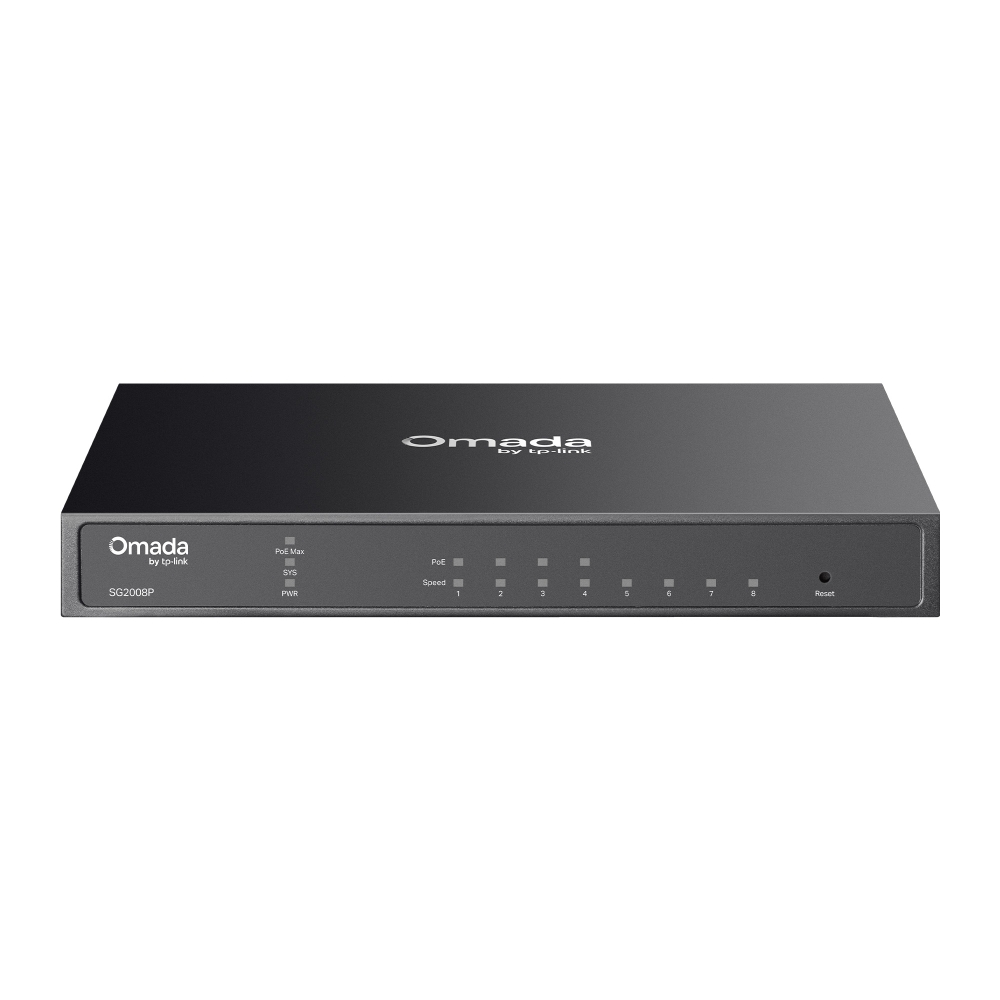
Omada SG2008P: Best Managed 8-Port PoE Switch Outside UniFi
8 x 1G, 4 x PoE+ · 62 W total · smart managed (Omada or standalone) · fanless
If you want VLANs and don’t run UniFi, this is the one I’d look at. It used to be sold as the TP-Link TL-SG2008P, and the Amazon listing still uses that name. Only four ports have PoE, so for VLANs and PoE on all eight, look at the Zyxel GS1900-8HP.

UniFi Pro XG 8 PoE: Best 10G PoE Switch
8 x 10G PoE++ (60 W per port) · 2 x 10G SFP+ · 155 W total · Layer 3 · fanless
I have one of these too, and it’s the most expensive switch in this list, so it only makes sense if you have 10G devices to feed. My best 10Gb switch guide covers 10G properly.
Managed or Unmanaged 8-Port PoE Switch
Before you buy any PoE switch (8-port or bigger), decide managed or unmanaged first, then how much PoE you need, then how many ports. An unmanaged switch is basically just a dumb switch that passes along whatever network is plugged into it, and for some people that’s fine. A managed switch lets you put each port on a VLAN, so a camera lands on the camera VLAN.
The TL-SG1008P, TL-SG1008MP and GS308PP are unmanaged, the TL-SG108PE and ES208GP are easy managed, and the SG2008P and Zyxel GS1900-8HP are smart managed. If you already have a UniFi gateway, stay with UniFi, since one ecosystem is easier to manage.
PoE, PoE+ or PoE++: How Much Power Budget You Need
Two numbers matter on a PoE switch: the class each port supports and the total budget. A higher class powers a lower-class device, so a PoE+ port runs a PoE camera fine.
| Standard | Name | At the switch port | At the device |
|---|---|---|---|
| 802.3af (Type 1) | PoE | 15.4 W | 13 W |
| 802.3at (Type 2) | PoE+ | 30 W | 25.5 W |
| 802.3bt (Type 3) | PoE++ | 60 W | 51 W |
| 802.3bt (Type 4) | PoE++ (PoE+++ on UniFi) | 90 W | 71.3 W |
For most people, you’re probably not going to need anything more than PoE+, so look at the hardware you’re going to power first. A UniFi U7 Pro draws up to 21 W and is fine on PoE+. The U7 Pro XGS draws up to 29 W, more than a PoE+ port delivers (25.5 W at the device), so even the best PoE+ switch won’t run it. Every PoE++ output here is on a UniFi switch.
The budget is where people get tripped up, because it’s shared across the whole switch. The TL-SG1008P has 30 W ports but 64 W in total. I’ve had this happen: in November 2024, my cameras kept disconnecting because the two USW Lite 16 PoE switches running them were hitting their PoE limits.
So add up the maximum draw of what you’ll plug in. A U7 Pro and three UniFi G5 Bullet cameras (4 W each) come to 33 W, which fits the Lite 8 PoE’s 52 W but uses all four of its PoE ports. With an 8-port PoE switch for IP cameras, you’ll often run out of PoE ports before you run out of watts.
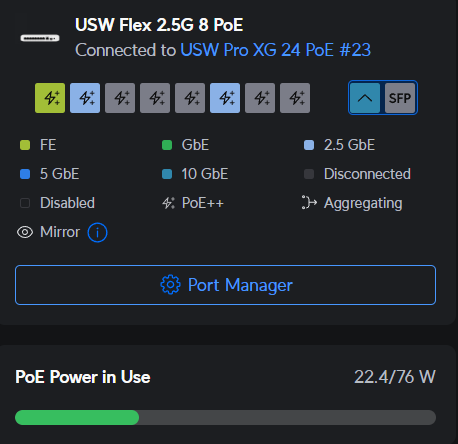
The Flex 2.5G PoE, like the Ultra, has a budget that depends on how you power it. It gets 16 W on a PoE+ input, 46 W on PoE++, 76 W on PoE+++ and 196 W with the 210 W AC adapter. On PoE++ input, that’s enough for a U7 Pro XGS with room to spare. When I reviewed the UniFi Pro XG 24 PoE in June 2025, I was powering my Flex from one of its PoE+++ ports. It had two access points running off it, and it was flawless.
Gigabit or 2.5G: Which 8-Port PoE Switch Speed to Buy
Every non-UniFi switch here is gigabit only, which is fine when everything you’re powering has a gigabit port. For the best PoE switch, 8-port gigabit and nothing to set up, I’d point you at the TL-SG1008P or GS308PP.
2.5G is where most home users should start if they want faster than gigabit. Newer access points like the U7 Pro have a 2.5G port, and that’s where the Flex 2.5G PoE makes sense. If you don’t need PoE at all, my 2.5Gb switch guide covers non-PoE 8-port switches.
8-Port PoE Switch Price Tiers: What the Money Buys
The budget or low-mid tier covers most people, and if you run UniFi, the Flex 2.5G PoE is worth the step up.
- Budget: the TL-SG1008P (the cheapest) and TL-SG108PE. Four PoE+ ports and 64 W, with VLANs on the TL-SG108PE.
- Low-mid: the GS308PP, TL-SG1008MP, ES208GP, SG2008P and Lite 8 PoE. PoE on all eight ports, a bigger budget or management.
- Mid: the Zyxel GS1900-8HP, the Ultra and the Flex 2.5G PoE. Managed PoE+ on every port, a PoE-powered switch, or 2.5G and PoE++.
- Premium: the Pro 8 PoE and Pro XG 8 PoE. UniFi Layer 3, and the XG’s 10G ports.
Final Thoughts on 8-Port PoE Switches
Decide managed or unmanaged, then look at the hardware. Add up what you’re actually going to power, check what needs PoE++ and leave room for the next access point. Then buy the switch whose total budget covers it, because you don’t want to end up adding a bunch of PoE injectors if you just needed a PoE switch in the first place.