The best 2.5Gb switch for most home networks is a simple unmanaged one, and the TP-Link TL-SG108-M2 is the one I’d point most people at: eight 2.5GbE ports, no fan and nothing to configure. If you need VLANs, you need a managed switch. If you run UniFi, the UniFi Flex 2.5G PoE is the 2.5 gig switch I have in my own network.
Before moving most of my network to 10 gig, I ran a mix of 1 and 2.5 gig on everything (switches, access points, NAS devices and PCs). I still think 2.5 gig is where most people should start, because it gets you faster transfers for a lot less money. Picking the best 2.5Gb switch comes down to three things, in this order: managed or unmanaged, whether you need PoE, and how many ports you need. The picks and a comparison table are further down.
Disclosure: Some links below are affiliate links, which means that I earn a percentage of each sale at no cost to you. Thank you for your support.
What 2.5GbE Is and Whether You Need It
2.5GbE is 2.5 times the speed of gigabit, which is 312.5 MB/s against 125 MB/s in theory. It caught on at home because of cabling. Most houses are wired with Cat5e, and Cat5e handles 2.5 gig perfectly, while 10 gig is where you really have to move to Cat6, 6A or higher. So a 2.5GbE switch is an upgrade you can make without pulling a new cable.
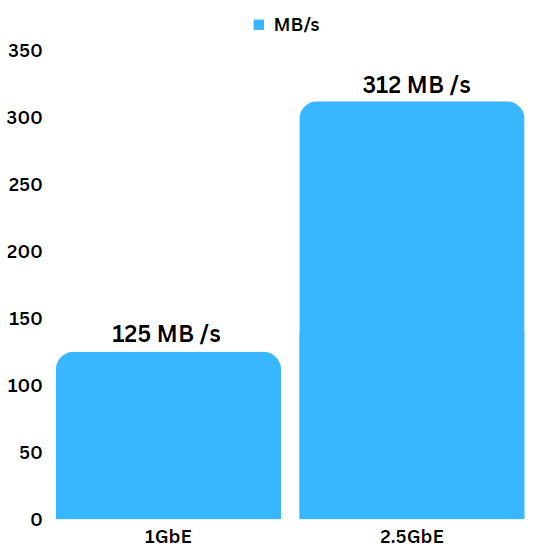
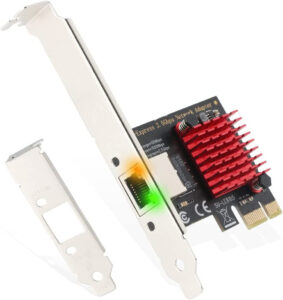
It’s backward compatible too, and every switch below also runs its 2.5G ports at gigabit, so older gigabit devices plug straight in. A 2.5 Gb switch only speeds up links where both ends support 2.5G, but just about everything you buy from this point forward has a 2.5 gigabit NIC. If a PC or NAS doesn’t, you can usually add a 2.5GbE PCIe card, and for a laptop there’s the WAVLINK 2.5G USB adapter, which I have, and it works really well.
What it won’t do for most people is make the internet faster. Most people don’t have faster than gigabit internet, so the gain is local: copying files to a NAS, backups, and anything else that stays inside your house. If you already have 2.5 gig and want more, that is when 10 gig makes sense, and I’ve covered it in my best 10Gb switch guide.
Managed vs. Unmanaged 2.5Gb Switches
This is the first question, and for a lot of people the answer is unmanaged. An unmanaged switch is basically a dumb switch, where every port sits on the same network. It can’t handle VLANs (it has no idea what they are). If you’re configuring VLANs on your router, you need a managed switch to decide which ports belong to which VLAN, so a camera lands on its own network and your PC stays on the trusted one.
For some people the dumb switch is going to be fine, and it’s usually cheaper, often fanless, and there’s nothing to break. For others, you want the granular control, and that includes disabling ports, link aggregation and seeing the speed each port negotiated.
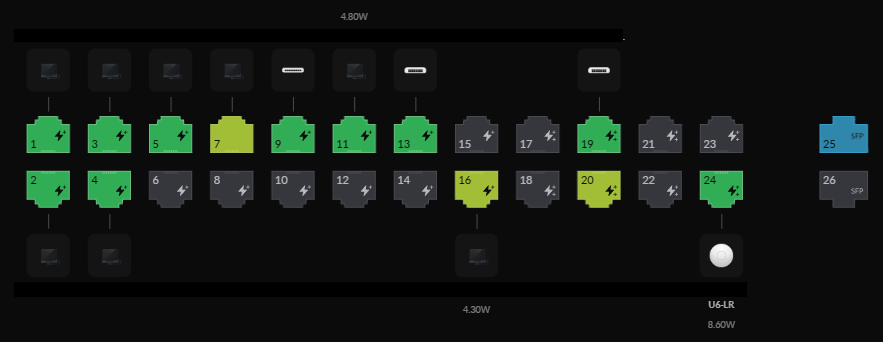
The best 2.5Gb managed switch for you mostly depends on your router. If you’re going down the UniFi route, I’d recommend just buying UniFi switches, managed from a UniFi gateway or a self-hosted UniFi Network server. Outside of UniFi, the Zyxel XGS1210-12 is usually the cheapest managed option here, though only two of its ports are 2.5G. The Omada SG3210XHP-M2 gives you eight managed 2.5G ports with PoE+ if you’ll pay for it.
2.5Gb PoE Switches and SFP+ Uplinks
PoE is the second question. PoE (power over ethernet) lets the network cable power the device on the other end, so access points and cameras don’t need an outlet. Three picks below cover it: the TL-SG105PP-M2 with nothing to manage, the Omada SG3210XHP-M2 for managed PoE, and the Flex 2.5G PoE on UniFi. You don’t want to end up adding a bunch of PoE injectors if you just needed a PoE switch in the first place.
For most people, you’re probably not going to need anything more than PoE+ (30 W per port). The number to check is the total budget that every powered device shares: 240 W on the Omada SG3210XHP-M2, 123 W on the TP-Link TL-SG105PP-M2, and on the Flex 2.5G PoE, whatever is powering it.
The Flex can run from an AC adapter (196 W of PoE, sold separately) or take power from another switch, which gives it 76 W from a PoE+++ port, 46 W from PoE++ and only 16 W from PoE+. When I reviewed my UniFi Pro XG 24 PoE switch in 2025, I powered the Flex from one PoE+++ port on it, and it ran two access points off that single cable without a problem.
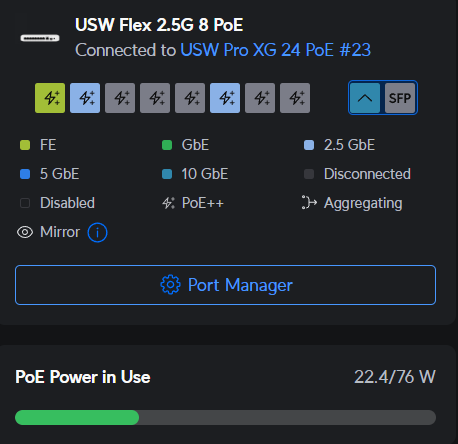
SFP+ is the other thing to check on the spec sheet. On a 2.5 gigabit switch, an SFP+ port is there for the uplink, the link back to your router or main switch that everything plugged in shares. Eight devices at 2.5G behind a gigabit uplink waste the upgrade for anything that leaves the switch, so a 10G uplink is worth having if this isn’t your only switch. The Zyxel and the Omada have two SFP+ ports each, and the Flex 2.5G PoE has a 10G combo port that takes copper or SFP+.
How Many Ports Do You Need on a 2.5Gb Switch?
The third question is the easy one. Count what will plug into it, add a couple for whatever you buy next, and for most people that lands on eight ports. You can go to 16 or 24 (they even make 48-port switches), but you really have to look at your requirements and scale up or down from there.
Five ports covers a desk or a TV cabinet with a PC, a NAS and a couple of other things, which is what the TRENDnet TEG-S350 is for. Just count the ports that actually run at 2.5G, not the number on the box. The Zyxel XGS1210-12 has twelve ports but only two are 2.5G, and the QNAP QSW-2104-2T-R2 has six, with four at 2.5G and two at 10G.
Best 2.5Gb Switches for Home and Small Business
For most people the best 2.5Gb switch is the TP-Link TL-SG108-M2. The Flex 2.5G PoE is the one I run, and the rest are the switches I’d recommend from their specs, all still sold as of September 2026.
| Switch | 2.5G ports | Other ports | Managed | PoE |
|---|---|---|---|---|
| TP-Link TL-SG108-M2 | 8 | None | No | No |
| TRENDnet TEG-S350 | 5 | None | No | No |
| TRENDnet TEG-S380 | 8 | None | No | No |
| QNAP QSW-2104-2T-R2 | 4 | 2 x 10G RJ45 | No | No |
| TP-Link TL-SX1008 | 8 (all 10G multi-gig) | None | No | No |
| Zyxel XGS1210-12 | 2 | 8 x 1G, 2 x 10G SFP+ | Web-managed | No |
| TP-Link TL-SG105PP-M2 | 5 | None | No | 4 x PoE++, 123 W |
| UniFi Flex 2.5G PoE | 8 | 1 x 10G RJ45/SFP+ combo | UniFi Network | 8 x PoE++, 16 to 196 W |
| Omada SG3210XHP-M2 | 8 | 2 x 10G SFP+ | L2+ (Omada or web) | 8 x PoE+, 240 W |
From a price perspective there are three tiers. The two TRENDnet switches and the TL-SG108-M2 are the budget tier, and the TEG-S350 is the cheapest switch here. The QNAP, TL-SG105PP-M2 and Flex sit in the middle, the Zyxel lands anywhere from middle to premium depending on the seller, and the TL-SX1008 and Omada are premium. The budget tier is the one worth buying, and the extra money only earns its keep when it buys VLANs, PoE or 10G ports you’ll actually use.
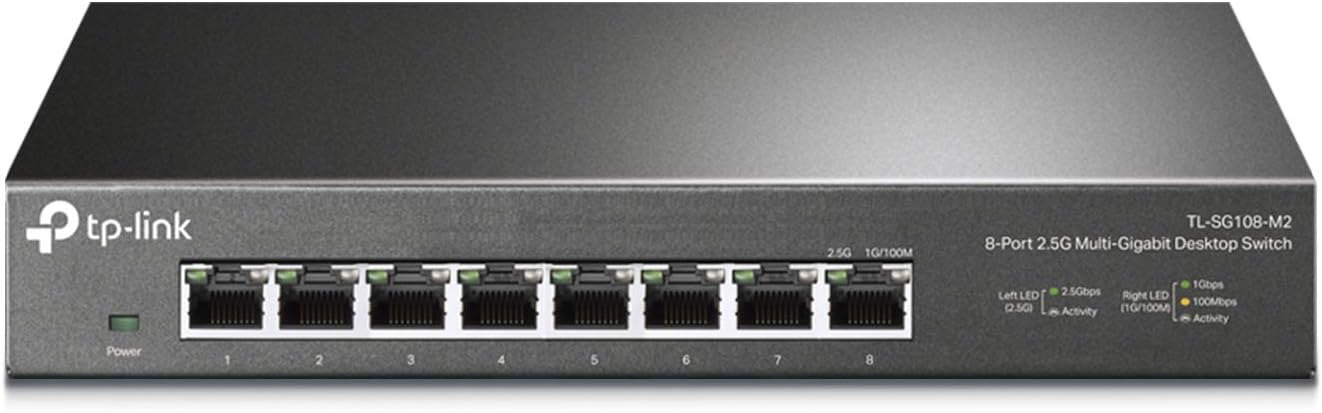
TP-Link TL-SG108-M2: Best 2.5Gb Switch for Most People
8 x 2.5G RJ45 · unmanaged · fanless · wall mountable
Eight 2.5GbE ports, no fan and nothing to set up, which is exactly what most people need. It takes older gigabit devices too, and it can go on a wall. The downside is what it doesn’t have: no 10G uplink, no PoE and no management.
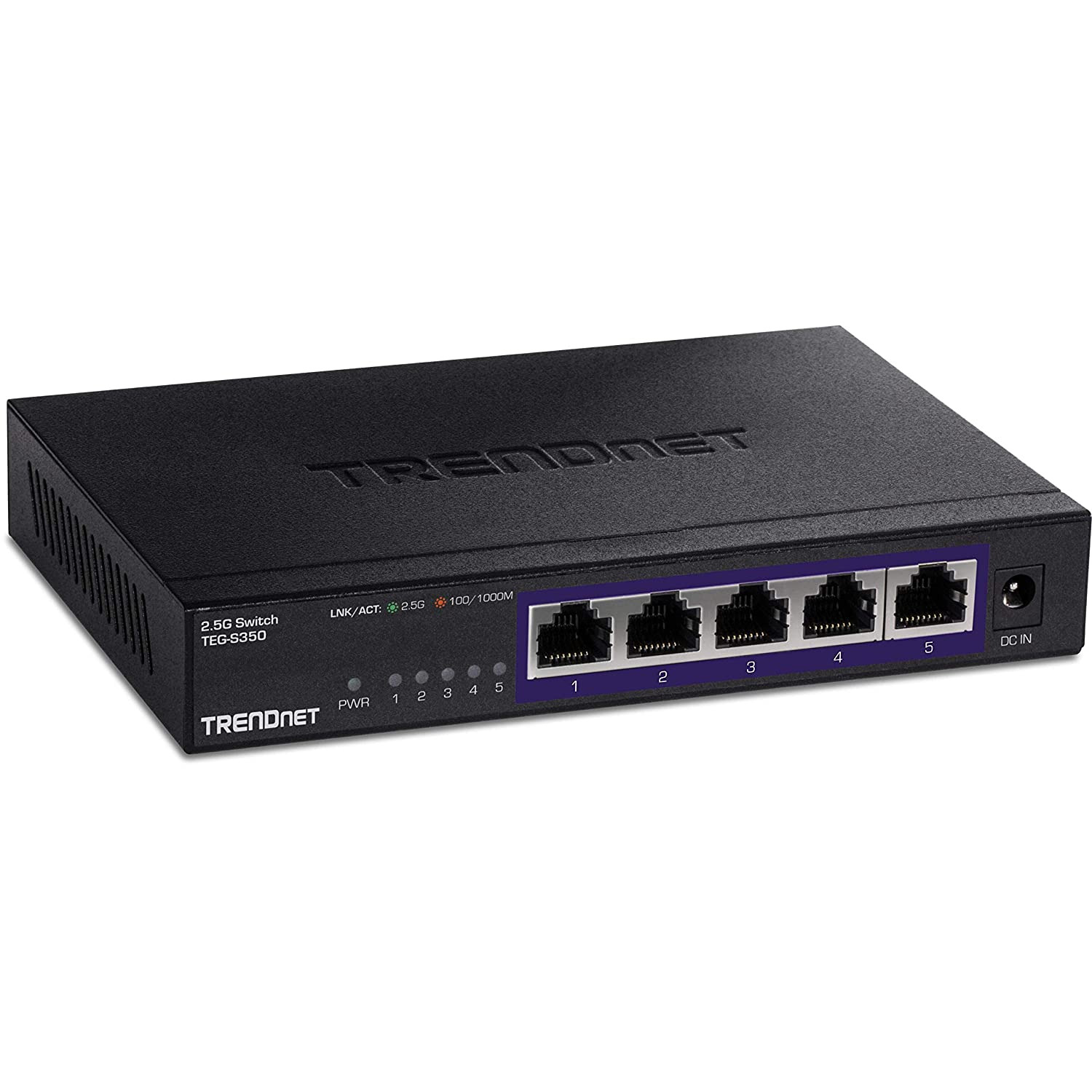
TRENDnet TEG-S350: Best 5-Port 2.5Gb Switch
5 x 2.5G RJ45 · unmanaged · fanless · metal, wall mountable
The cheapest switch in this guide, and if five ports is enough, this is the one. It’s a metal, fanless box that mounts on a wall, and it now ships as version 2 since TRENDnet discontinued the original hardware. Five ports fill up quickly, though.
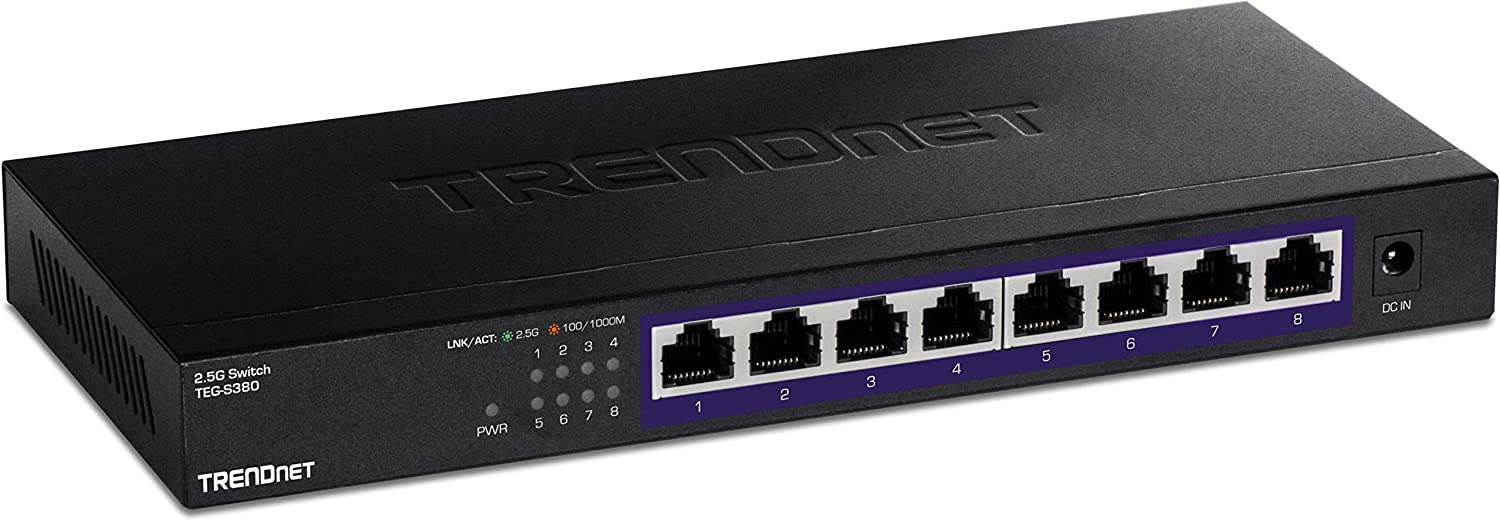
TRENDnet TEG-S380: Best Budget 8-Port Alternative
8 x 2.5G RJ45 · unmanaged · fanless · metal, wall mountable
The 8-port version of the TEG-S350, in the same budget tier as the TL-SG108-M2, so between the two it generally comes down to which is cheaper when you buy. It has the same gaps: no 10G uplink, PoE or management.
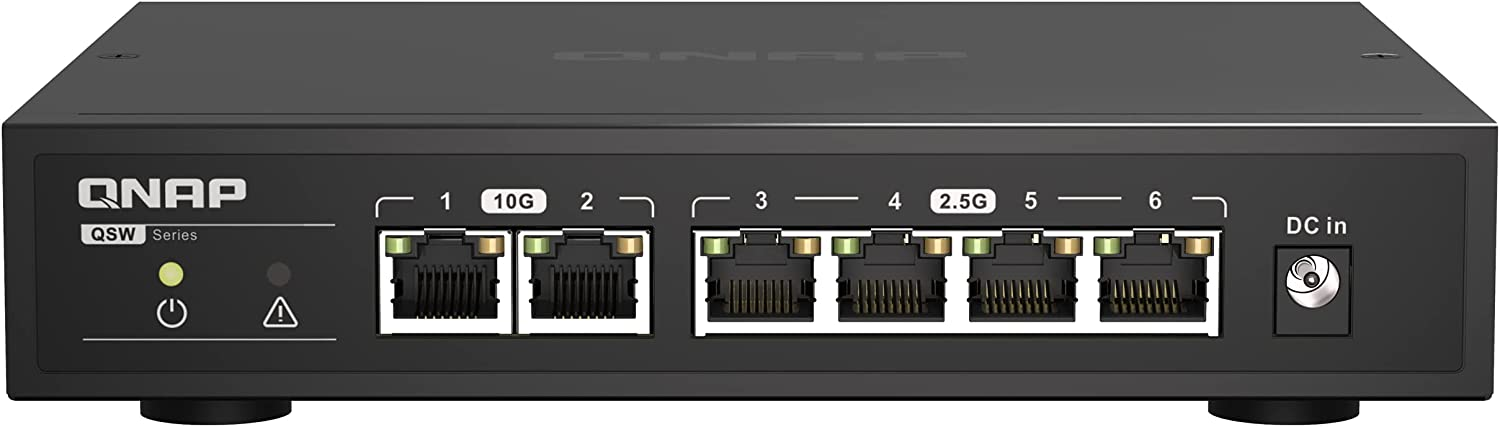
QNAP QSW-2104-2T-R2: Best for Two 10G Devices
4 x 2.5G RJ45, 2 x 10G RJ45 · unmanaged · fanless
This replaces the QSW-2104-2T, which QNAP now lists as legacy, with the same four 2.5G and two 10G ports. That’s the layout you want when a 10G NAS and one PC should talk at 10G. Four 2.5G ports is limiting.

TP-Link TL-SX1008: Best if You Want Every Port at 10G
8 x 10G multi-gig RJ45 (10G/5G/2.5G/1G/100M) · unmanaged · one fan
Every port is 10G multi-gig, so a 2.5G PC runs at 2.5G and a 10G NAS at full speed. It’s several times the price of the TL-SG108-M2 and it has a fan, so it only makes sense if you’re buying for 10G devices you’ll have later.
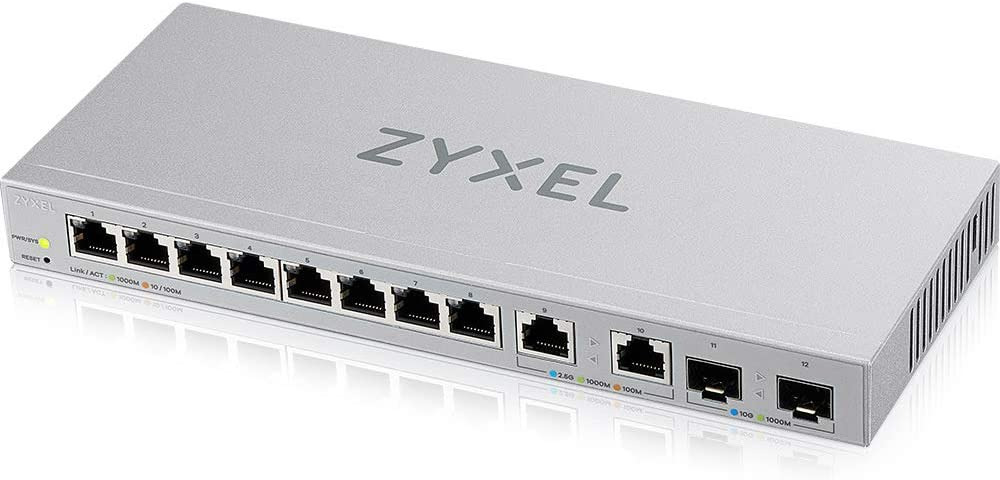
Zyxel XGS1210-12: Best Web-Managed Switch with SFP+
2 x 2.5G, 8 x 1G RJ45, 2 x 10G SFP+ · web-managed · fanless
VLANs, link aggregation, QoS and IGMP snooping from a web interface, plus two SFP+ ports for a 10G uplink. The trade-off is that only two of its twelve ports are 2.5G. For VLANs and 2.5G to a PC and a NAS, it’s great, but its price varies a lot by seller, so compare before you buy.

TP-Link TL-SG105PP-M2: Best Unmanaged 2.5Gb PoE Switch
5 x 2.5G RJ45, 4 with PoE++ (60 W max per port, 123 W total) · unmanaged · fanless
If you want PoE with nothing to manage, this is the one. Four of the five ports are PoE++, so access points or cameras run off the same cable that connects them. With no VLANs, though, everything it powers shares one network.
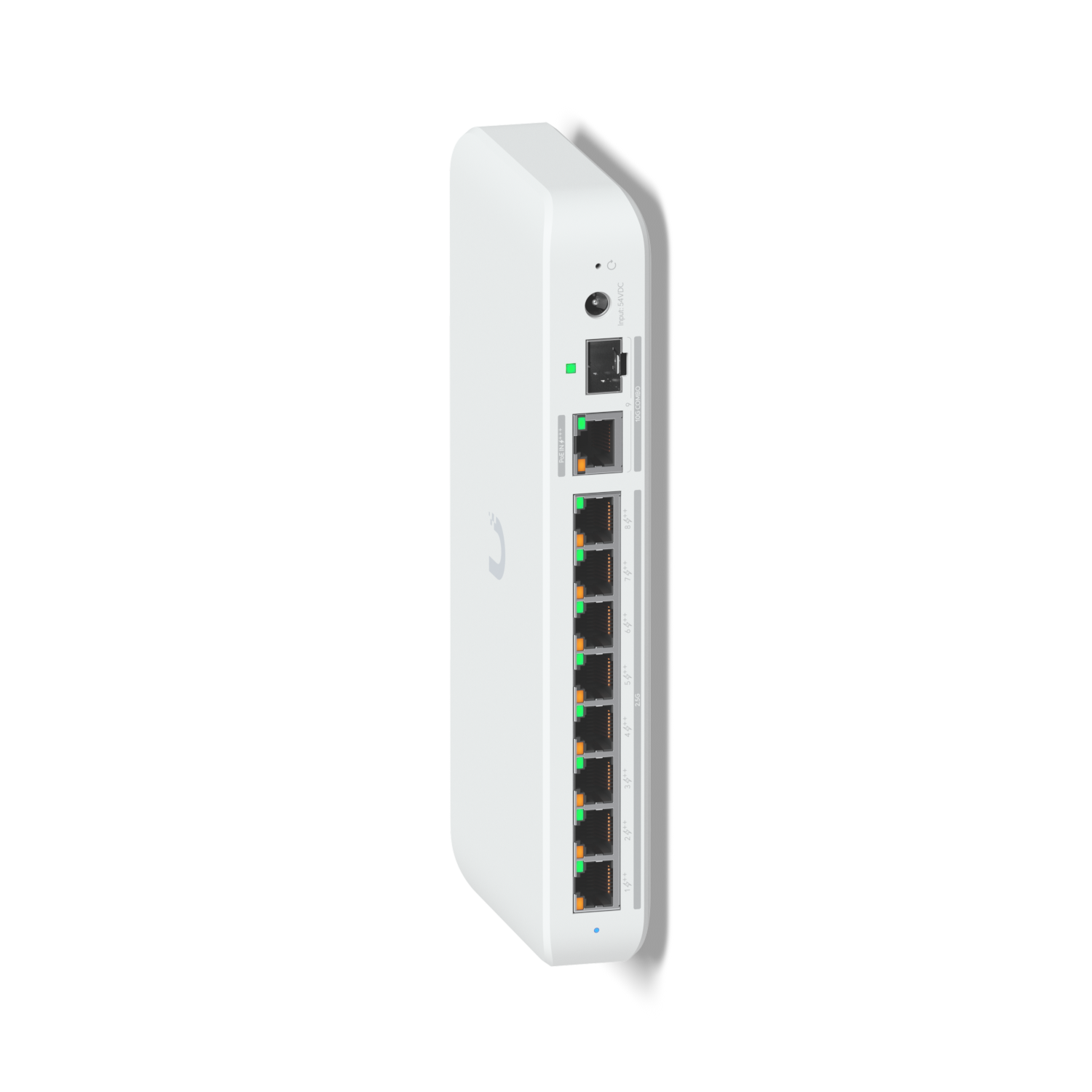
UniFi Flex 2.5G PoE: Best for a UniFi Network
8 x 2.5G PoE++, 1 x 10G RJ45/SFP+ combo uplink · UniFi Network 9.0.114 or later · 16 to 196 W PoE by power source
This is the 2.5 gig switch I have, and if you run UniFi, it’s the one I’d get. VLANs, port profiles and PoE are all set in UniFi Network next to the rest of your network. The catch is that it needs UniFi to manage, and its PoE budget depends on what powers it. If you don’t need PoE, the Flex 2.5G has the same ports without it.
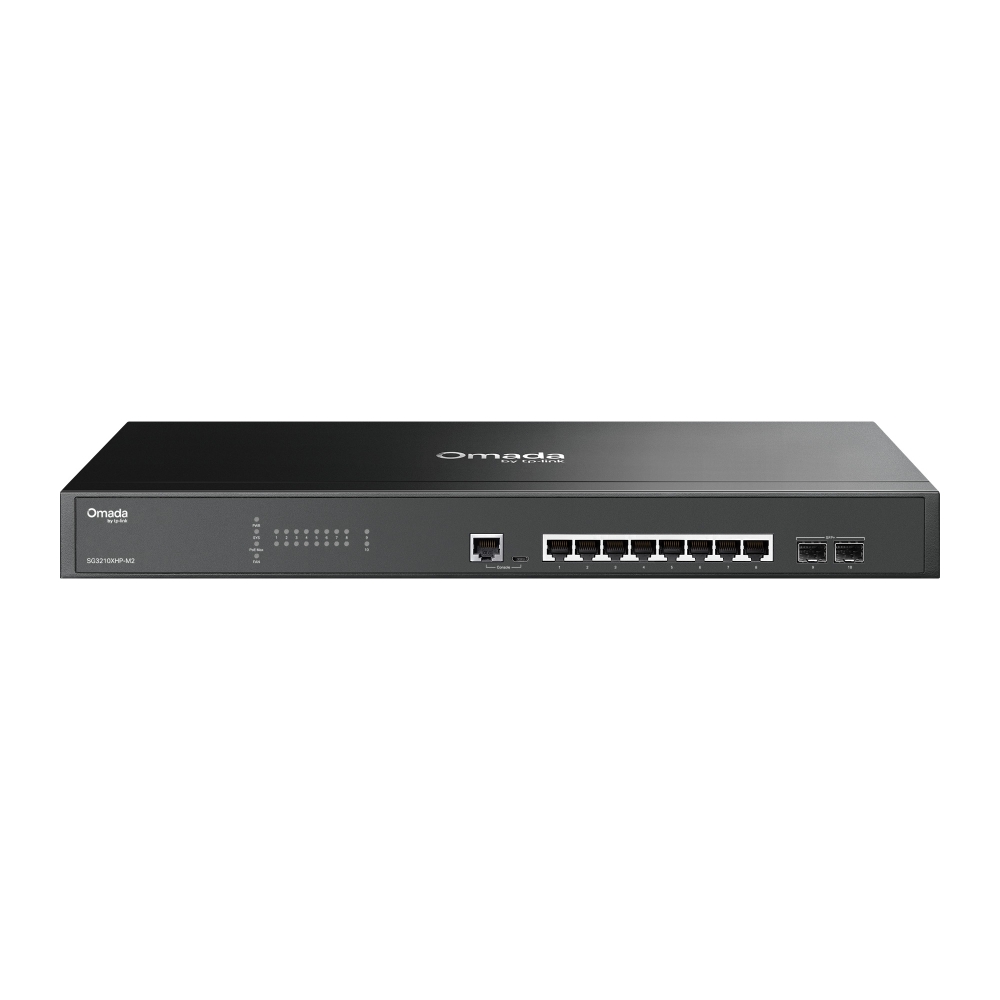
Omada SG3210XHP-M2: Best Managed 2.5Gb PoE Switch
8 x 2.5G PoE+ (30 W per port, 240 W total), 2 x 10G SFP+ · L2+ managed · two fans
Eight managed PoE+ ports at 2.5G, a 240 W budget and two SFP+ ports make this the most switch in this guide. It used to be sold as the TP-Link TL-SG3210XHP-M2, and you can manage it from its own web interface or from Omada. It’s premium and has two fans, so it belongs in a rack or a closet.
Final Thoughts on 2.5Gb Switches
If you’re still torn, answer the three questions in order: managed or unmanaged, PoE or not, then how many ports, and the switch mostly picks itself. For most home users 2.5 gig is where I’d start. It runs on the Cat5e already in the walls, and most of what you buy now has a 2.5G port on it. If you already have 2.5 gig and want faster than that, that’s the point to look at a 10 gig switch instead.